This document describes the Linsar Robot Vacuum Cleaner (E0B / RVC-VS-ECOM), a device designed for automated cleaning of flat indoor floors. It is intended for private use and not suitable for commercial applications.
Function Description
The robot vacuum cleaner is designed to autonomously clean indoor floor surfaces. It offers several cleaning modes:
- Automatic Function: The robot systematically cleans the entire area and then automatically returns to its charging station.
- Point Cleaning Function: The robot cleans a specific area of approximately 1 m² by moving in a spiral pattern from the inside to the outside and then from the outside to the inside. This is useful for concentrated cleaning of spills or heavily soiled spots.
- Edge Cleaning Function: The robot cleans the edges of the room and then automatically returns to its charging station.
- Manual Cleaning: The robot can be manually steered using direction keys on the remote control to clean specific areas.
The device is equipped with sensors to detect edges and obstacles, helping it navigate and avoid falls, especially near stairs. When the battery charge level becomes low during cleaning, the robot automatically returns to its charging station.
Important Technical Specifications
Robot Vacuum Cleaner:
- Model: E0B / RVC-VS-ECOM
- Dimensions: Approx. 306 x 73.5 mm
- Weight: Approx. 2.15 kg
- Input Voltage: 15 V ⎓ 0.8 A
- Operating Voltage: 14.4 V
- Power: 28 W
- Battery Type: Lithium-ion battery, 10.8 V, 2600 mAh
- Operating Time per Charge: Max. 100 min.
- Dust Container Capacity: 250 ml
- Water Tank Capacity: 200 ml
Charging Station:
- Dimensions: 146 x 131 x 75 mm
- Input Voltage: 15 V ⎓ 0.8 A
- Output Voltage: 15 V ⎓ 0.8 A
- Power: 12 W
Remote Control:
- Signal: Infrared (IR)
- Battery Type: LR03, 1.5 V (AAA), (x 2)
Mains Adapter:
- Manufacturer: Debom Technology Co, Ltd (PEOPLE'S REPUBLIC OF CHINA)
- Model: DBS012A-1500800G
- Input Voltage: 100-240 V~, 50/60 Hz, 0.35 A
- Output Voltage: 15 V ⎓, 0.8 A
- Output Power: 12 W
- Protection Class: II
- Ambient Temperature (ta): Max. 40°C
- Power Consumption without Load: 0.131 W
Usage Features
The robot vacuum cleaner comes with a charging station, remote control, cleaning tool, side brushes (left and right), and a filter.
Before First Use:
- Unpacking: Carefully remove the product from its packaging.
- Inspection: Check that all parts are included and undamaged. Do not operate a damaged product.
- Initial Cleaning: Remove all packaging materials and protective films. Clean all parts as described in the "Cleaning" section.
- Charging Station Setup: Place the charging station against a wall on a flat surface, ensuring no objects are in the immediate area. Connect the mains adapter to the charging station and plug it into a socket.
- First Charge: Place the robot vacuum cleaner on the charging station so that the charging contacts align with the electrodes. A beep will sound, and the on/off switch will flash during charging. Once fully charged, another beep will sound, and the on/off switch will light up constantly.
- Remote Control Preparation: Insert two LR03 (AAA) 1.5 V batteries into the battery compartment on the back of the remote control, ensuring correct polarity.
- Pre-Cleaning Preparation: Remove all loose objects from the floor (curtains, clothes, paper, loose cables, extension cords) to ensure optimal cleaning performance. Set up barriers on stairs or other drop-offs to prevent the robot from falling. Ensure there is no standing water in the cleaning area.
Operation:
- Switching On: Place the robot on the floor. Press and hold the on/off switch for approximately 5 seconds to turn it on. If it's already on the charging station, this step is not necessary.
- Starting Cleaning: Activate the desired cleaning function (Automatic, Point, or Edge) using the on/off switch on the robot or the corresponding buttons on the remote control.
- Suction Power Adjustment: Adjust suction power (high or low) using the remote control.
- Pause/Resume: Press the on/off switch on the robot or the Start/Pause button on the remote control to pause or resume cleaning.
- Return to Charging Station: The robot will automatically return to the charging station if the battery is low or if the "Start charging station" button is pressed on the remote control.
App Control:
The robot vacuum cleaner can be controlled via a smartphone app ("Tuya Smart") connected via Wi-Fi. The app is available for iOS and Android devices.
- Installation: Scan the QR code or search for "Tuya Smart" in the App Store/Google Play. Install and open the app.
- Registration/Login: Register for a new account or log in with existing credentials.
- Add Product: Place the robot in the charging station. Press and hold the on/off switch for about five seconds until a beep sounds and the on/off switch and signal indicator flash. Open the app and follow the instructions to add the product. The signal indicator will light up constantly upon successful addition.
- App Functions: The app allows users to view charging status, select operating modes, and configure cleaning schedules.
- Remove Product from Cloud: Ensure the robot is on and the signal indicator is lit. In the app, select the edit icon, then "Remove the device," "Disconnect and delete all data," and "Confirm."
Maintenance Features
Regular maintenance is crucial for optimal performance and longevity of the robot vacuum cleaner. Cleaning should be performed weekly.
Cleaning the Robot:
- Turn Upside Down: Turn the robot vacuum cleaner upside down.
- Main Brush: Unlock and remove the main brush cover. Remove the main brush and clean it using the provided cleaning tool.
- Side Brushes: Clean the side brushes using the cleaning tool.
- Dust Bin: Press down the dust container release and pull the dust container out of the robot. Open and empty the dust container.
- Dust Bin Components: Open the flap on the top of the dust container. Remove the sieve filter, main filter, and sponge.
- Filter Cleaning: Clean the sieve filter and sponge under running water. Tap out the main filter and clean it with the cleaning tool; do not clean the main filter with water.
- Wipe Down: Wipe out the dust container.
- Drying: Allow all parts to dry thoroughly before reassembling them in reverse order.
- Robot Exterior: Wipe the entire robot with a clean, dry, soft cloth. Pay special attention to cleaning the charging contacts, height sensors, and infrared lens.
- Charging Station: Wipe the charging station with a clean, dry, soft cloth. Ensure the electrodes and infrared lens are clean.
Replacement of Parts:
- Side Brushes: Replace the side brushes every 3 months to maintain optimal cleaning effectiveness. Unscrew the old brushes counterclockwise with a Phillips screwdriver and mount the new ones in reverse order.
Storage:
- Ensure all parts are completely dry before storage.
- Store the product in a dry place, protected from direct sunlight.
- Keep the product out of reach of children and securely locked away.
Safety Instructions
The manual emphasizes several safety precautions:
- Electrical Safety: Only connect the power unit if the mains voltage matches the rating plate. Use only the provided detachable supply unit for charging. Connect to an easily accessible socket. Do not operate with external timers or remote-control systems. Do not immerse the product, power supply, or cables in water. Never touch the power unit with wet hands. Do not pull the power unit by the cable. Do not operate if visibly damaged. Repairs must be done by qualified personnel using original parts. Keep the product and cables away from open flames and hot surfaces. Lay cables to avoid tripping hazards.
- Children and Persons with Reduced Abilities: This product is not a toy. Children under 8 must not use it. Children aged 8 and older, and persons with reduced physical, sensory, or mental abilities or lack of experience, may only use it under supervision or after instruction on safe use and understanding of hazards. Children must not play with the product or packaging film. Keep children under 8 away from the product and power cable. Cleaning and maintenance must not be performed by unsupervised children. Do not leave the product unattended during use.
- Fire and Explosion Risk: Do not vacuum flammable, combustible, explosive, or caustic gases, vapours, liquids, dust, or smouldering materials (e.g., wood, cigarette butts, ashes). Improper battery handling increases fire/explosion risk. Protect the battery from mechanical damage and excessive heat (5-35°C ambient temperature). Do not throw batteries into fire or short-circuit contacts. Use only original accessories for charging. Do not expose lithium battery contents to water.
- Leakage and Injury Risk (Batteries): Improper battery handling can cause leaks or explosions. Store batteries in a cool, dry place, away from direct sunlight, fire, children, and animals. Use only batteries of the same type and ensure correct polarity. Use premium quality batteries. Clean battery contacts before insertion. Replace all batteries in a compartment simultaneously. Remove dead or unused batteries for prolonged periods to prevent leakage. If batteries leak, remove them immediately with household rubber gloves, avoiding contact with skin, eyes, or mucous membranes. If contact occurs, wash immediately with clear water and consult a physician. Batteries should be installed/replaced by adults only. Do not charge non-rechargeable batteries. Remove batteries before disposal. Dispose of spent/leaking batteries according to directives.
- Injury Risk (Operation): Do not stand under unsecured edges or stairs during operation. Test if the product detects steps/obstacles, especially on very light/white high-gloss floors. Erect additional barriers if necessary to prevent damage to objects, walls, stairs, or the product itself. Clean sensors regularly. Do not place the charging station near stairs.
- Damage Risk: Do not use if plastic components are cracked or deformed. Never place the product on or near hot surfaces (stove tops) or expose it to high temperatures (heaters) or bad weather (rain). Do not use aggressive cleaners, sharp or metal cleaning utensils. Never wash the product in a dishwasher.
Disposal
- Packaging: Sort packaging materials (paperboard, cardboard, films) for recycling.
- Old Electrical Device: In the EU and other European countries with separate collection systems, old electrical products must not be disposed of with household waste. They must be taken to a municipal/city district collection point for proper recycling to avoid negative environmental effects. Electrical products are marked with a crossed-out wheeled bin symbol.
- Batteries and Rechargeable Batteries: Batteries and rechargeable batteries must not be disposed of with household waste. Consumers are legally obliged to dispose of all batteries (regardless of harmful substances*) at a community/district collection point or retail outlet for environmentally friendly disposal. Harmful substances are marked with: Cd = Cadmium, Hg = Mercury, Pb = Lead, Li = Lithium.

 Need help?
 General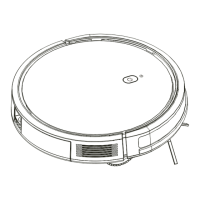

 To Next Page