TV SETTING MENUS | 31
Factory Password: 0000
Master Password: 8899
Option Description
Change
Password
Input a new password using the number buttons on the remote and confirm to set the
new password.
System Lock
Enable/disable the lock on the system.
Channel Lock
Press the
/GREEN button repeatedly to lock/unlock the highlighted channel.
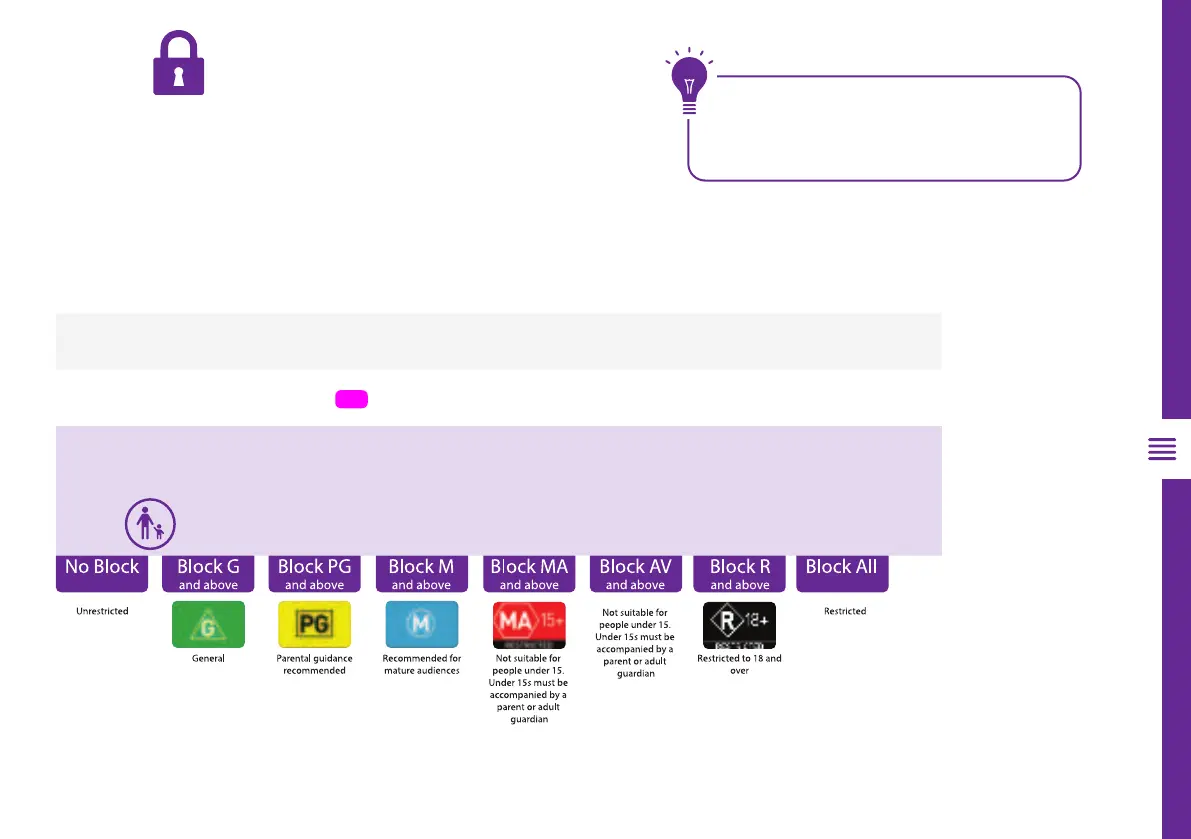
Parental
Guidance
This item is used to block access to specific program ratings. See options down below.
Clear Lock
Turn clear lock on/off
Lock
Enter the factory password '0000' using the number buttons on the
remote and select 'OK' on-screen. If you changed your password
but forgot it, you can still use the master password.



 To Next Page