UNPACK AND PREPARE | 7
Back of the TV
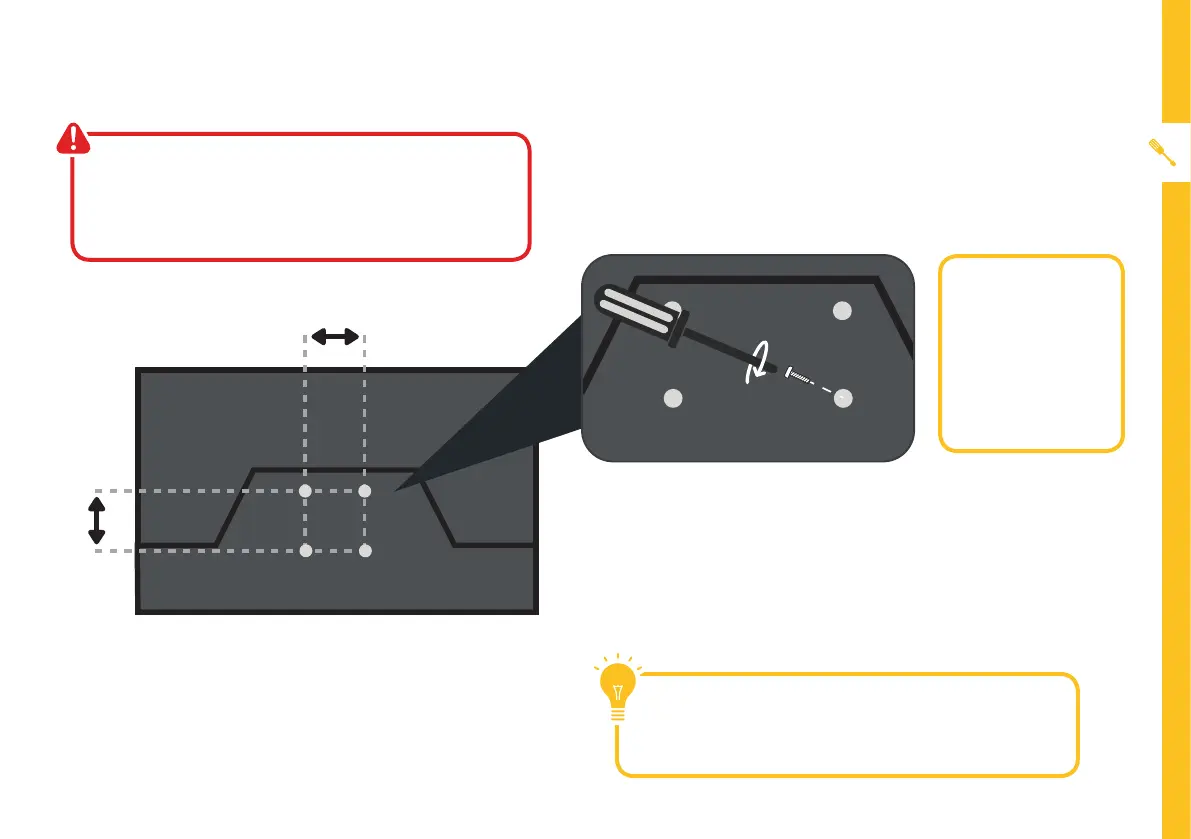
200mm
200mm
Wall-mounting the TV
The TV comes with holes on the back panel for use
with wall-mounting brackets (bracket not included).
Use four standard M6*8mm screws (or longer,
depending on the mounting bracket) to wall-mount
this TV (screws are not included).
• Unplug the TV from the power outlet
before wall-mounting.
• Contact a professional for assistance with
wall-mounting the TV.
Required:
• VESA Mounting
Bracket
• 4 x M6*8mm
screws (or
longer as
required)
The screws in the package are for securing the TV
stand only. If you are wall-mounting the TV, consult a
qualified installer for advice on bracket support and
wall support.



 To Next Page