2
Table of contents
Transformer operations
Operating your non-powered locomotive 3
Using your locomotive’s ElectroCoupler in the non-Command environment 4
TrainMaster Command Control operations
The TrainMaster CommandControl environment 5
Addressing your non-powered A-unit in the TrainMasterCommand Control environment 6
CAB-1 Remote Controller commands for your locomotive 6
Assigning your non-powered A-unit a new ID# 7
Building a lash-up 8
Maintaining and servicing your locomotive
Reprogramming the Command reverse unit to restore features 9
Lubricating your locomotive 10
Replacing your F3 A-unit’s lamps 11
Limited Warranty/Lionel Service 12
C
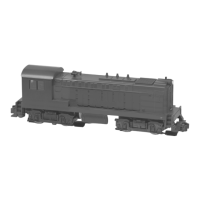
ongratulations on your purchase of the Lionel Non-Powered F3 A-Unit! Featuring
directional lighting and an ElectroCoupler, this locomotive is ready for duty on your
model railroad. Operate this unit in a lash-up with a powered F3 A-unit or another
locomotive.
Congratulations!
Features of the Non-Powered F3 A-Unit
•TrainMaster Command Control equipped
•Front headlight
• ElectroCoupler (in Command)
• Interior lighting
The following Lionel marks may be used throughout this instruction manual and are protected under
law. All rights reserved.
Lionel
®
, TrainMaster
®
, Odyssey
®
, RailSounds
®
, CrewTalk
™
, TowerCom
™
, DynaChuff
™
,
StationSounds
™
, Pullmor
®
, ElectroCoupler
™
, Magne-Traction
®
, CAB-1 Remote Controller
®
,
PowerMaster
®
, Lionel ZW
®
, ZW
®
, PowerHouse
®
, TMCC
®
, Lionelville
™
, Lockon
®
The name FasTrack
®
is used with permission from Pitsco, Inc.









 To Next Page