Addressing your non-powered A-unit in the TrainMaster Command
Control environment
Y
our Command-equipped
non-powered A-unit comes
factory-programmed with an ID# of
“1.” To get your locomotive in action,
set PowerMasters to CMD or set all
power supplies on full (no more than
19 volts). Press ENG and 1 on your
CAB-1 Remote Controller.
Address Locomotive #1
Set PowerMaster to CMD or traditional
power supplies to full throttle (no more
than 19 volts)
Press ENG
Press 1 (the ID#)
Throttle up/press any command button
Example
TrainMaster Command Control operations
6
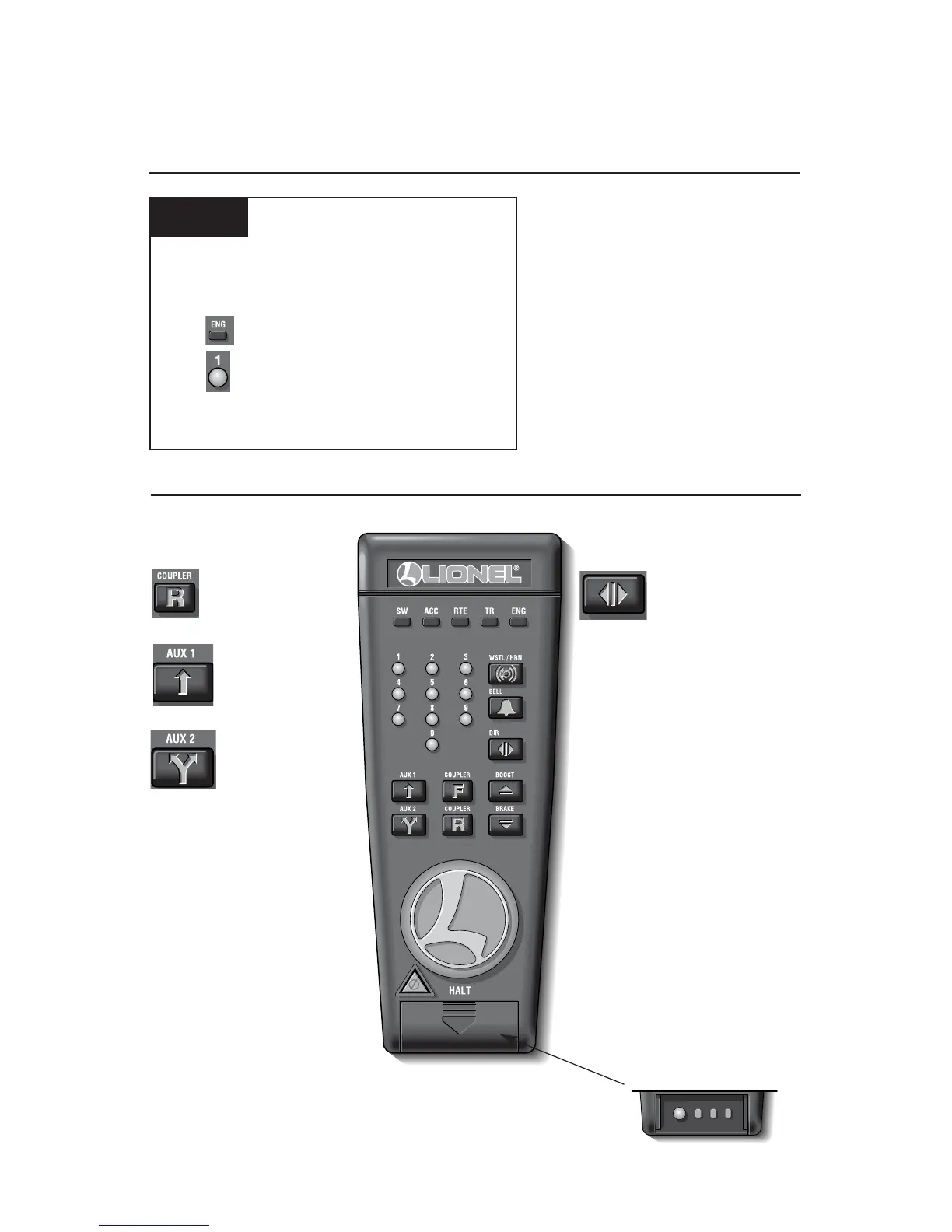
Press AUX2 to turn
your locomotive’s
headlight on and off.
Activates the
numeric keypad.
CAB-1 Remote Controller commands for your locomotive
Press DIRECTION to
turn on the headlights.
Because this unit faces
the rear of the train, the headlight
is on when the train is in reverse.
Rear coupler releases.









 To Next Page