7
TrainMaster Command Control operations
Assign a new ID# to your
Command-equipped
locomotive
Set the Command reverse unit switch to
PGM
Command Base plugged in
Place the locomotive on track
PowerMasters set to CMD or traditional
power supplies ON FULL (no more than
19 volts)
Turn track power on (PowerMasters):
Press TR
Enter the PowerMaster’s
ID#
Press BOOST
Program the locomotive with a new ID#:
Press ENG
Press a number you choose
(the ID#)
Press SET
Set the Command reverse unit switch to
RUN
Your locomotive remembers its ID#
forever; change it any
time with these
steps
Example
We recommend that you choose an easy to
remember ID# for your engine. Some possi-
bilities are part of the engine road number,
your age, or any two digit number that is not
used by another engine. Write the number on
a small piece of tape and put this on the
bottom of the fuel tank to aid in
remembering.
A
s your fleet of Command-equipped
Lionel locomotives grows, you’ll want
to give your locomotive a more
individualized number. Choose from any
between 1 and 99. To make things easy, use
a portion of your locomotive’s cab number.
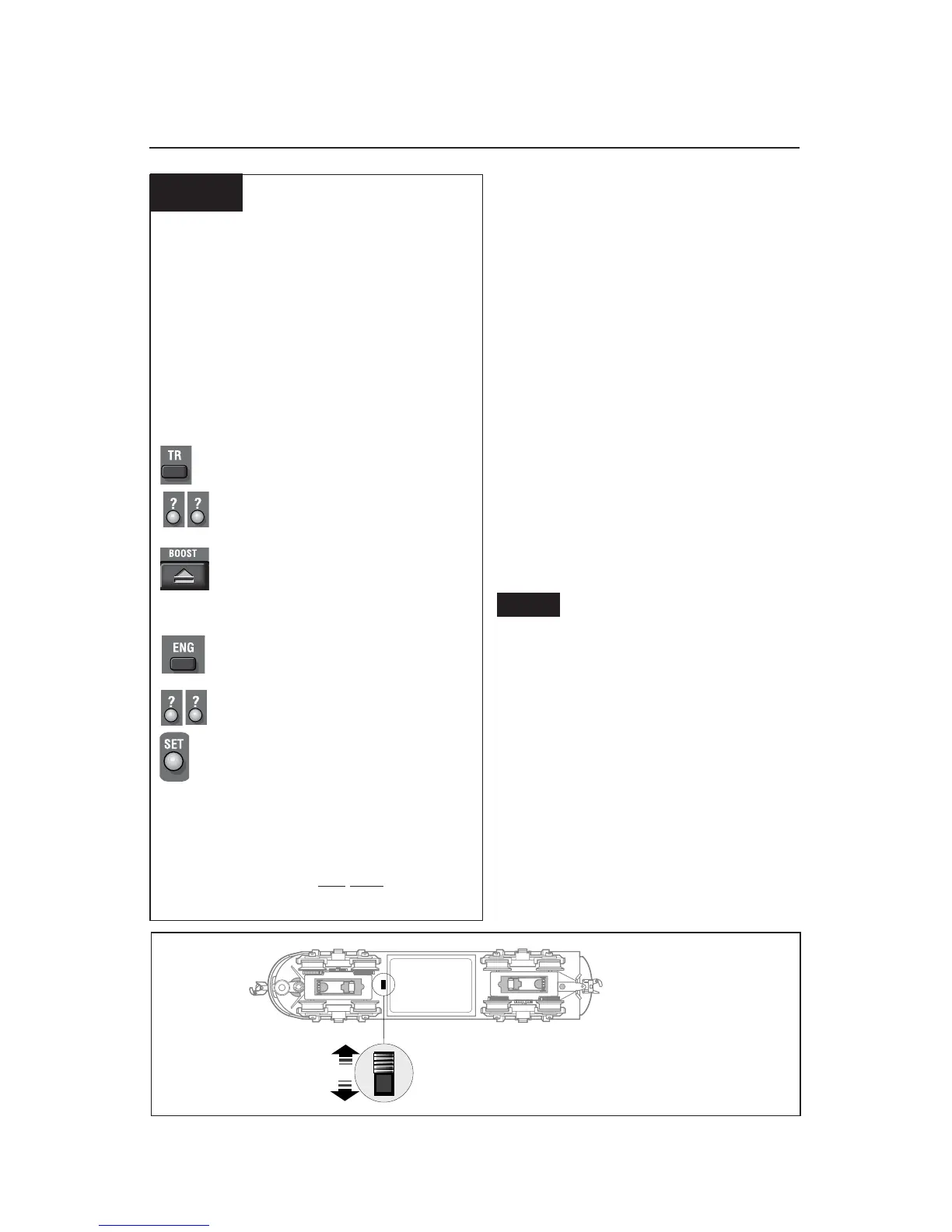
Set the A-unit’s Command reverse unit
switch to PGM (see Figure 2 below). Plug in
the Command Base and place the
locomotive on track, then power up. Using
your CAB-1 Remote Controller, press ENG,
the locomotive ID# that you select and then
press the SET button located under your
CAB-1 Remote Controller’s removable
panel. Set the Command reverse unit switch
to RUN. Your A-unit is ready for operation
with its all-new ID#.
See page 9 to restore your
locomotive’s features.
Assigning your non-powered A-unit a new ID#
Figure 2. Switch location
RUN
PGM
Note!









 To Next Page