Rev: 01.30.2015
Page 7
Lippert In-Wall Troubleshooting Guide
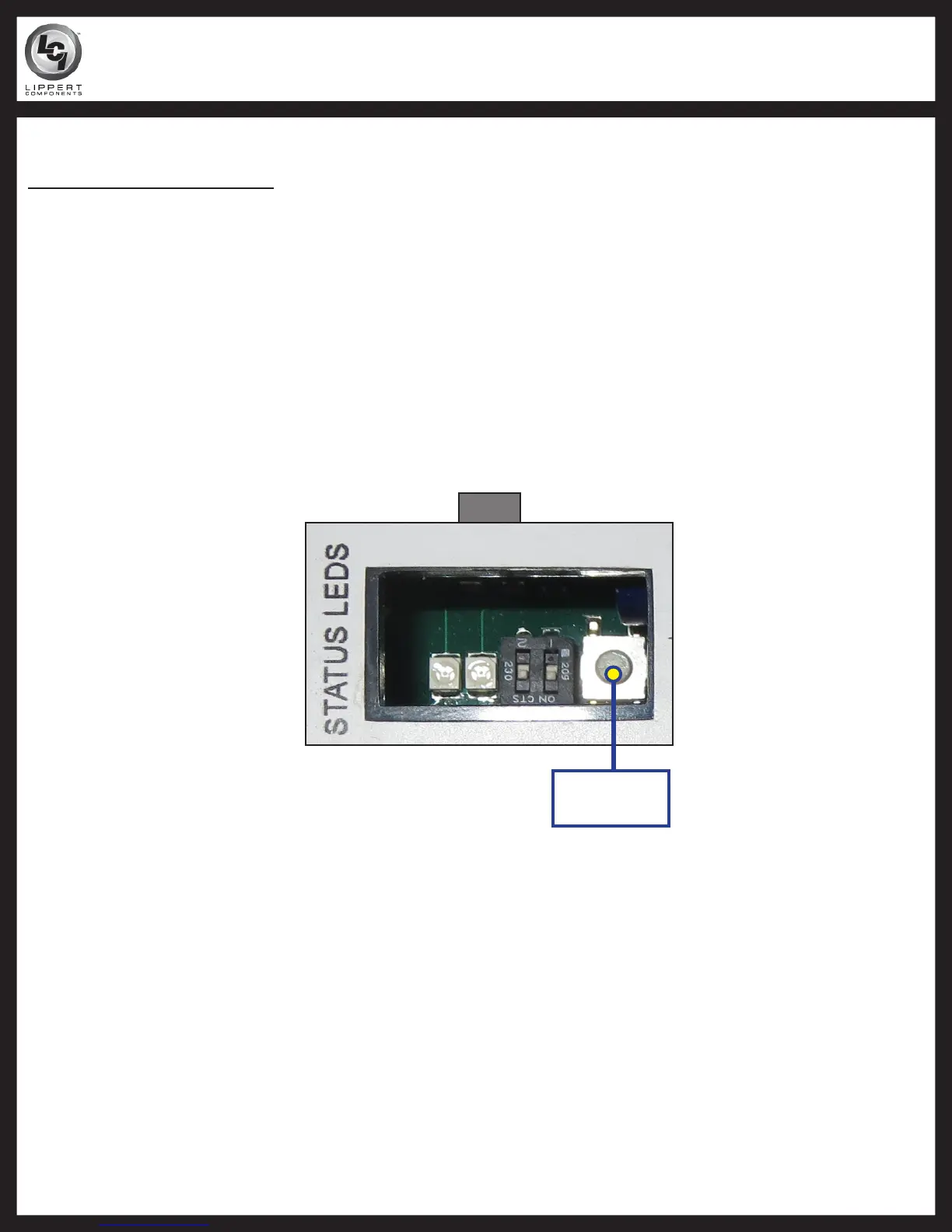
Mode
Button
Room Stuck In (Dealer Only)
Electronic Manual Override
1. Locate the controller.
2. Press the "mode button" six times quickly. Press and hold a seventh time for approximately five
seconds (Fig. 8).
3. The red and green LED lights will begin to flash, confirming the override mode.
4. Release mode button.
5. Use the normal slide-out control switch to extend the room.
NOTE: If wall switch is not pushed within 60 seconds of entering the electronic manual override mode, the
controller will revert to normal operating mode. No action is required to return to normal operating
mode.
Fig. 8
SCHWINTEK IN-WALL™ TROUBLESHOOTING GUIDE



 To Next Page
 Loading...