Rev: 10.23.23 Page 20 CCD-0005481
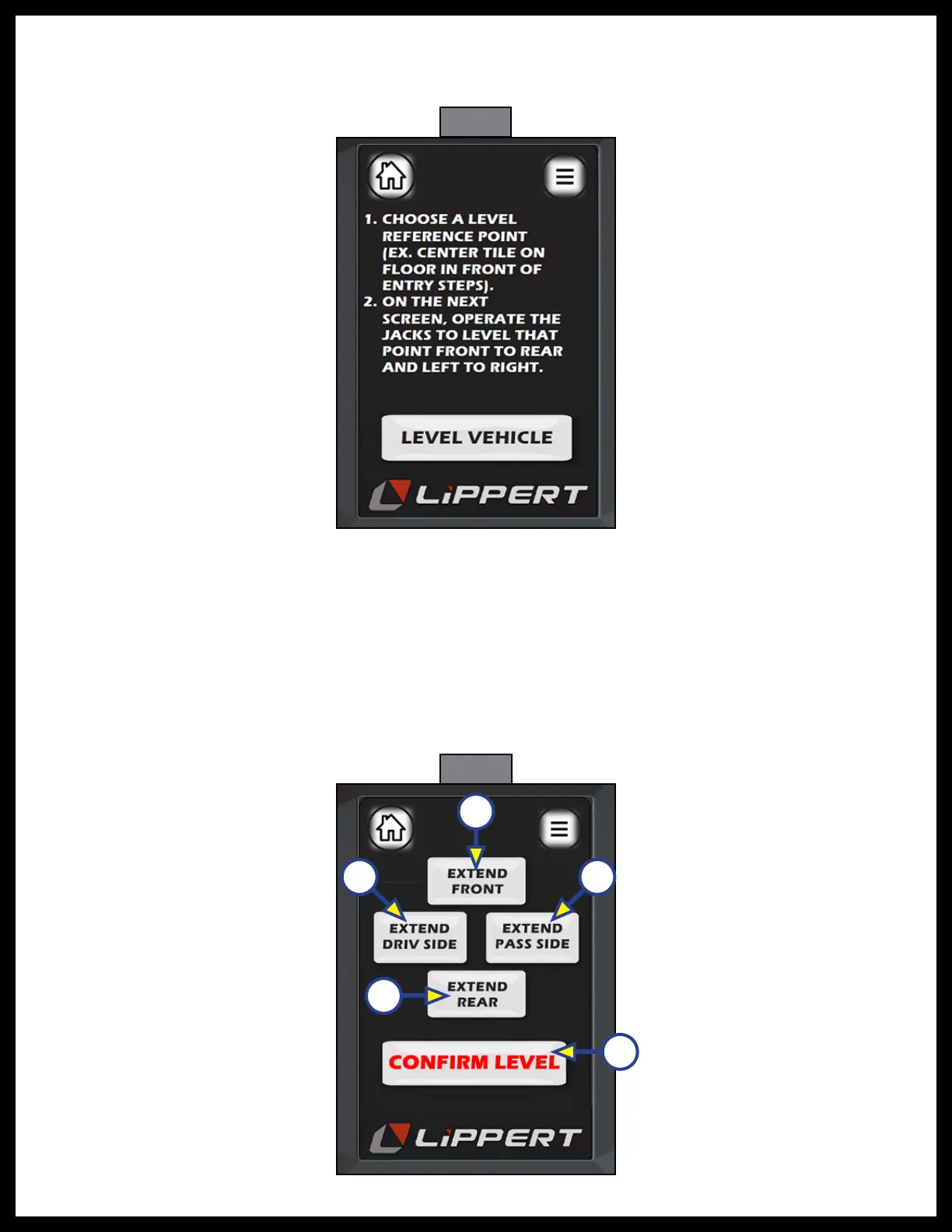
Fig. 35
Fig. 36
A
B C
D
E
1. Follow the directions on the next screen (Fig. 35) to calibrate the LED touchpad controller. Place a level
on the floor of the coach to ensure a level reference point in the coach. Press “LEVEL Coach”
on the touchpad.
2. The next screen that follows (Fig. 36) shows four extend buttons that activate each pair of valves,
directional control valve and solenoid. The "CONFIRM LEVEL" button is a latching button that zeros out
the control accelerometer and stores that exact position as level. After the initial calibration, when the
user presses “AUTO LEVEL”, the control recognizes that position as level and will bring the coach to
that position.
3. Level the coach in the manual "CALIBRATION" mode by using a carpenter’s level on the floor. Level
front to rear and then left to right.
A. Push the "EXTEND FRONT" (Fig. 36A) button until jacks contact the ground and lift the front of the
coach 1-2 inches.



 To Next Page