Rev: 10.23.23 Page 19 CCD-0005481
Level Zero Point Calibration
After the system is installed and power is supplied, the Zero Point needs to be calibrated on the LED
touchpad controller, prior to operating the jacks. Zero Point is the programmed point that the coach will
return to each time the Auto Level feature is used. The Zero Point MUST be programmed prior to using the
Auto Level feature to ensure the proper operation of the system. To set the zero point, the control module
must be fully secured in the production intent location.
NOTE: Parking brake MUST be ON in order to operate the leveling system.
NOTE: The LED touchpad controller is only ON while the coach ignition is ON, no operation of leveling is
allowed without the ignition source. Once power is on, the LED touchpad controller will illuminate.
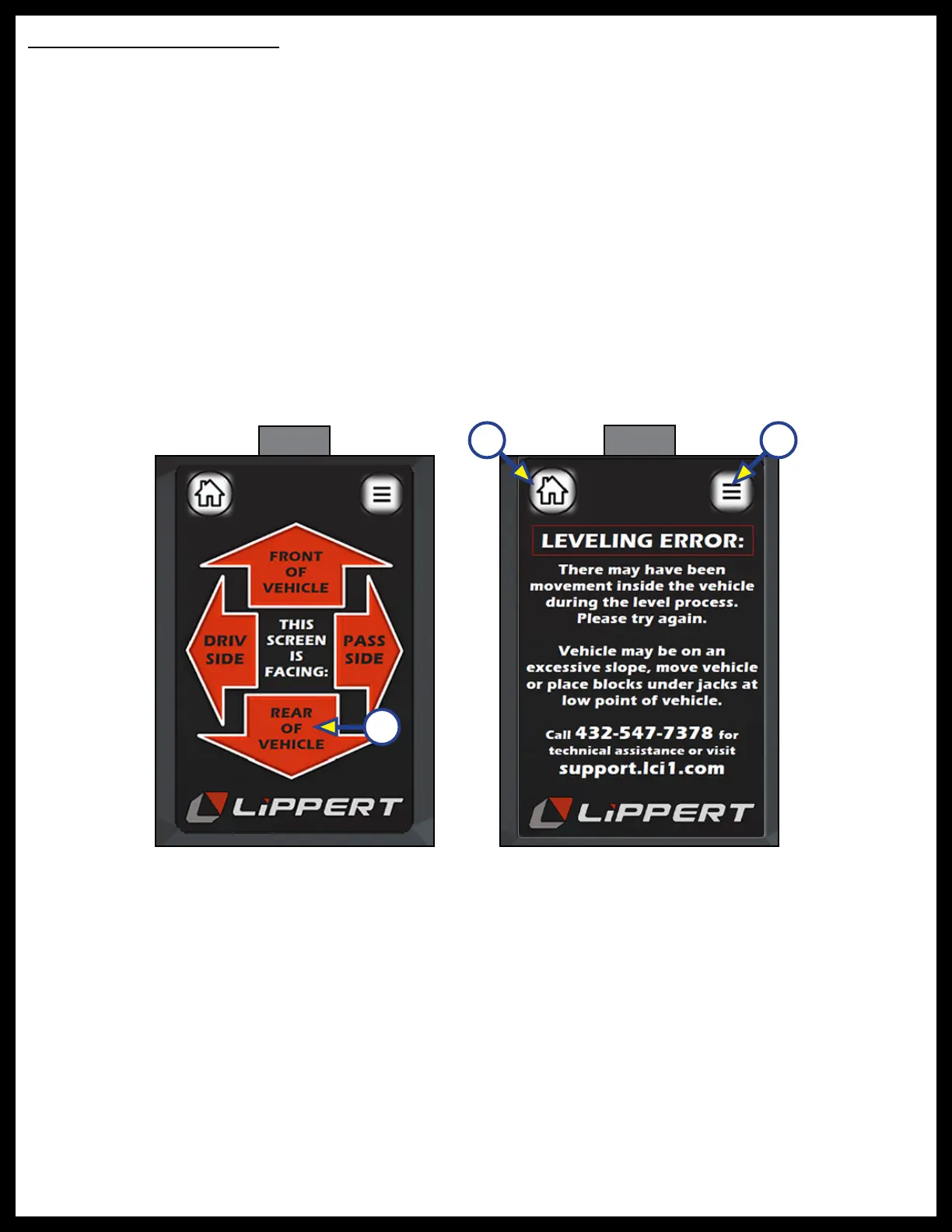
NOTE: At initial power on, select the arrow (Fig. 33) that represents the orientation of the display
touchscreen. Select the arrow on the touchpad that is facing in the same direction that the display
touchscreen is facing related to the coach (Fig. 20).
NOTE: Do NOT move inside coach while the system is trying to level. A leveling error code screen
(Fig. 34 ) will appear if movement is detected. Press Home (Fig. 34A) or Menu (Fig. 34B) icons to exit
of this page.
Fig. 33
Fig. 34
A B
A



 To Next Page