CONTENTS
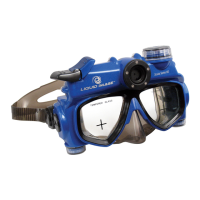
1.0 Get to know your Camera Mask - Explorer Series
1.1 Features ENG- 2
1.2 Specifications ENG- 2
1.3 System requirements ENG- 2
2.0 Functional Parts
2.1 Included Parts and accessories ENG- 3
2.2 Part Names - Front View ENG- 4
2.3 Part Names - Back View ENG- 5
2.4 Part Names - Exploded View ENG- 6
3.0 Set up
3.1 Inserting or Replacing Batteries ENG- 7
3.2 Inserting Micro SD Memory CardENG- 8
3.3 Setting the Date and Time Mode ENG- 9
3.4 Storage Compartment ENG-10
4.0 Recording Pictures and Video
4.1 Still Image Mode ENG-10
4.2 Video Mode ENG-11
4.3 Power OffENG-11
5.0 Transferring Still images and video to a computer
5.1 Opening Memory Compartment ENG-12
5.2 Connecting and Transferring Files ENG-12
5.3 Disconnecting and Closing Memory CompartmentENG-13
6.0 Camera Test Instructions
6.1 Part One - Taking test images and videos ENG-13
6.2 Part Two - File Size Test ENG-14
6.3 Part Three - Using the Cross Hairs (View Finders) ENG-15
6.4 Part Four - Testing the CAMERA MASK in water ENG-16
7.0 Care and MaintenanceENG-16
8.0 Camera Warnings and Precautions ENG-18
9.0 Mask Warnings and Precautions ENG-19
10.0 Battery Warnings and Precautions ENG-20
11.0 Commonly Asked Questions and Troubleshooting ENG-21
12.0 Accessories ENG-23
ENG-1
TM


 To Next Page