ISO9001CERTIFIED
www.liteputer.com.tw
Lite-Puter
DX-610/626[EUM-
]
7
(Dimming) (Switching)
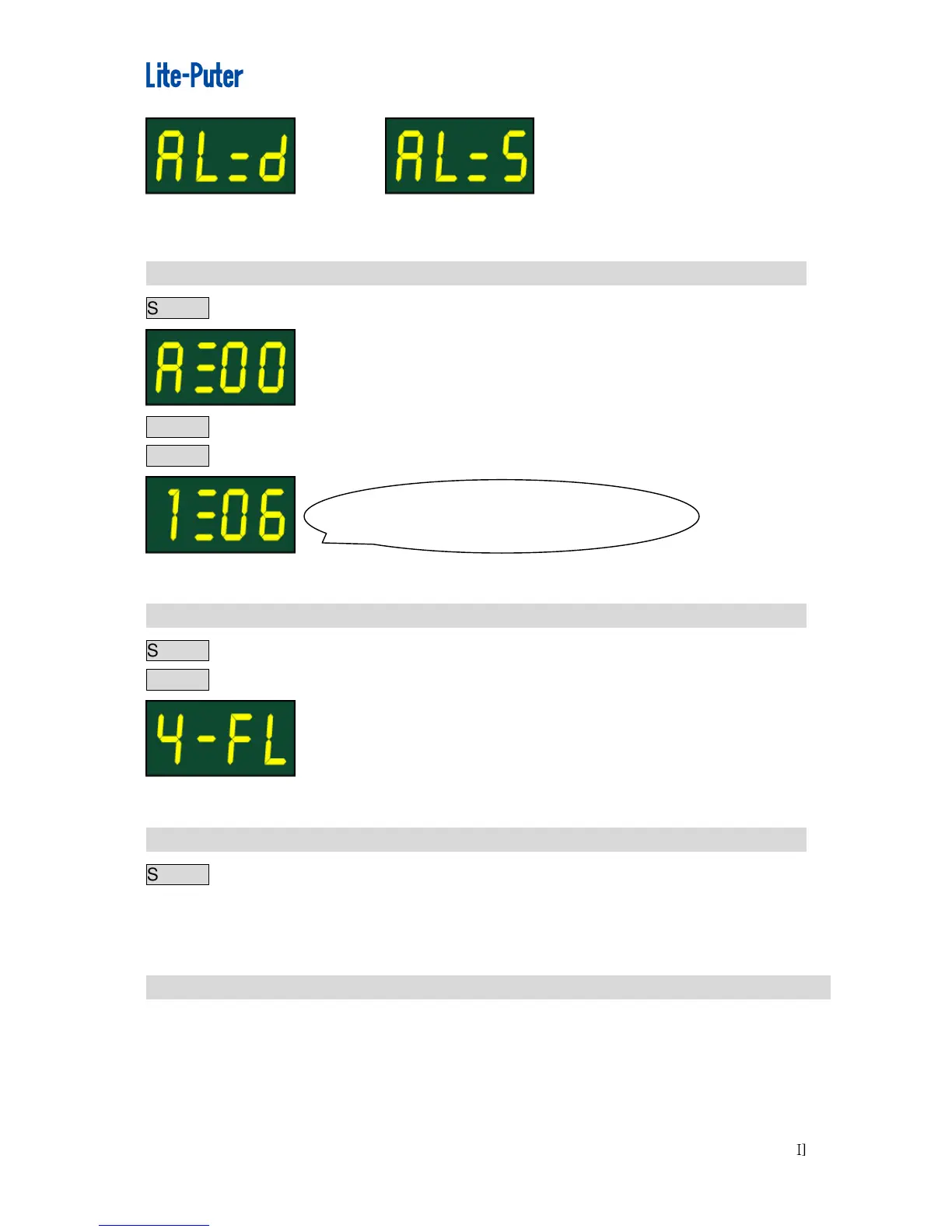
2 - 4 WarmUpSetting(0…6%)
STEP-1pressFNCkey.
STEP-2pressFNCkeytoselectthesettingchannel,EX:selectchannel1
STEP-3press▲, ▼keytoadjust.
2 - 5 ChannelOutputStatusPreview
STEP-1EntertoDMXstatusandpressDMXkey.
STEP-2press▲or▼topreview.
2 - 6 ManualDimming
STEP-1PushVR1-VR6todothepromptdimmingoutputofindividualchannel.
Whenthereisanothersignalinputtingfromaconsole,itwilltakethehighervalueas
theoutput.
2 - 7
DisplayTheDimmingValueofDMXChannel,InternalTemperature.
PressLtodisplaythedimmingvalueofDMXchannel.
PressTtodisplaytheinternaltemperature.
Channel1seton6%forwarmup.



 To Next Page