4
LIVA X
2
MINI PC USER MANUAL
Chapter 1
WARNING:
Please realize that there is a certain risk involved with
overclocking, including adjusting the setting in the BIOS, or
using the third-party overclocking tools. Overclocking may
affect your system stability, or even case damage to the
components and devices of your system. It should be done
at your own risk and expense. We are not responsible for
possible damage casesd by overclocking.
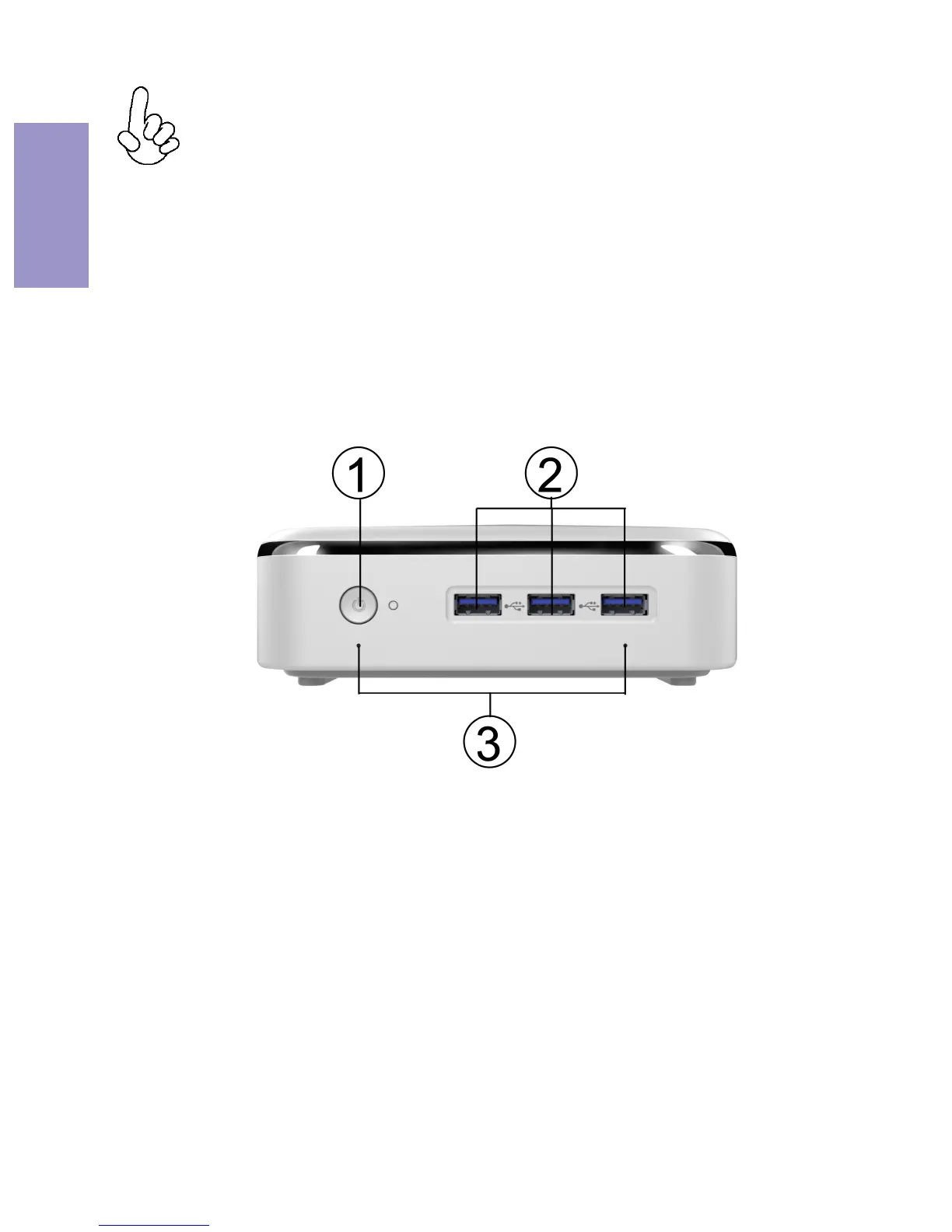
Front and Rear I/O
1. Power Button Use this button to power on/off the
system.
Connect your USB 3.0 devices to these
ports and enjoy EZ charger by the
yollow port at the right-hand side.
2. USB 3.0 Ports
Note:
ID design and specification may vary, please refer
to actual goods you purchase.
3. DMIC holes
It is used as internal digital
microphone for sound input.



 To Next Page