42
LIVA X
2
MINI PC USER MANUAL
Chapter 3
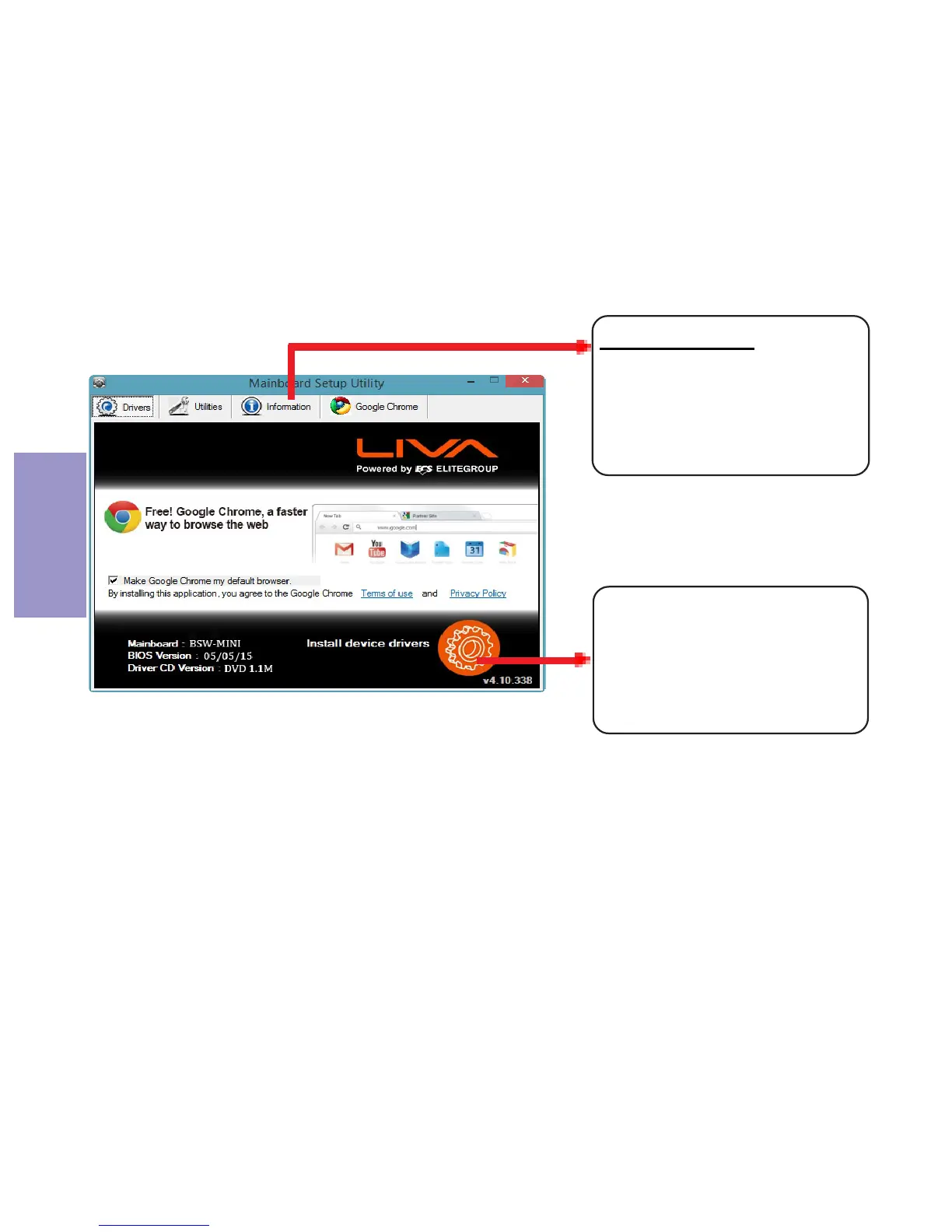
The auto-install DVD-ROM makes it easy for you to install the
drivers and software. The support software DVD-ROM disc loads
automatically under Windows 8.1. When you insert the DVD-ROM
disc in the DVD-ROM drive, the auto-run feature will automatically
bring up the installation screen.
Drivers auto-installing under Windows 8.1
Displays the path for all
software and drivers
available on the disk.
Information:
Click the “Setup”
button to select and
run the software
installation program.



 To Next Page