Version 7.0
6
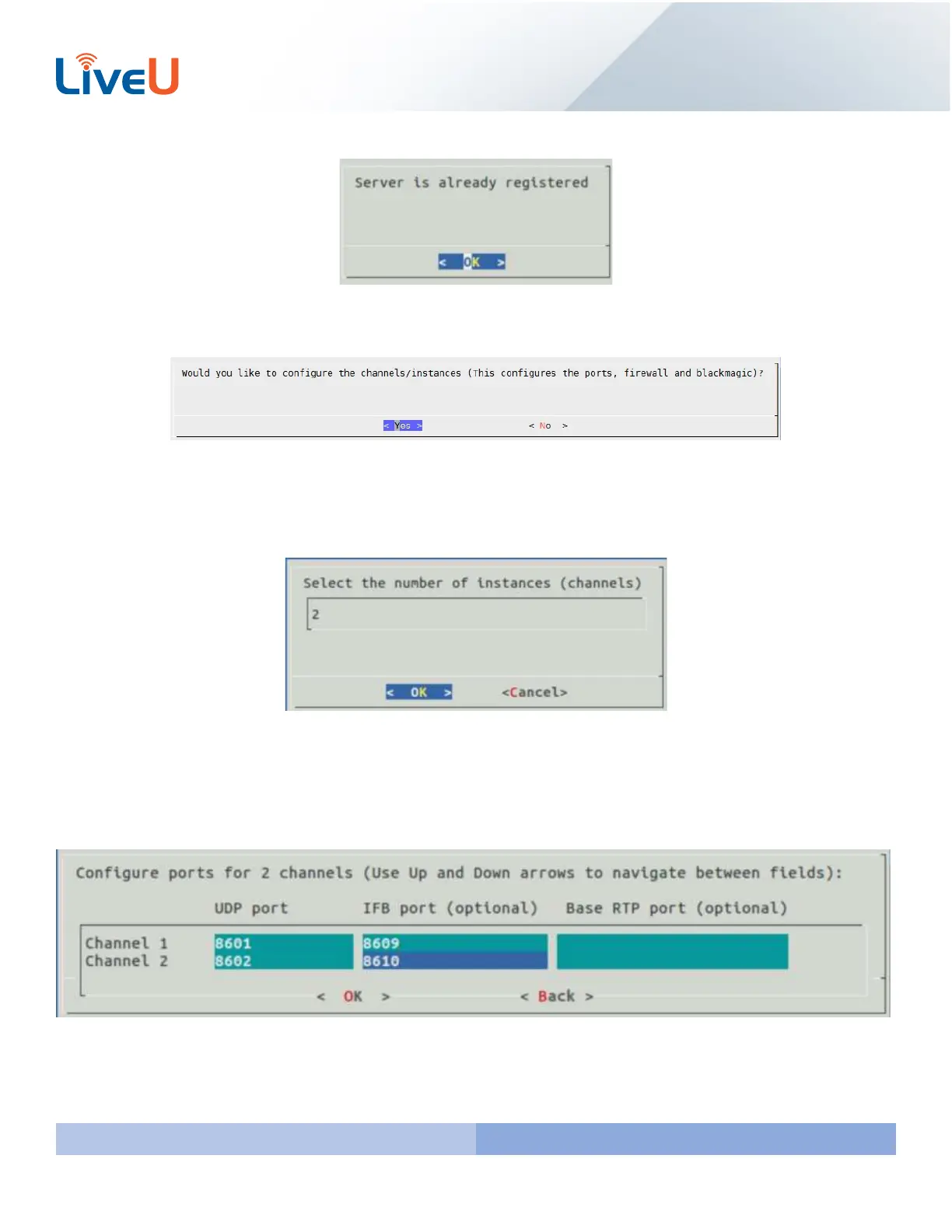
This is the message you should be receiving as our servers are already registered.
The next step is configuring the channels. This step is similar to “Step 3 MMH Configuration” that we currently use on
servers running 6.5.0 and below. You can select “Yes” and hit “Enter”
Select the number of channels that you want to configure. If it’s a single server you can type 1 or more depending on
how many preview channels you want. If it is a duo server select at least 2. If it is a quad select at least 4. In my image
example I have a single server, but I want 1 preview channel so I wrote “2”.
Here is the chart that you will want to configure the ports that the server will use to receive video. By default our
network requirements document recommends 8601-8608 for the first column. The second column we recommend
8609-8612. The last column we recommend 8620-8648. IF YOU ARE SETTING UP A SECOND LIVEU SERVER PLEASE USE
A DIFFERENT RANGE OF PORTS LIKE 8701-8750



 To Next Page