Version 7.0
7
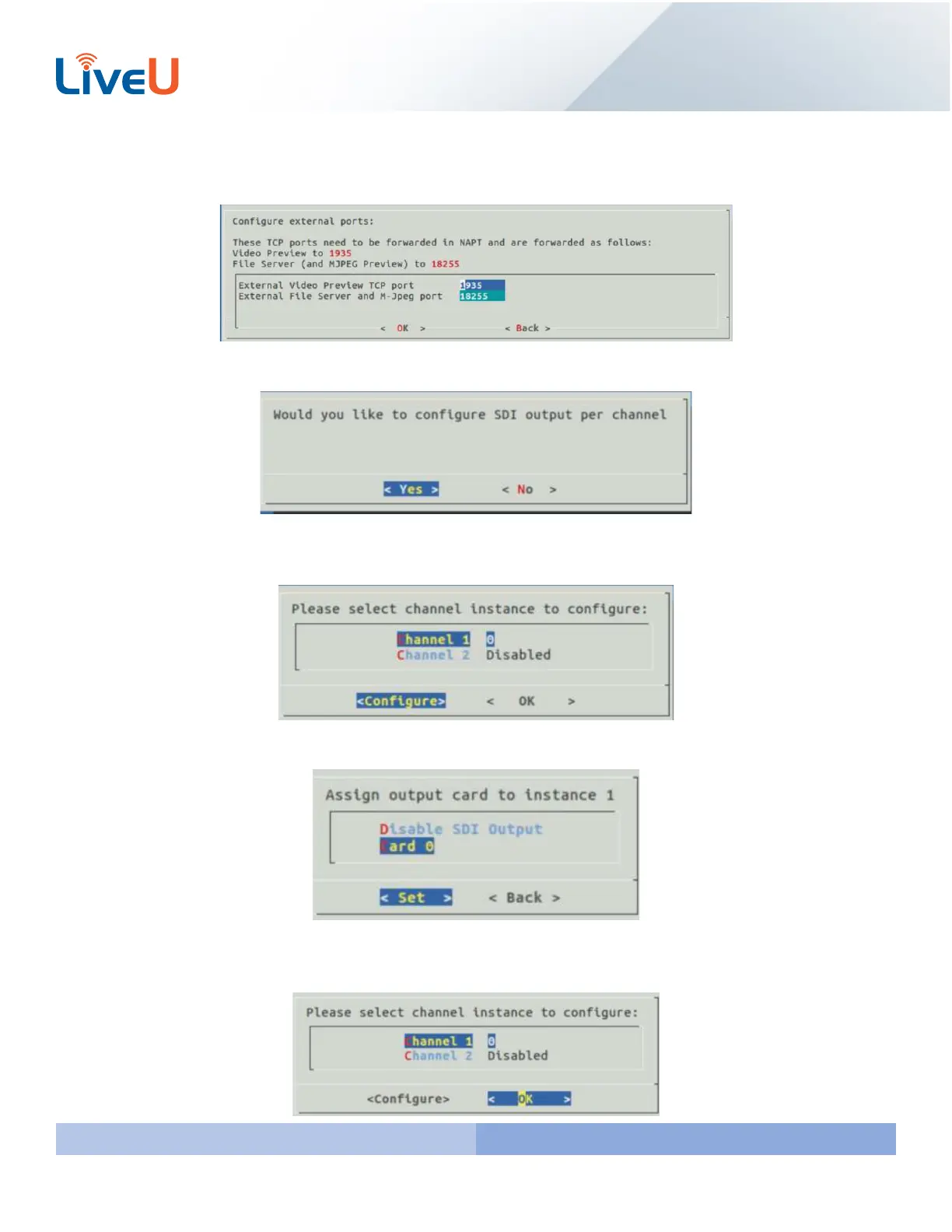
The next ports you are configuring are our Preview and Store and Forward Ports. By Default our network requirement
recommends Preview port be 1935 and the File Server port is 18255.
You are now going to configure the SDI outputs. Select “Yes” and press “Enter”
Below is an example of configuring a server with 1 output channel and 1 preview channel. Select Channel 1 and hit
“Enter” to configure.
Since this server only has 1 Blackmagic output you will only see Card 0. Select Card 0 for instance 1 and hit “Enter”.
This will take you back to the screen you saw earlier. Channel 1 is now set to card 0. Channel 2 will be disabled as it is
my preview channel. Move over to “OK” with the arrow keys on the keyboard and hit “Enter”.



 To Next Page