12
=RQH&RQ¿JXUDWLRQ
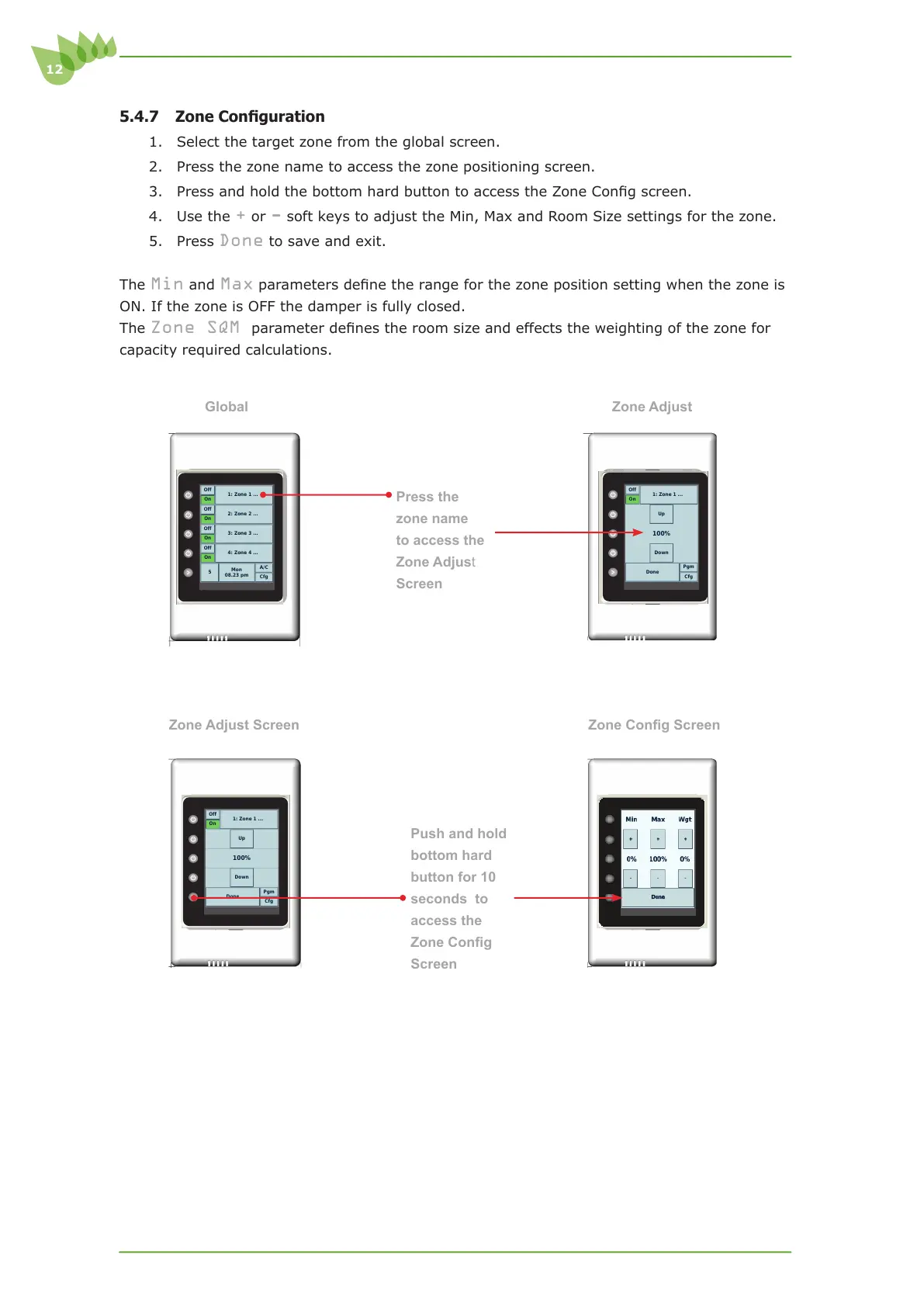
1. Select the target zone from the global screen.
2. Press the zone name to access the zone positioning screen.
3. 3UHVVDQGKROGWKHERWWRPKDUGEXWWRQWRDFFHVVWKH=RQH&RQ¿JVFUHHQ
4. Use the
+ or - soft keys to adjust the Min, Max and Room Size settings for the zone.
5. Press
Done to save and exit.
The
Min and MaxSDUDPHWHUVGH¿QHWKHUDQJHIRUWKH]RQHSRVLWLRQVHWWLQJZKHQWKH]RQHLV
ON. If the zone is OFF the damper is fully closed.
The
Zone SQM SDUDPHWHUGH¿QHVWKHURRPVL]HDQGHIIHFWVWKHZHLJKWLQJRIWKH]RQHIRU
capacity required calculations.
Zone Adjust Screen =RQH&RQ¿J6FUHHQ
Press the
zone name
to access the
Zone Adjust
Screen
Push and hold
bottom hard
button for 10
seconds to
access the
=RQH&RQ¿J
Screen
Cfg
A/C
Mon
08.23 pm
5
On
Off
4: Zone 4 ...
On
Off
3: Zone 3 ...
On
Off
2: Zone 2 ...
On
Off
1: Zone 1 ...
Global Zone Adjust
Cfg
Pgm
Done
Down
100%
Up
On
Off
1: Zone 1 ...
Cfg
Pgm
Done
Down
100%
Up
On
Off
1: Zone 1 ...



 To Next Page