14
6 Z-Plus touCh Zone oPeratIon
6.1 Selecting the operating mode
The Z-Plus Touch system has two operating modes.
'DPSHU&RQWURO=RQHGDPSHUVFDQEHSRVLWLRQHGLQLQFUHPHQWV
Unit Control - Unit target temperature, fan speed and heat/cool mode.
6.2 Turning zones On or Off
1. Press the hardware button adjacent the zone name to toggle the zone from ON to
OFF.
2. Press the hardware button
at the bottom of the controller to toggle between zones
1-4 , 5-8 and Favourites.
6HWWLQJD]RQHSRVLWLRQDLUÀRZ
1. Select the target zone.
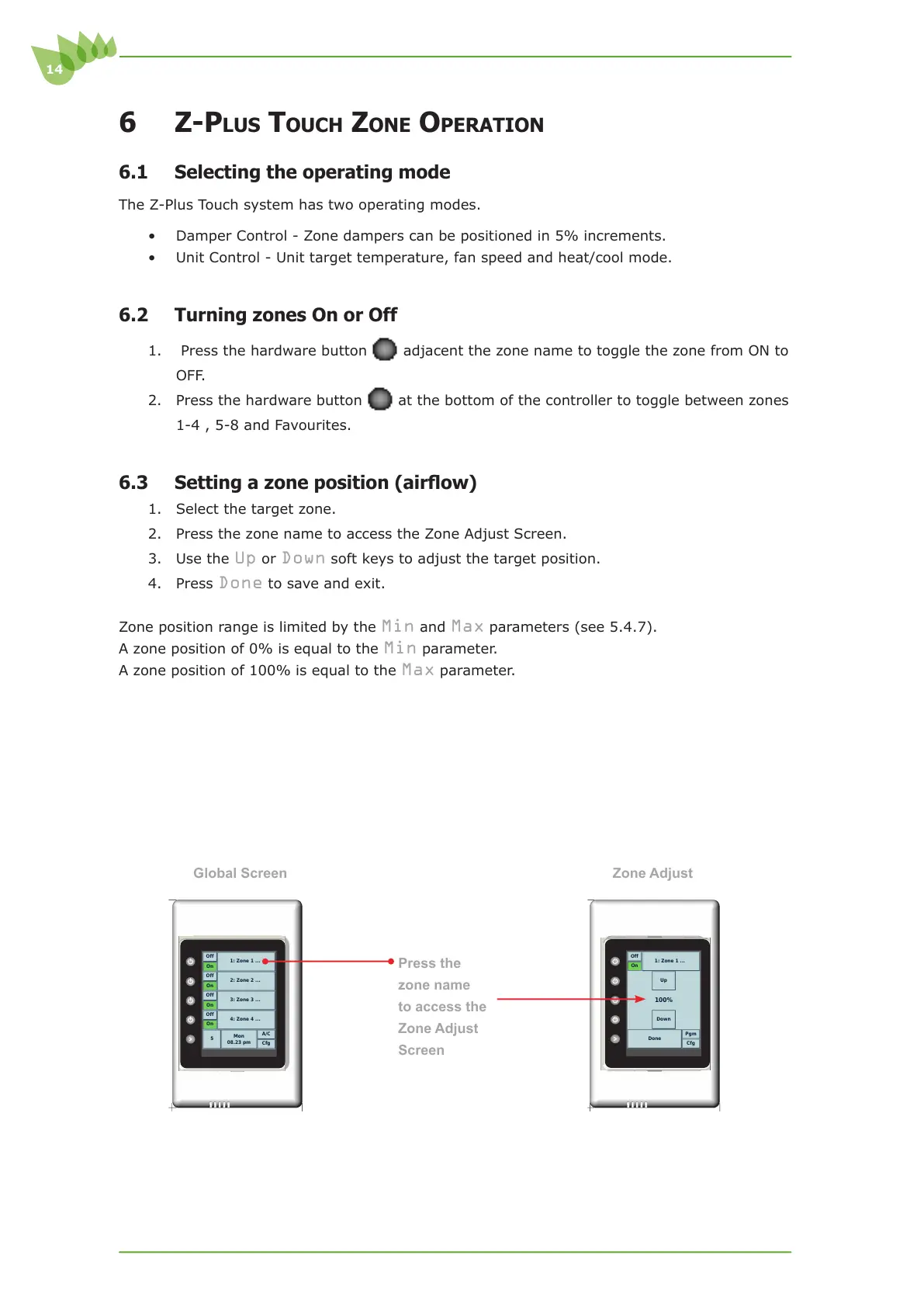
2. Press the zone name to access the Zone Adjust Screen.
3. Use the
Up or Down soft keys to adjust the target position.
4. Press
Done to save and exit.
Zone position range is limited by the
Min and Max parameters (see 5.4.7).
$]RQHSRVLWLRQRILVHTXDOWRWKH
Min parameter.
$]RQHSRVLWLRQRILVHTXDOWRWKH
Max parameter.
Press the
zone name
to access the
Zone Adjust
Screen
Cfg
A/C
Mon
08.23 pm
5
On
Off
4: Zone 4 ...
On
Off
3: Zone 3 ...
On
Off
2: Zone 2 ...
On
Off
1: Zone 1 ...
Global Screen
Zone Adjust
Cfg
Pgm
Done
Down
100%
Up
On
Off
1: Zone 1 ...



 To Next Page