13
5.5 Damper Motor Check
1. Select the appropriate zone and turn the zone off (Make sure that the zone drives to
the off position).
2. 6HOHFWWKHDSSURSULDWH]RQHDQGVHWWKHGDPSHUWRWKHRSHQSRVLWLRQFKHFNWKH
damper drives to the on position)
3. 6HOHFWWKHDSSURSULDWH]RQHDQGVHWWKHGDPSHUWRWKHRSHQSRVLWLRQFKHFNWKH
damper drives to the half way position).
4. Repeat this for each zone.
5. Advanced settings are available by pressing and holding the bottom hard key when
in the Zone Position adjust screen. Damper working range and zone size can be set
WR¿QHWXQHV\VWHPSHUIRUPDQFH$GYDQFHGVHWWLQJVKRXOGRQO\EHFRPSOHWHGE\D
trained professional).
5.6 Name the Zones
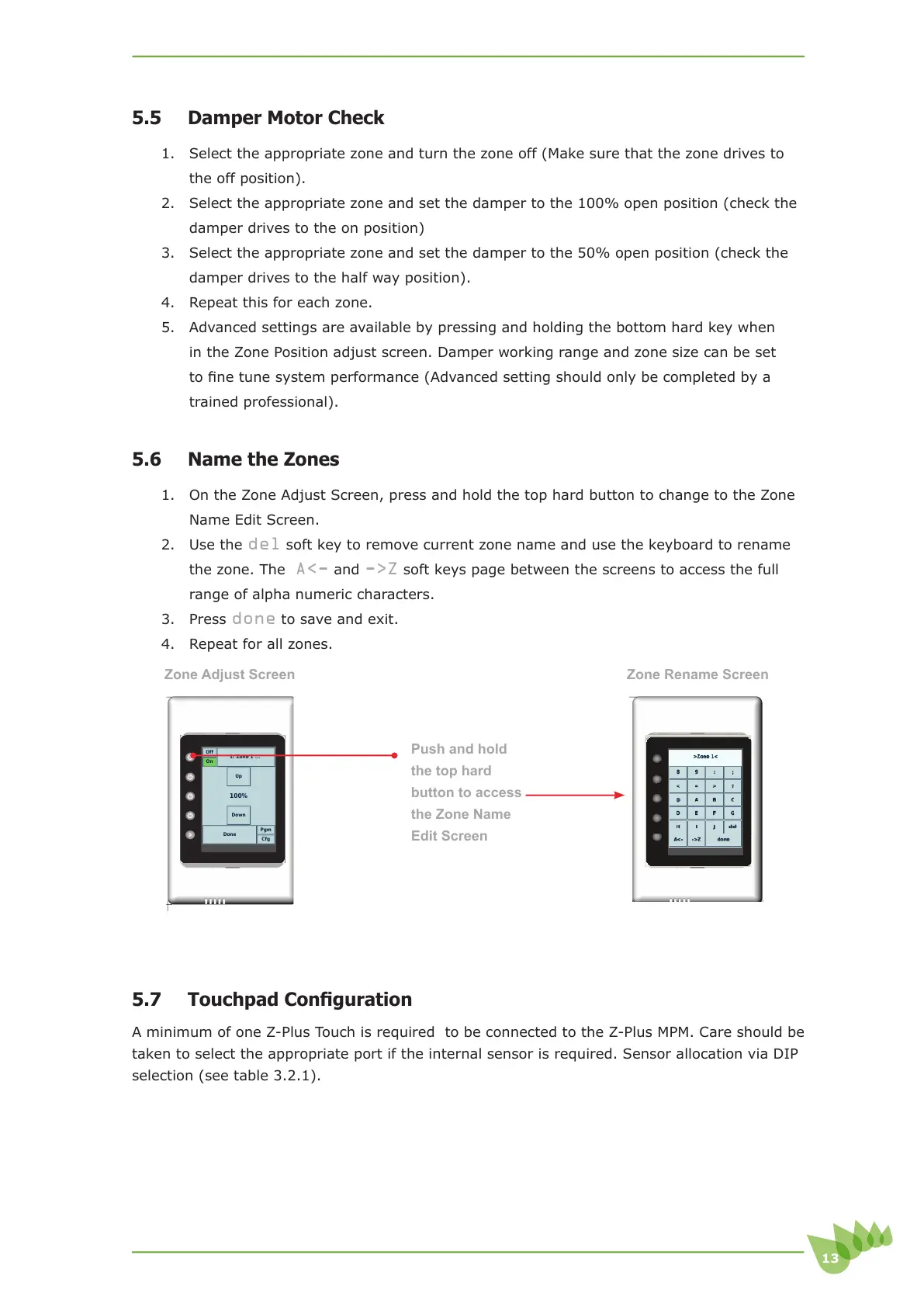
1. On the Zone Adjust Screen, press and hold the top hard button to change to the Zone
Name Edit Screen.
2. Use the
del soft key to remove current zone name and use the keyboard to rename
the zone. The
A<- and ->Z soft keys page between the screens to access the full
range of alpha numeric characters.
3. Press
done to save and exit.
4. Repeat for all zones.
7RXFKSDG&RQ¿JXUDWLRQ
A minimum of one Z-Plus Touch is required to be connected to the Z-Plus MPM. Care should be
taken to select the appropriate port if the internal sensor is required. Sensor allocation via DIP
selection (see table 3.2.1).
Push and hold
the top hard
button to access
the Zone Name
Edit Screen
Cfg
Pgm
Done
Down
100%
Up
On
Off
1: Zone 1 ...
Zone Adjust Screen Zone Rename Screen



 To Next Page