15
7 Z-Plus touCh Plant Control oPeratIon
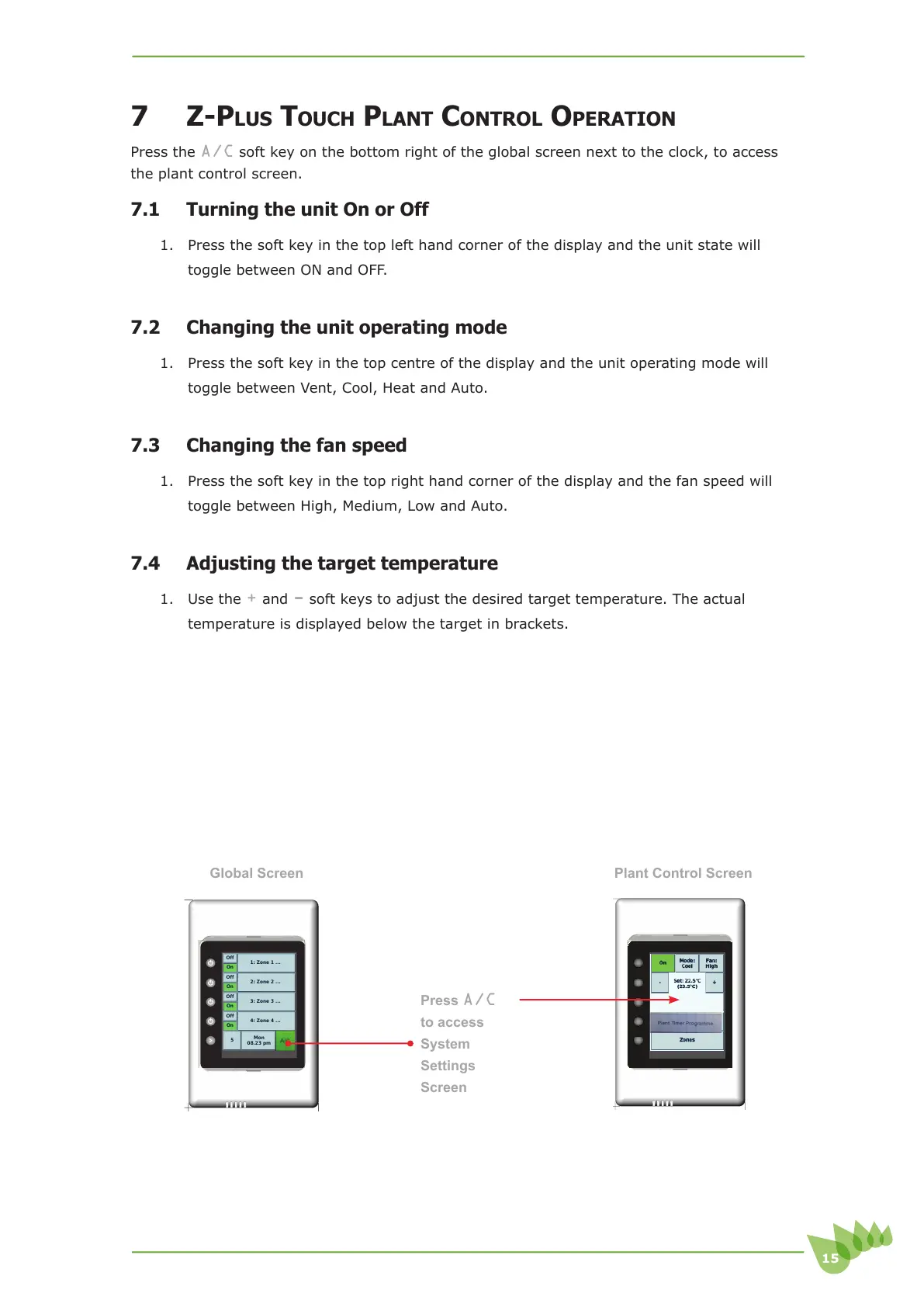
Press the A/C soft key on the bottom right of the global screen next to the clock, to access
the plant control screen.
7.1 Turning the unit On or Off
1. Press the soft key in the top left hand corner of the display and the unit state will
toggle between ON and OFF.
7.2 Changing the unit operating mode
1. Press the soft key in the top centre of the display and the unit operating mode will
toggle between Vent, Cool, Heat and Auto.
7.3 Changing the fan speed
1. Press the soft key in the top right hand corner of the display and the fan speed will
toggle between High, Medium, Low and Auto.
7.4 Adjusting the target temperature
1. Use the + and - soft keys to adjust the desired target temperature. The actual
temperature is displayed below the target in brackets.
Cfg
A/C
Mon
08.23 pm
5
On
Off
4: Zone 4 ...
On
Off
3: Zone 3 ...
On
Off
2: Zone 2 ...
On
Off
1: Zone 1 ...
Plant Control Screen
Global Screen
Press
A/C
to access
System
6HWWLQJV
Screen



 To Next Page