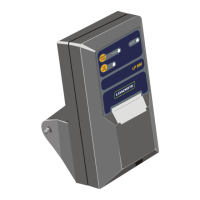
2.3. CABLE CONNECTION
2.3.1. Connect the LP930
NOTE: All power supply and signal connections to the printer are contained within the cable and connector assembly. No other
connections are required.
The power supply to the printer is switched On or Off using the main power to the LOADRITE Indicator.
1) Connect the printer cable to the PRINTER/DATA LOGGER socket at the rear of the LOADRITE Indicator.
2) Ensure that the printer and cable are securely fastened and the cable routed to avoid accidental physical damage.
2.3.2. Connect the LP930-BT
The LP930-BT has two connections:
A power connection via an available CAN socket, and
A Bluetooth
®
connection to the Indicator.
Power connection
1) Locate an available CAN socket on the device's power harness.
For more information, refer to the documentation for the device.
2) Connect the LP930-BT Printer cable to the CAN socket.
The LED Light on the LP930-BT Printer will be lit green to indicate that it is receiving power.
3) Ensure that the printer and cable are securely fastened and the cable routed to avoid accidental physical damage.
Bluetooth connection
TIP: The instructions for connecting the LP930-BT Printer to the Indicator via Bluetooth may differ depending on the model of
Indicator. For more information, refer to the Indicator documentation.
1) On the Indicator, navigate to the following location: Settings > Bluetooth
The Bluetooth screen will display a list of nearby Bluetooth-enabled devices.
If Bluetooth is not enabled, tap Off to enable Bluetooth. A list of nearby Bluetooth-enabled devices will display.
2) Locate and tap the printer name in the list of devices.
The name of the printer will be in the format: LOADRITE LP930-BT SN:XXXXXXXX, where SN is the serial number of
the printer.
The Indicator will connect to the LP930-BT Printer via Bluetooth.



 To Next Page