25
The password must be created using up to 20 numbers (or blank). It is important to
record any changes o the password. If the password is forgotten the Firmware has to
be reloaded via Loctite equipment Services to unlock the Settings functions.
5.8.2 Pressure calibration process
This is to calibrate the displayed pressure value with the value from the internal
proportional valve. This calibration is done during the manufacturing process therefore
only required to be calibrated if the set pressure differs from the measured pressure
in the main screen, the internal PCB is changed, or the firmware is updated.
Instructions are shown below.
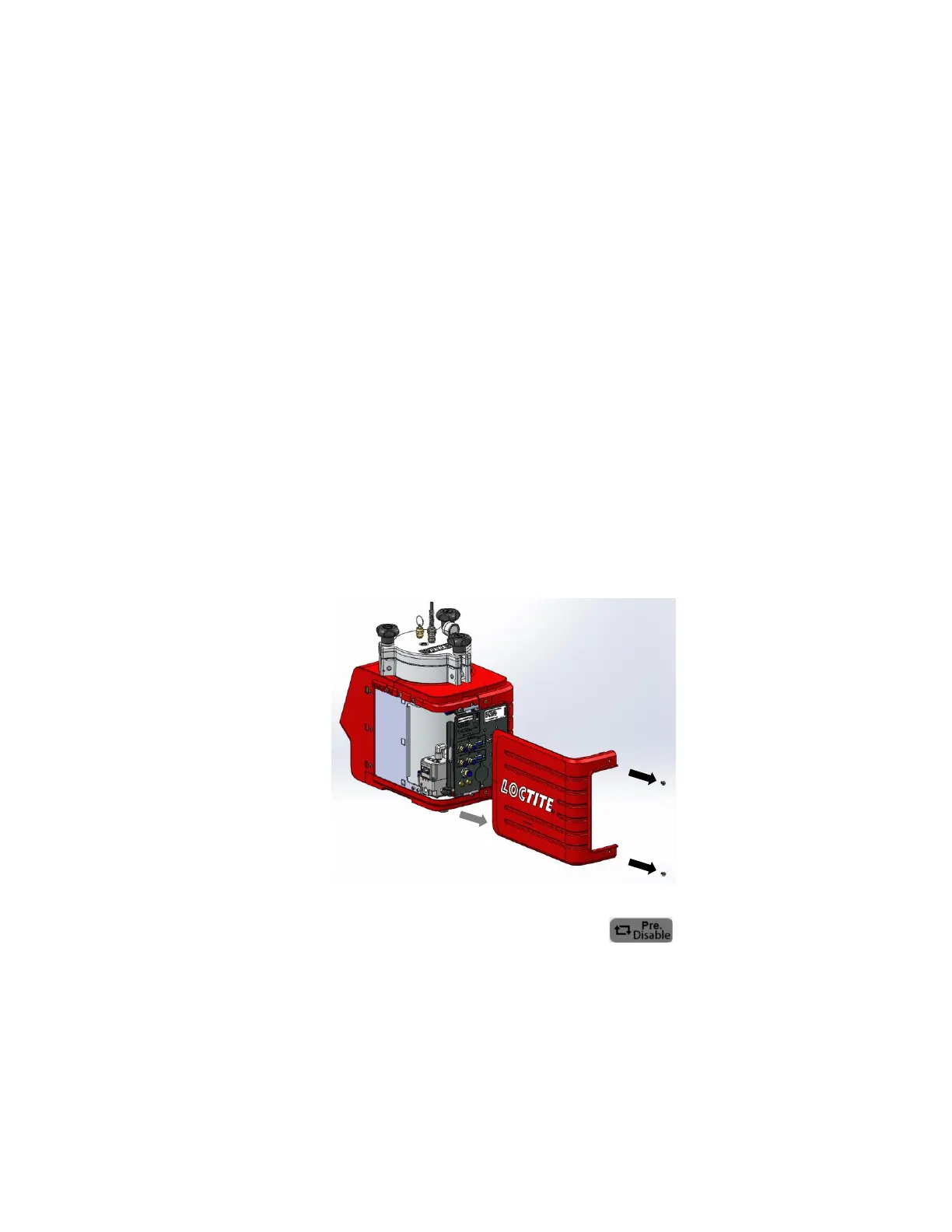
Connect air pressure supply to pneumatic connection (15) and switch ON. Note that
the reservoir will be pressurized and vented during the procedure. Remove the two
screws then gently draw out the right-side cover backward of the reservoir shown in
the picture below.
Ensure reservoir pressure is disabled (button is grey) in the Main screen
before the pressure calibration. Follow the below steps for pressure calibration.


 To Next Page