Loewe bild
User handbook
112
System settings
Control
DR
+
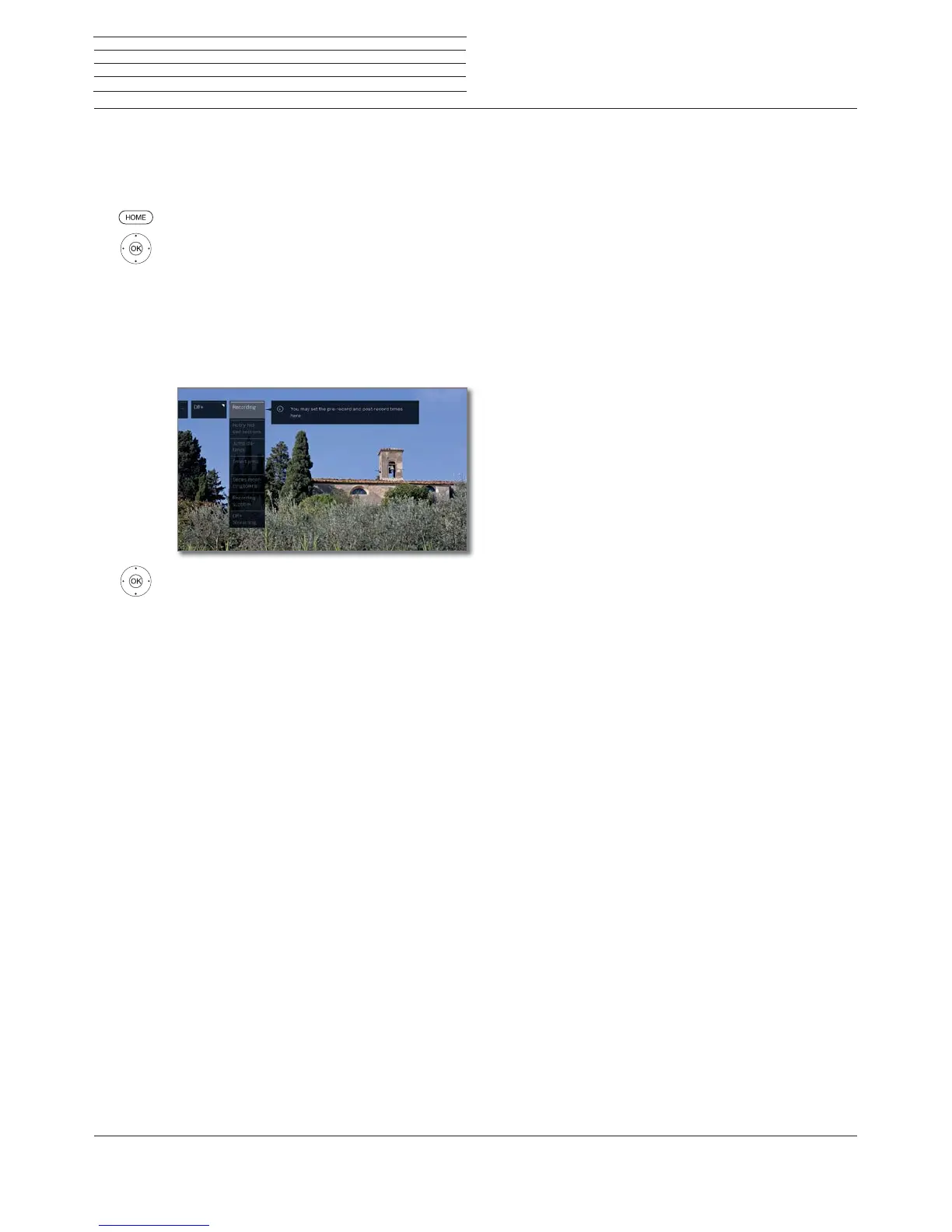
You can adapt the Digital Recorder to your requirements.
Call settings for the digital recorder
HOME: Call Home view.
Mark System settings,
OK call System settings.
Mark Control,
go to next column.
Mark more ...,
call other settings.
Mark DR+,
go to next column.
Mark desired setting,
go to next column.
Make settings,
OK confirm setting.
Explanation of the DR+ setting options
Recording
You can set a pre-record and post-record time for
timer recordings made without auto time control.
This minimizes the risk that a part of the broadcast
is not recorded due to the broadcast starting earlier
and/or finishing later.
Factory setting: pre-record time: 1 min,
post-record time: 5 min.
Notify
hidden
sections
If an entry has been hidden in an archive recording,
you can get informed by a screen message when
skipping a hidden area.
Factory setting: yes.
Jump
distance
Set the standard jump distance (in minutes) used
for jumping forwards or backwards in the movie by
briefly pressing the or keys.
Factory setting: 2 min.
Smart jump
If the „Smart jump“ mode is activated you can
approach a desired place by pressing the and
buttons alternately and halving the jump width. After
every 3rd jump in the same direction the jump width
is doubled (up to a maximum of 8 minutes).
If off is set you always jump the same currently set
jump width (time) with the and buttons.
Factory setting: on
Serial
recording
tolerance
The serial recording tolerance is necessary to
avoid recording a serial more than once when it is
broadcast more than once a day.
It is only recorded when it begins within the
given time interval (start time +- series recording
tolerance).
Use the numeric button on the remote control to
enter the time (always two-digit for 01 to 60 min.).
Factory setting:
± 30 min.
Recording
subtitles
Select here whether subtitles are to be recorded for
DVB channels.
Factory setting: no
(1
.
DR+
Streaming
With this, all the settings are activated to make all
the films on your DR+ archive available to other
LOEWE TVs using your home network
(2
(or vice-
versa, e.g. allowing you to use the DR+ archive of
other LOEWE TVs).
See next page for further information.
(1
For set location DK, FIN, N or S: yes.
(2
Availability varies by device type (see chapter Technical data - equipment features for your TV set).



 To Next Page