Loewe bild
User handbook
80
Apps
Browser
Browser
You can access Internet sites directly using the integrated Opera
browser. The web browser can also be used without an Internet
connection. Thus you can access local devices which provide a web
interface (e.g., router, home control, home network server).
Calling the Web browser
HOME: Calling the Home view.
Select Apps,
Select Browser,
OK call.
Start page will be opened.
INFO: display browser status.
Explanation of the symbols in the browser status
Update the displayed Internet site. (Reload site)
Select as start page.
100% Change zoom factor of the displayed site / browser.
Add displayed Web site as favourite to Home screen.
Navigation on Web sites
P+/P– Scroll page vertically.
/ Scroll page horizontally.
Select link or text entry field with mouse
cursor faded in,
OK o. TEXT open link or confirm text input.
For the entry of text, press a numerical key (0-9)
repeatedly as with a mobile phone until the desired
character appears. The available letters are printed on
the individual numerical keys.
Yellow key: Delete character.
BACK: Stop text entry and exit entry box.
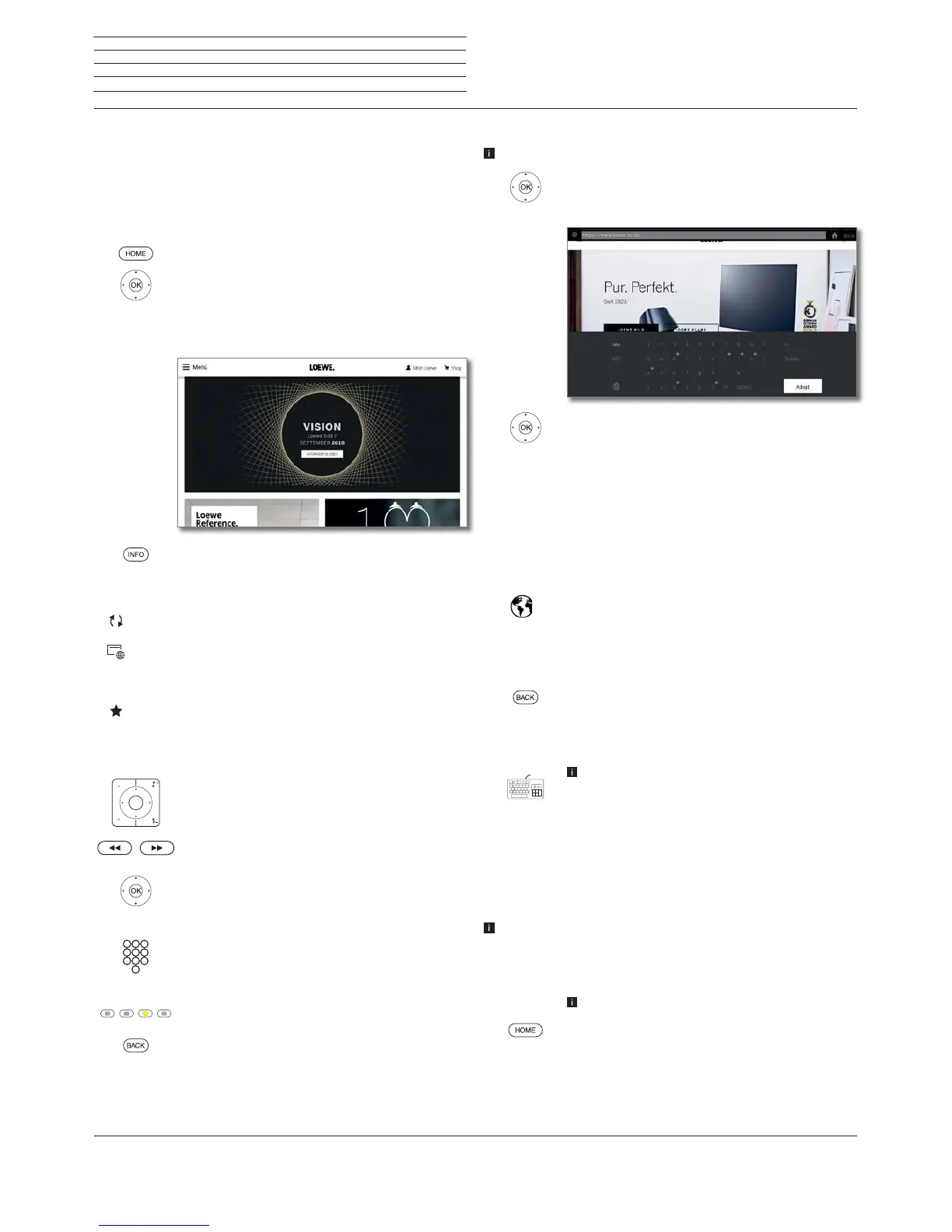
Entering a URL (Internet address)
Browser status is displayed.
Mark the URL (Internet address) of the
indicated Internet site,
OK Open address entry box.
Select required character,
OK Accept character.
If a small symbol is displayed next to a letter, with
a long press on the OK button (2 seconds),
further letters can be selected.
Å
Delete character to the left of the cursor.
-/#
The selection switches to special characters.
ABC/abc
Switch between upper/lower case.
Switch key assignment of the on-screen keyboard
between English, German or Russian.
Space
Enter blank space.
Clear Delete all characters.
Cancel input. The entry box will be closed and the
previous Internet site will be displayed again.
Enter
Accept address and open new Internet site.
The characters may also be entered by the USB
keyboard or the numerical keys of the remote control
(see left column).
Use of an external mouse
It is possible to connect an external USB mouse to a free USB interface
of the TV set.
This allows you to move the mouse pointer comfortably over the TV
screen.
Loewe does not warrant the functionality of any USB input devices
on the market.
Exit Browser
Web site is displayed. Browser status is hidden
HOME: Call Home view and select another function.



 To Next Page