Loewe bild
User handbook
87
System settings
Picture
Picture adjustment
By the selection of one of the pre-set picture adjustment variants, the
image settings for the immediately active signal input groups are set
to predefined values.
You can use Personal Mode to specify individual settings for contrast,
colour intensity, colour temperature, sharpness and digital noise
suppression. Here you can enter your own specifications for each
signal input group.
You find a listing of the various signal input groups in chapter Technical
Data, section Signal input groups.
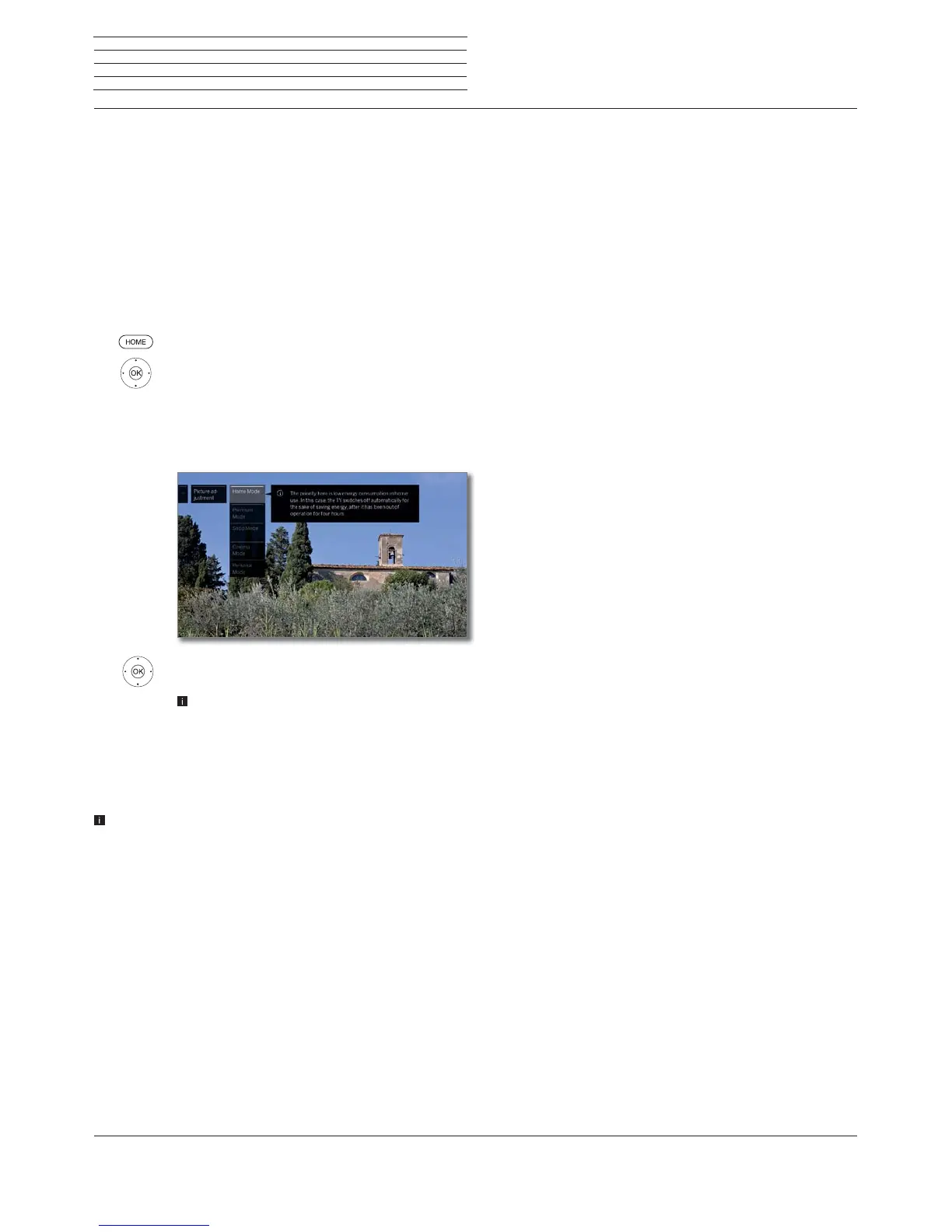
Calling picture adjustment
HOME: Call Home view.
Mark System settings,
OK call System settings.
Mark Picture,
go to next column.
Mark Picture adjustment,
go to next column.
Select mode,
OK adopt selected mode.
On the selection of one of the three pre-set picture
adjustment variants, it is also necessary to specify
whether the mode should be set for the current
signal source, for example Only for HD Digital or
for the entire TV.
Explanations for the picture adjustment variants:
If a change is made in the selected mode in image adjustment (e.g.
Contrast, Brightness, Definition, etc.) when carrying out the image
adjustment you are always in Personal mode. The selected energy
efficiency mode is unaffected.
Home Mode
The emphasis for the picture settings is here on low
energy consumption for home use. In this case, the
TV set switches automatically off after 4 hours of
unattended time.
In this mode, the TV set switches off automatically
for the sake of saving energy, after it has been out of
operation for 4 hours.
Premium
Mode
The picture settings in Premium Mode are optimised
for a brighter environment at the cost of higher
energy consumption.
In this mode, the TV set switches off automatically
for the sake of saving energy, after it has been out of
operation for 4 hours.
Shop Mode
The picture settings in Shop Mode are adjusted to
operation in the presentation room.
The automatic dimming is deactivated.
Any changes made (e.g to contrast, etc.) are reset to
the defaults after 30 minutes.
Cinema
Mode
The cinema mode is optimised for video and photo
playback.
Personal
Mode
Here, you can recall your last personal picture
settings.
In this mode, the TV set switches off automatically
for the sake of saving energy, after it has been out of
operation for 4 hours.
Depending on set type
(1
different HDR-Standards (Dolby Vision, HDR
10, HLG) are supported. There are further picture adjustment variants
depending on the image material presented
.
Dolby Vision-Content:
DOLBY
VISION
Bright
Picture settings for a brighter environment defined
by DOLBY.
DOLBY
VISION
Dark
Picture settings for a dark environment (home the-
atre) defined by DOLBY.
Premium HDR
Picture settings defined by DOLBY, which, however,
use additionally Loewe algorithms for motion
compensation or the automatic adjustment to the
ambient light.
HDR10 Content:
HDR10
Bright
The picture settings are optimized for playback in a
brighter environment.
HDR10 Dark
The picture settings are optimized for playback in a
dark environment (home theatre).
The picture settings in the premium mode are opti-
mized for a brighter environment with higher energy
consumption.
HDR10
Premium
Image settings that use additional algorithms for
motion compensation or automatic adjustment to
the ambient light.
HLG-Content:
HDR10
Bright
The picture settings are optimized for playback in a
brighter environment.
HDR10 Dark
The picture settings are optimized for playback in a
dark environment (home theatre).
The picture settings in the premium mode are opti-
mized for a brighter environment with higher energy
consumption.
HDR10
Premium
Image settings that use additional algorithms for
motion compensation or automatic adjustment to
the ambient light.
(1
HDR compatibility different according to device type (see chapter Technical data - equipment features for your TV set).



 To Next Page