74
English
Daily operation of the set – adjusting the sound/volume/treble-bass
Adjusting the sound
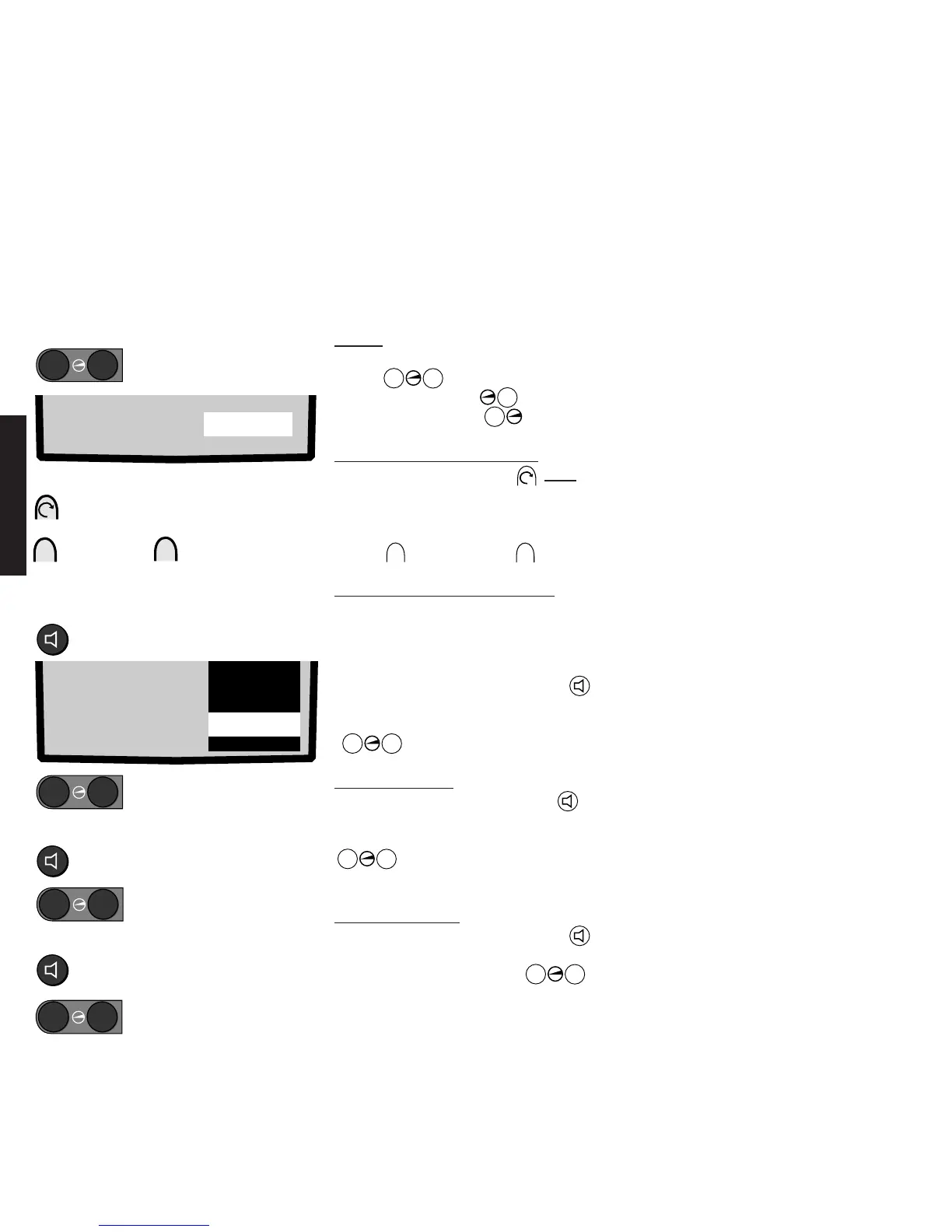
All the sound functions can be adjusted with the remote control. Only the volume can be
adjusted on the set.
Volume
Adjust the volume, Volume button
Press
–
+
on the remote control.
Louder: Press button
+
.
Quieter: Press button
–
.
Adjusting the volume on the set
Press the function button once.
<Volume> appears in grey on the screen.
You can adjust the volume as long as this is
displayed on the screen.
Button
+
louder; button
–
quieter.
Switching sound to music/speech
<Music> is always set after switching on. If
you switch to <Speech>, the bass and
treble tones will be reduced to make
speech clearer.
Press the Sound functions button
until <Music> is marked white. Switch to
<Speech> or <Music> with the
–
+
buttons.
Adjusting the bass
Press the Sound functions button
several times until <Bass> is marked in
white. You can adjust the bass with the
–
+
buttons as long as this is
displayed on the screen.
Adjusting the treble
Press the Sound functions button
several times to mark <Treble>. Increase
or reduce the treble with the
–
+
buttons.
Adjusting the volume:
With the remote control
➜
➜
quieter louder
–
+
Adjusting the volume on the set
Setting speech or music:
Mark the „Music“ line
–
+
speech or music
Adjusting bass:
Mark the „Bass“ line
–
+
Adjust
Adjusting treble:
–
+
Adjust
Mark the „Treble“ line
quieter louder
–
Press once
+
Volume 24
Treble 6
Bass -3
Balance O
Stereo
Volume 23
Music
Numeric values are displayed as a guide
when adjusting the sound. If no station is
being received, the set mutes the sound.
You can still set a volume. The sound is
then audible at this volume when you
receive a station.










 To Next Page