81
English
Timer functions and setting on-screen displays
Station
Video
Timer functions
Child lock
GB F I E NL DK S
Information
Normal settings
Factory setup
Teletext
Special functions
On-screen display
TV setup
Volume - alarm signal tone
If this function is activated, you will be reminded of „your“ appointment by a continuous
alarm signal in addition to the time being displayed.
If you do not want an alarm signal to remind
you of your appointment, set the volume
to 0.
▼
Select „Alarm volume“
Adjust alarm volume
TV
Setting end
Volume - alarm signal tone:
If you adjust the volume or contrast, for
example, with „Picture/sound off“, there will
be no on-screen display of which function is
being adjusted.
With „Sound info off“ you will not get any
automatic displays of whether the station is
broadcasting in Stereo, Mono or 2 Sound.
Setting on-screen displays
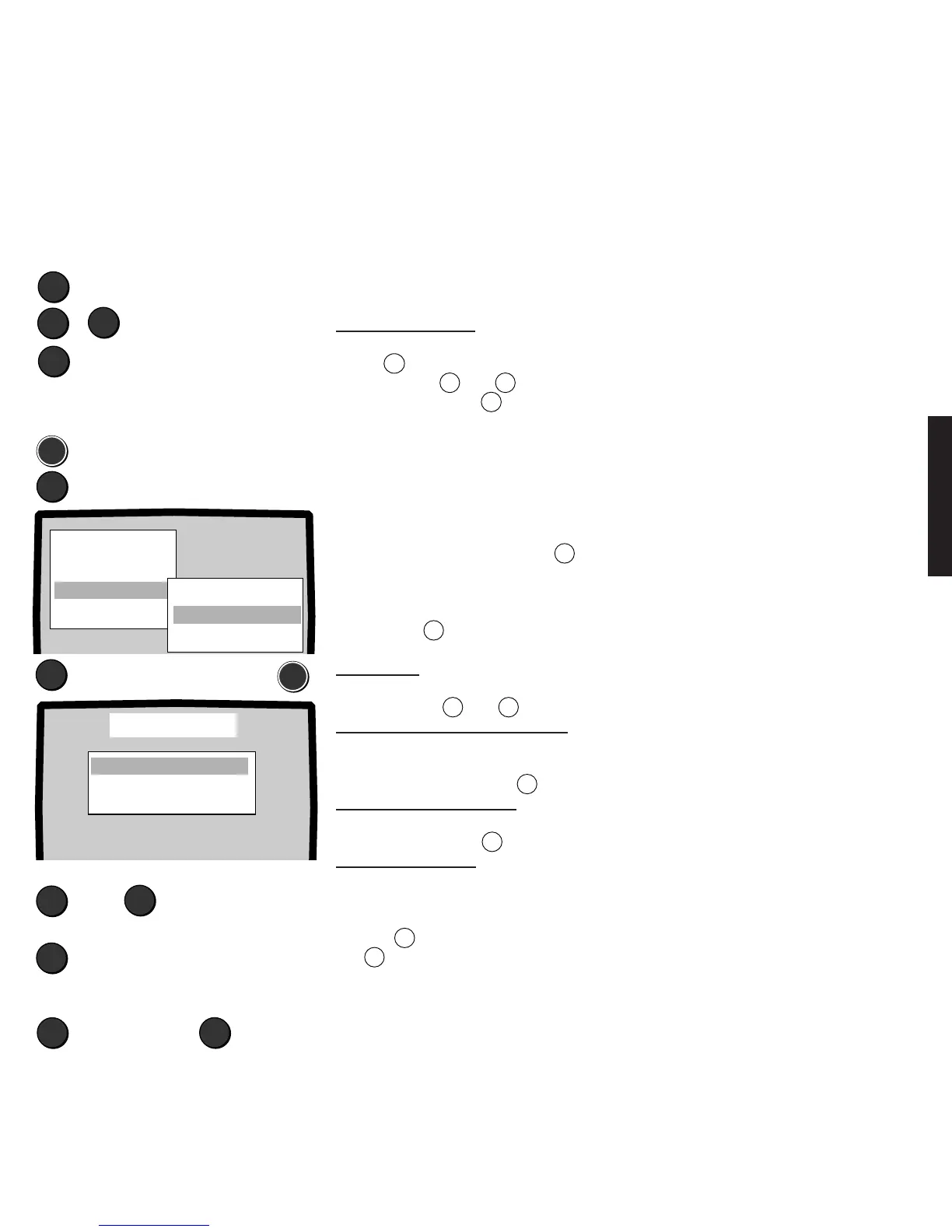
You can make the following settings with the „TV setup - On-screen displays“ menu:
• Determine the duration of the on-screen displays, 1 to 10 seconds.
• Switch the display of all picture and sound functions on or off.
• Switch the information on the station, e.g. stereo, mono, 2-sound or Nicam on or off.
• Select the position of the on-screen displays, bottom or top.
1. Call the menu by pressing the
MEN
button.
2. Select the „TV setup“ line.
3. Select the „On-screen display“ line.
4. Press the
MEN
button.
Display time: Select the „Display time“
line, a time between 1 and 10 seconds can
be set with the
+
or
–
button.
Switching picture/sound on and off:
Select the „Picture/sound“ line.
Switch the display of the sound or picture
functions off or on with the
X
button.
Switching Sound info on-off:
Select the „Sound info“ line. Switch sound
info on or off with the
X
button.
Position bottom - top:
Select the „Position“ line. Determine
whether you want the on-screen displays to
appear at the bottom or top of the screen
with the
X
button. End setup by pressing
the
TV
button.
Switching on-screen display on or off:
MEN
▼
Select „TV setup“
Call the menu
▼
Set display time:
+
or 1 to 10 seconds
–
Sound info on - off:
X
Position of on-screen displays bottom
or top:
X
➪
Select
End
TV
Select
„On-screen display“
➪
MEN
+
–
Adjusting the volume:
Select „Alarm volume“ with the yellow
button
X
. Adjust the volume of the alarm
signal with the
+
or
–
button.
End Setup: Press the
TV
button.
Picture/Sound on
Sound info on
Position bottom
Display time 1O s
On-screen display










 To Next Page