EasyManua.ls Logo

Logia LOGLP300 - Page 16

Logia LOGLP300
20 pages
Print Icon
To Next Page IconTo Next Page
To Previous Page IconTo Previous Page
Loading...
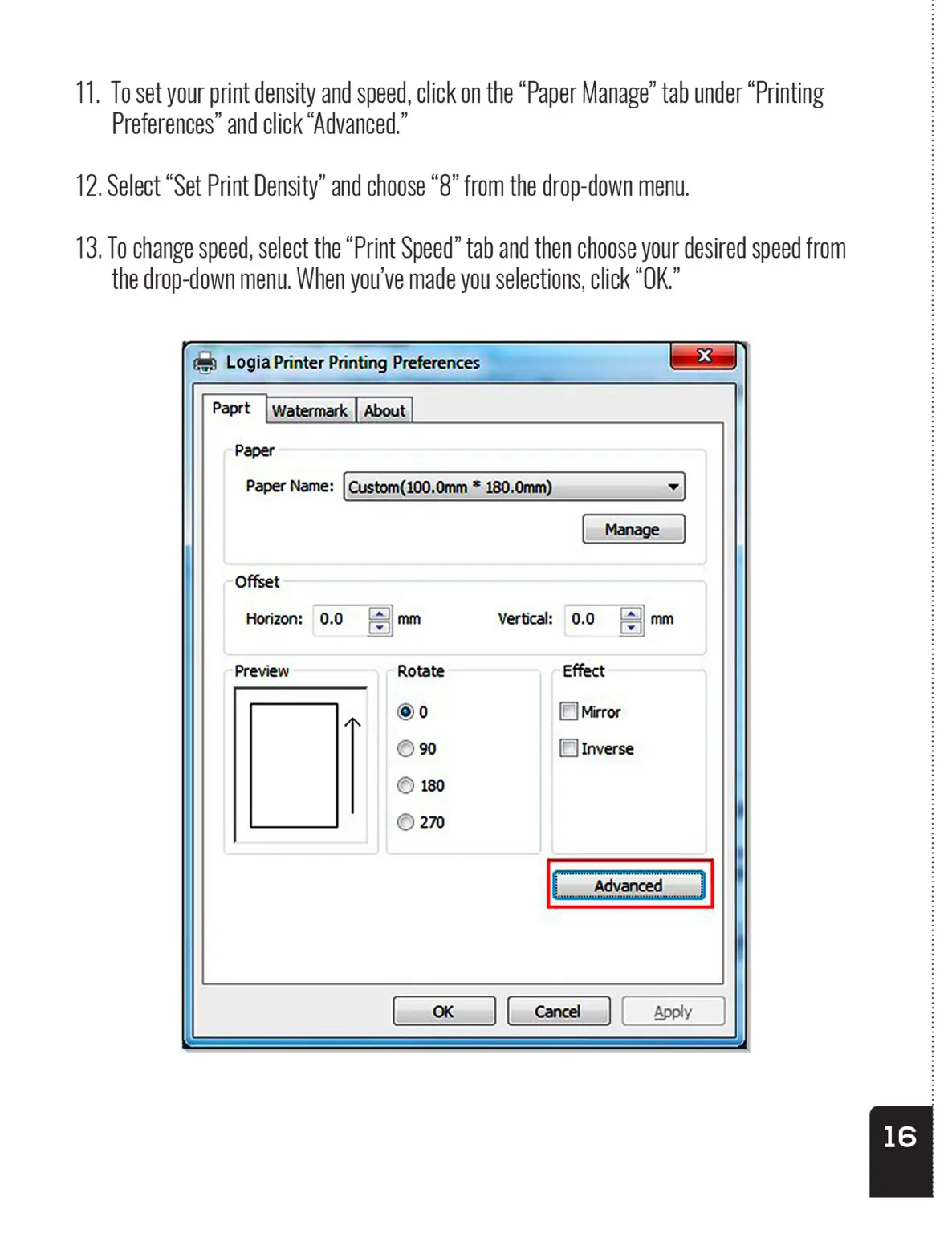
11.
To
set
your
print
density
and
speed,
click
on
the
“Paper
Manage”
tab
under
“Printing
Preferences’
and
click
“Advanced.”
12.
Select
“Set
Print
Density”
and choose
“8”
from
the
drop-down
menu.
13.
To
change
speed,
select
the
“Print
Speed”
tab
and
then
choose
your
desired
speed
from
the
drop-down
menu.
When
you've
made
you
selections,
click
“OK.”
tb
Logia
Printer
Printing
Preferences
Paprt
|
Watermark
|
About
Paper
Paper
Name:
{
Custom(100.0mm
*
180.0mm)_
11.
To
set
your
print
density
and
speed,
click
on
the
“Paper
Manage”
tab
under
“Printing
Preferences’
and
click
“Advanced.”
12.
Select
“Set
Print
Density”
and choose
“8”
from
the
drop-down
menu.
13.
To
change
speed,
select
the
“Print
Speed”
tab
and
then
choose
your
desired
speed
from
the
drop-down
menu.
When
you've
made
you
selections,
click
“OK.”
tb
Logia
Printer
Printing
Preferences
Paprt
|
Watermark
|
About
Paper
Paper
Name:
{
Custom(100.0mm
*
180.0mm)_