23
• Slide to the HI position for the brighter backlight.
• Slide to the LO position for the dimmer backlight.
• Slide to the OFF position turn o the backlight.
WIRELESS SIGNAL RECEPTION
The 7-in-1 weather sensor is capable of transmitting data wirelessly over an approximate operating range
of 492′ (150 m) (with line of sight). Occasionally, due to intermittent physical obstructions or other
environmental interference, the signal may be weakened or lost. In the case of the sensor signal getting
lost completely, you will need to relocate the console or the weather sensor.
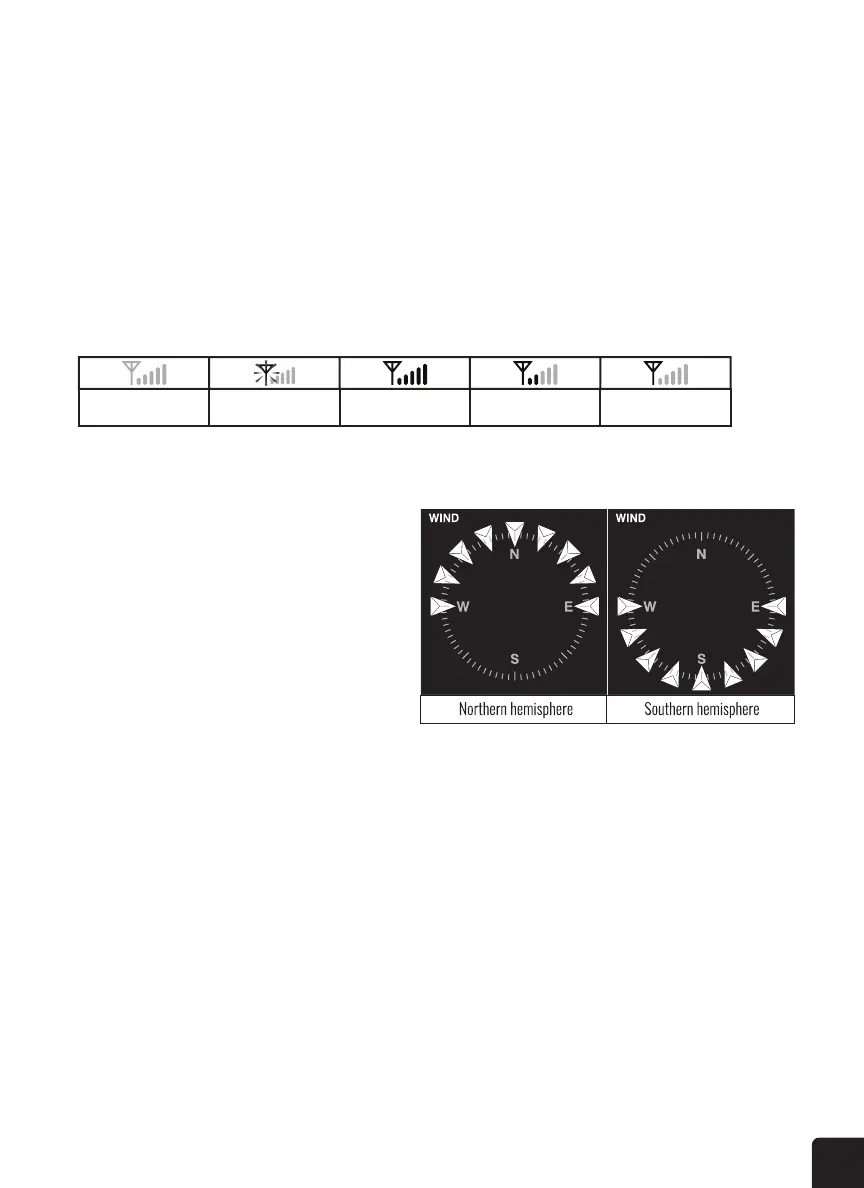
No sensor Signal searching Strong signal Weak signal Signal lost
POINTING THE 7-IN-1 SENSOR TO THE SOUTH
The outdoor 7-in-1 sensor is calibrated to be
pointing to the North by default. However, in
some cases, users may wish to install this sensor
point to the South:
1. Install the outdoor 7-in-1 sensor with its
arrow pointing to the South.
2. On the console, press and hold the WIND
button for eight (8) seconds until the upper
part (Northern Hemisphere) of the compass
lights up and blinks.
3. Press the UP or DOWN button to change to lower part (Southern Hemisphere).
4. Press the WIND button to conrm and exit.
MOON PHASE
The sun-lit area of the moon moves from right to left in the Northern Hemisphere, while in the Southern
Hemisphere, it moves from left to right. Below is the table which illustrate how the moon will appear on
the console.



 To Next Page