15
Maintenance
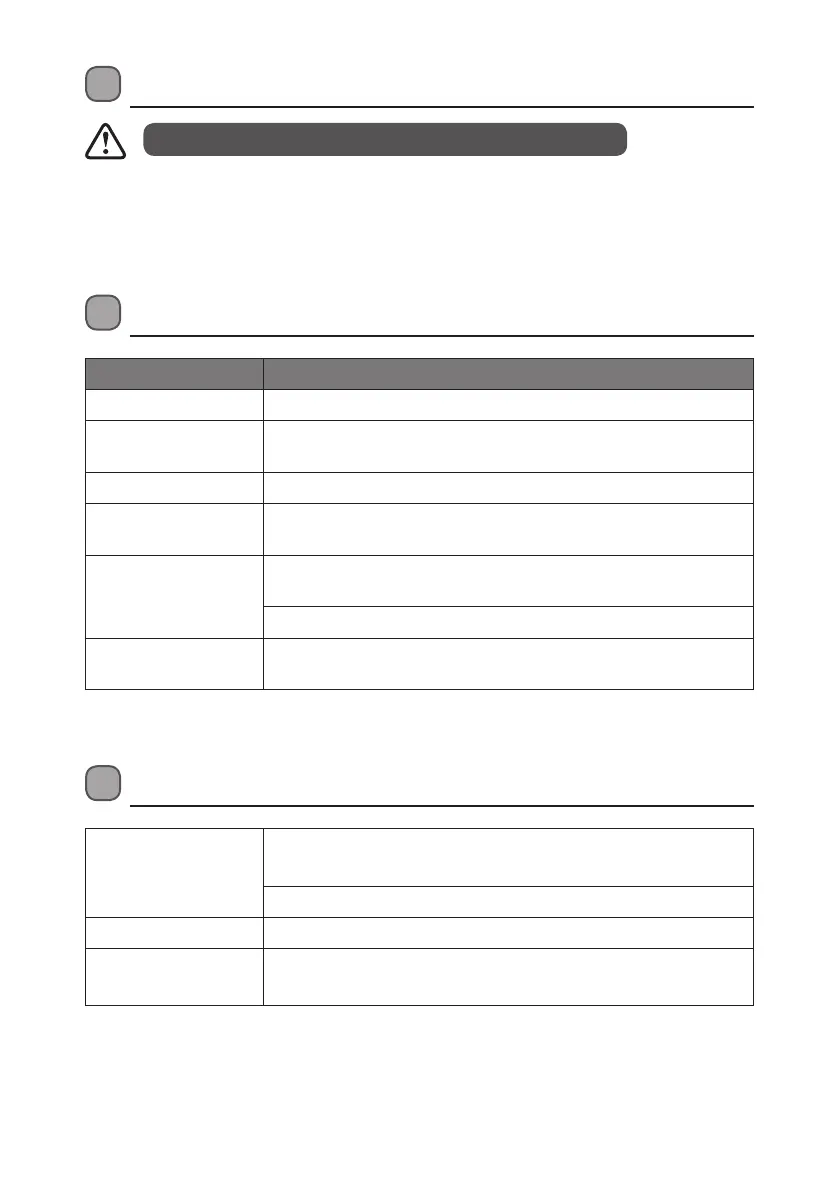
Hints and Tips
Problem Cause / Solution
No Sound Adjust the volume control, it may not be turned up.
Static Sound Signal reception is too low. Adjust the aerial or move the unit to a
stronger signal location.
Sound is distorted Volume is too high. Adjust the volume control.
Desired station not
found
Weak signal. Use the Manual Tune function.
The display shows “Not
available”
No DAB coverage in your area or poor reception. Adjust the position
of the aerial.
Poor reception. Adjust the position of the aerial.
The display is blank This may occur if the broadcaster changes the label of a service or
removes a label. The unit will try to retune or perform a scan.
Specication
Mains Supply Mains adapter Input 100-240V ~ 50/60 Hz
Mains adapter Output DC 6V 0.5A
DC battery 4 x AA batteries (not included)
Output Power 1 x 1.0W
Radio Frequency
Range
FM87.5 – 108 MHz
DAB Band III 174.928 – 239.200 MHz
Features and specications are subject to change without prior notice.
• To clean the unit, wipe the case with a slightly moist, lint-free cloth.
• Do not use any cleaning uids containing alcohol, ammonia or abrasives.
• Do not spray an aerosol at or near the unit.
Ensure to unplug the unit from the mains socket before cleaning.
L22DAB10_IB_final110826_adaptor change.indd 15 26/08/2011 10:24 AM


 To Next Page