9
Recalling a Stored Station
1. Once you have saved a station to one of the preset buttons, you can recall it by pressing
the PRESETS button.
2. Press the PREV or NEXT button to select your desired preset station number.
3. Press the SELECT button to conrm the selection.
4. If you choose a preset that hasn’t been allocated a station, “Preset empty #“ will be
displayed.
DAB Display Modes
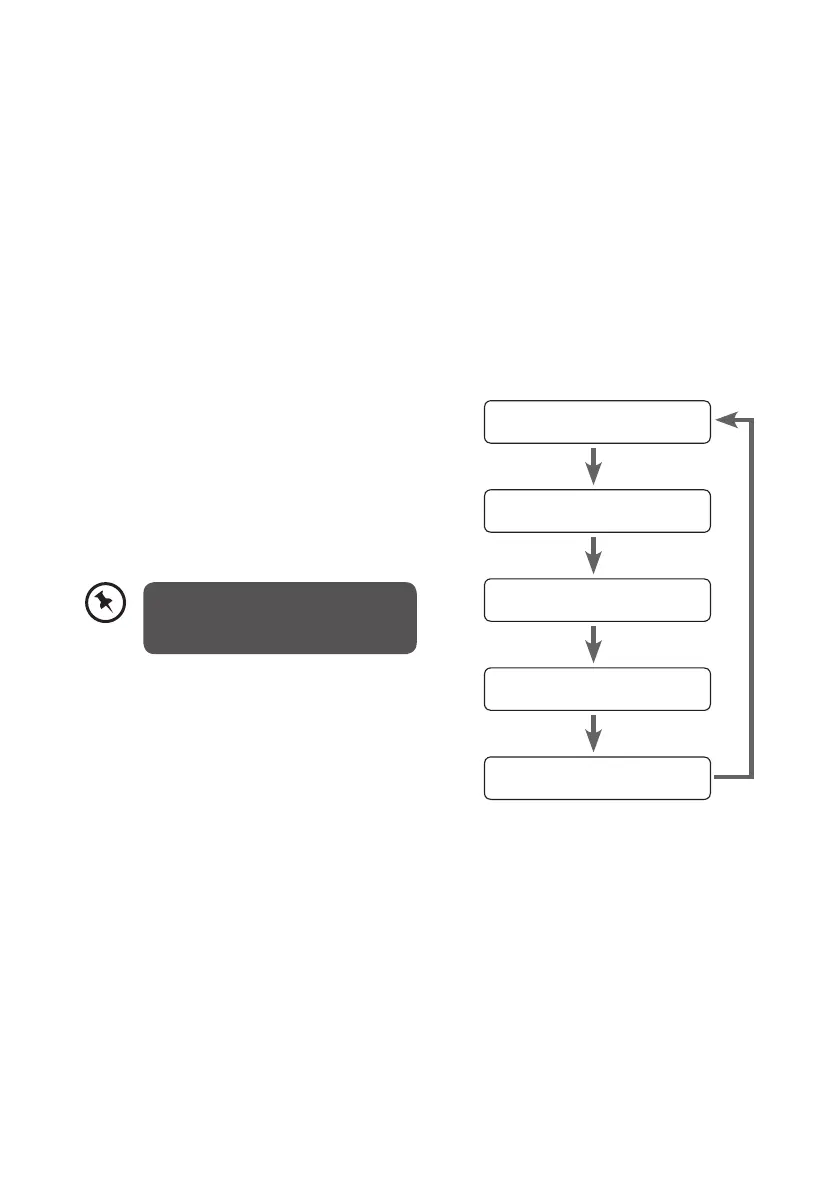
Every time you press the INFO button, the display will cycle through the following display
modes: Programme Type, Multiple Name, Signal Strength, Time/Date, DLS (Scrolling Text).
The information is displayed on the lower segment of the display.
Programme Type
Multiplex Name
Signal Strength
Time/Date
DLS (Scrolling Text)
Programme Type
This describes the “Style” or “genre” of music that
is being broadcast e.g. “Rock” or “Classical”.
Multiplex Name
A multiplex is a collection of radio stations that
are bundled and transmitted on one frequency.
There are national and local multiplexes. Local
ones contain stations that are specic to that area.
Time/Date
The broadcaster (Radio station) provides clock
and date information automatically so there’s no
need to manually set this information.
DLS (Dynamic Label Segment)
Dynamic label segment is a scrolling message
that the broadcaster may include with their
transmissions. The message usually includes
information, such as program details etc.
DAB – unlike normal radio, groups
together several radio stations and
transmits them on one frequency.
L22DAB10_IB_final110826_adaptor change.indd 9 26/08/2011 10:24 AM


 To Next Page