10
Mains Power
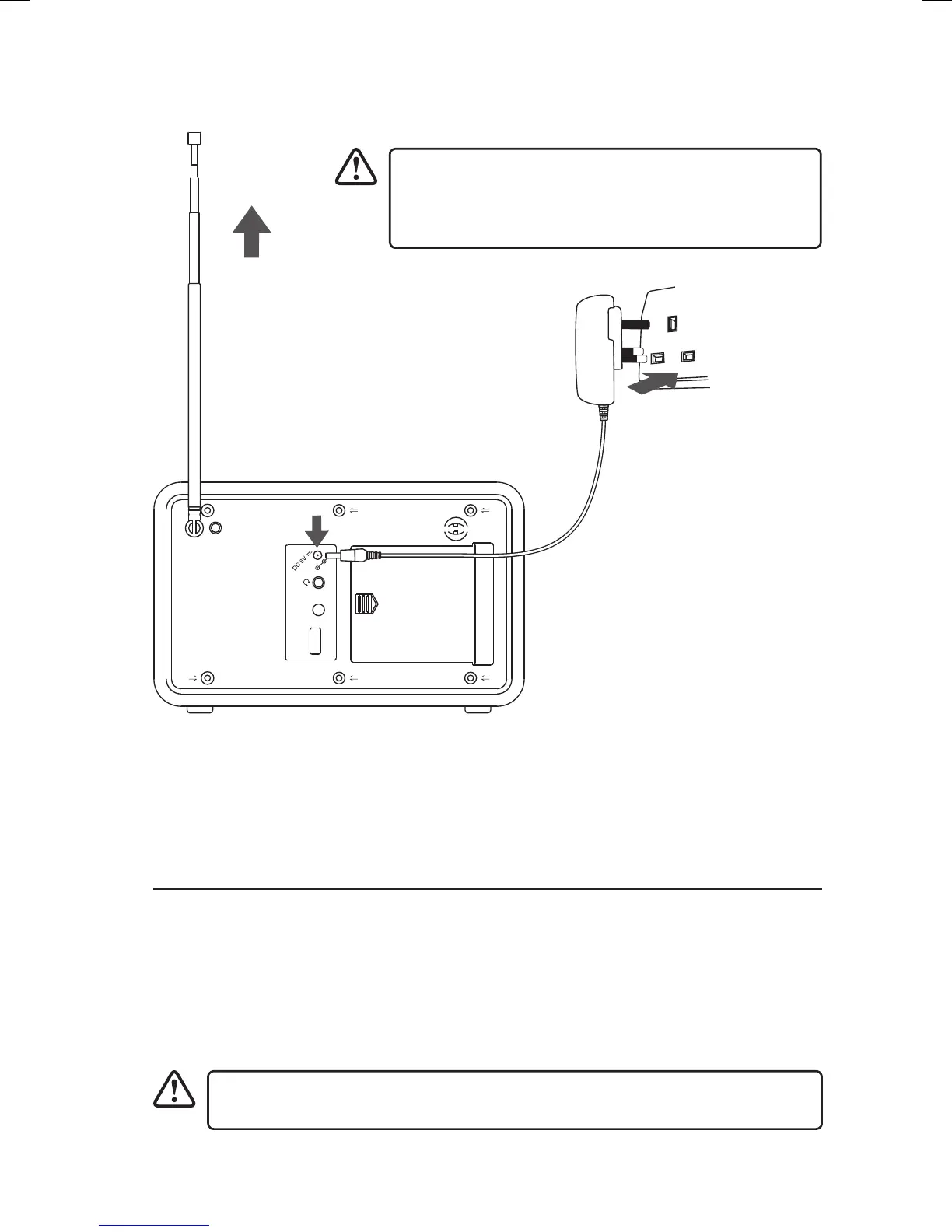
This unit will automatically scan for DAB radio stations
when switched on for the rst time. Before connecting
the power cable, fully extend the aerial vertically to
ensure best reception.
Before using, connect the supplied power cable to the mains cable socket at the rear
of the unit and to the mains socket.
Connections
Connecting to the Earphones Socket
1. Connect earphones (3.5mm stereo mini plug) to the earphones socket.
2. Always set the volume level to minimum then slowly increase the volume to obtain the
desired volume level.
3. When the earphones are connected, the speaker will automatically mute.
Long-term exposure to loud music may cause hearing damage. It is best to avoid
extreme volume when using earphones, especially for extended periods.
LHDR15_IB.indd 10 24/02/2016 08:30


 To Next Page