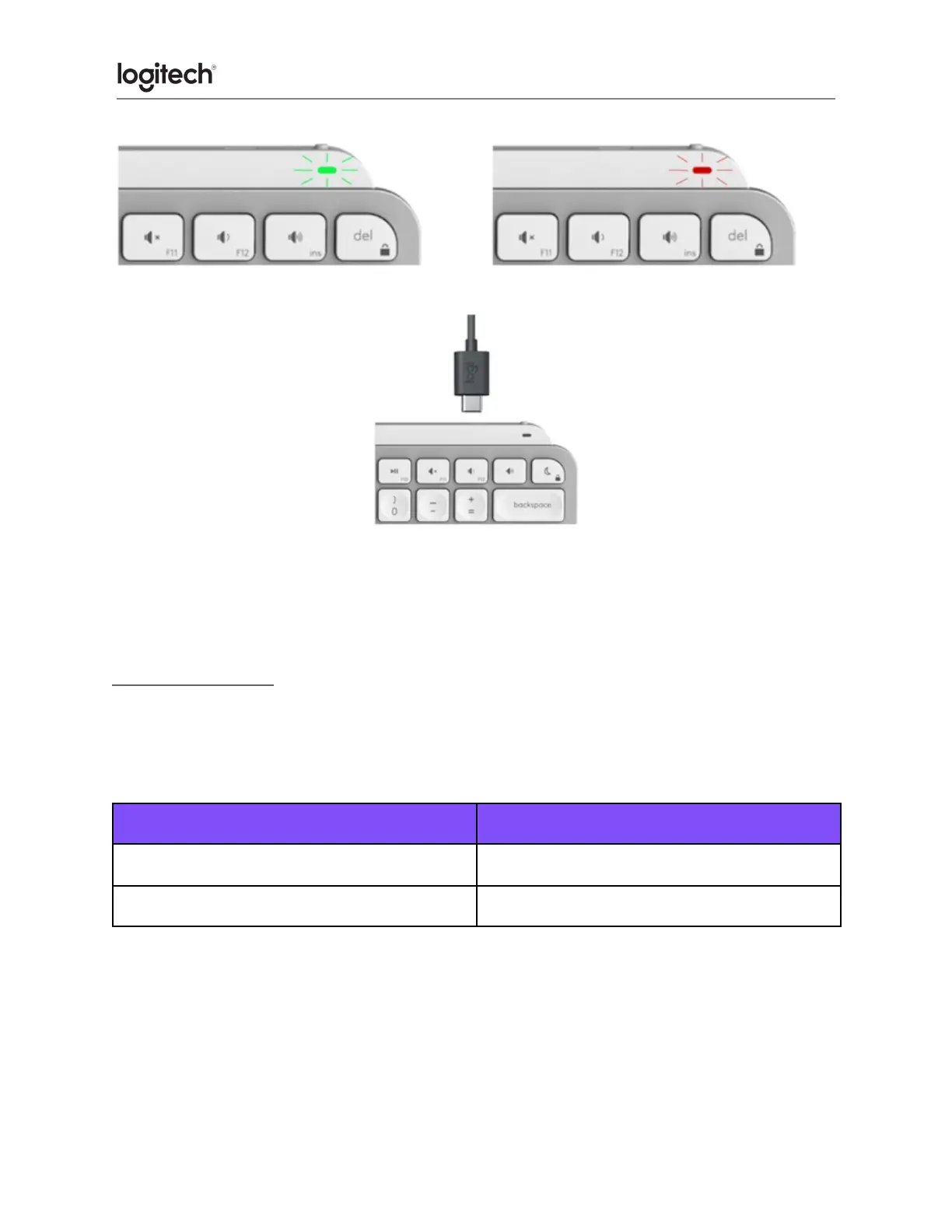
To charge, plug in the USB-C cable at the top right corner of your keyboard. You can continue
typing while it is charging.
Smart backlighting
Your keyboard has an embedded ambient light sensor that reads and adapts the level of
backlighting accordingly.
Low light - under 100 lux
High light - over 100 lux
*Backlight is turned OFF.
There are eight total backlight levels. You can change the backlight level at any time with two
exceptions. The backlight cannot be turned ON when:
● The room brightness is high, over 100 lux
● The keyboard battery is low





 To Next Page