
 Need help?
Do you have a question about the Logitech Dinovo Edge Mac Edition and is the answer not in the manual?
Connects the AC cable to the keyboard dock and plugs the adapter into a wall socket.
Inserts the keyboard into the dock for charging, providing up to one month of battery life.
Slides the power switch to the 'On' position, indicated by an orange power indicator.
Guides through connecting the keyboard to a Macintosh computer via Bluetooth Setup Assistant.
Selects the keyboard from the list and enters a passkey to pair with the computer.
Installs software from CD-ROM for enhanced functionality and features.
Uses Logitech Control Center to adjust tracking speed and reassign function keys.
Configures general function key behavior by selecting checkboxes in the General settings tab.
Customizes key assignments using buttons and pull-down menus in the Key settings tab.
Adjusts tracking speed, vertical scroll, and horizontal scroll speed using TouchDisc sliders.
Offers quick access to digital-lifestyle features with function and hot keys.
Launches favorite applications with a single touch using F5-F8 keys.
Provides one-touch controls for Macintosh features like Exposé, Spaces, and Spotlight (F1-F4, F9-F12).
Explains how to move the cursor and scroll vertically/horizontally using the TouchDisc controller.
Enhances Apple's media manager with remote control features for browsing media.
Media hot keys control play, pause, skip forward/backward, fast-forward, and rewind.
Volume slider duplicates Apple Remote's +/- buttons for fluid control and visual feedback.
Uses dock/charging station for up to one month of battery life on a full charge.
Cleans with a provided soft cloth; turn off keyboard before wiping.
Disables TouchDisc/slider using Fn + Left-Click, re-enables with Fn + Right-Click.
Disables Caps Lock Notification Beep by pressing Fn + Caps Lock.
For service and discussion forums, visit www.logitech.com/support/.
Download software updates and drivers from www.logitech.com/downloads/.
Provides technical support contact information for various countries and regions.
Advises on proper posture and avoiding discomfort/injury from repetitive motion.
Warns about using the correct power supply for indoor use only.
Provides warnings regarding the rechargeable lithium-ion battery, including handling and disposal.
Declares compliance with FCC Rules Part 15 for device operation.
States compliance with Industry Canada RSS 210 regulations.
Confirms product UL approval for use with UL listed ITE computers.
Outlines repair, replacement, or refund options for warranty breaches.
Guides users on obtaining technical assistance and processing warranty claims.
States Logitech's limitations on liability for indirect or consequential damages.
Limits implied warranties' duration to the applicable limited warranty period.
Notes that national statutory rights are unaffected by the limited warranty.
States that no dealer, agent, or employee can modify this warranty.
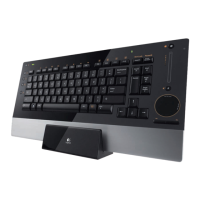
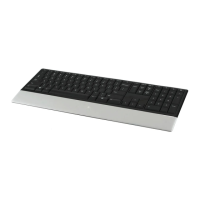
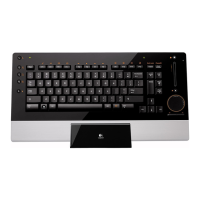
The Logitech diNovo Edge Keyboard is a sophisticated input device designed to enhance the user's experience with their Macintosh computer, offering a blend of performance, comfort, and style. Its sleek and slim design integrates a variety of innovative features, streamlining access to digital content and improving overall productivity.
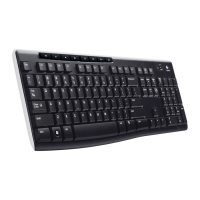
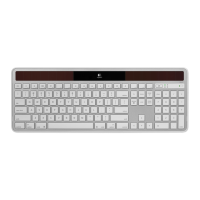
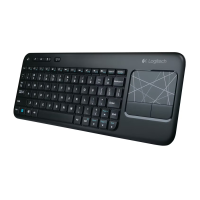
The diNovo Edge Keyboard serves as a primary input device for Macintosh computers, connecting wirelessly via Bluetooth technology. It features a full QWERTY keyboard layout, along with extended function keys and dedicated media hotkeys, providing quick access to various computer functions and applications. A key innovation is the integrated TouchDisc, which combines the functionalities of a touch pad and a scroll wheel, offering intuitive cursor control, hyper-fast scrolling, and selection capabilities. The keyboard also includes a power indicator, battery-indicator light, Bluetooth status light, and a volume slider for convenient audio control.
The keyboard incorporates Logitech's PerfectStroke™ key system, which utilizes a micro-scissor mechanism to ensure even force distribution across key surfaces. This design aims to improve typing accuracy by being forgiving of mis-strokes and providing a consistent typing experience. With a longer key travel of 3.2 millimeters, the keyboard offers a more responsive and comfortable feel. Concave keycaps further contribute to a natural and fluid keystroke experience.
The diNovo Edge Keyboard connects to the computer using Bluetooth® wireless technology, allowing for seamless operation from up to 30 feet (9 meters) away. Setting up the Bluetooth connection involves navigating through the Macintosh System Preferences, selecting the Bluetooth option, and using the Bluetooth Setup Assistant to pair the keyboard. The process requires entering a randomly generated passkey on the keyboard to establish a secure connection.
The keyboard is equipped with a comprehensive set of function keys and hotkeys tailored for Macintosh users. These include:
The innovative TouchDisc integrates hyper-fast scrolling, selection, and cursor control.
fn + Left-Click (the button below the TouchDisc) and re-enabled by pressing fn + Right-Click.To maximize the keyboard's potential, users can install the Logitech Control Center software from the provided CD-ROM or download updates from www.logitech.com/downloads/. This software allows for:
The keyboard features a battery-indicator light that blinks green while charging, lights green for 5 seconds upon connection, and glows red when batteries are low. A power switch on the right edge of the keyboard allows users to turn the device on or off. The orange power indicator next to the power icon confirms that the keyboard is on.
The diNovo Edge Keyboard comes with an elegant dock/charging station that also serves as a stand, helping to keep the desk clutter-free. To charge, the lower edge of the keyboard is inserted into the dock, aligning the Logitech logos. A full charge takes approximately four hours and provides up to one month of battery life. A quick 10-minute charge can provide about a day of use. The AC cable from the power supply plugs into the back of the dock/charging station, and the AC adapter connects to a wall socket.
To maintain the keyboard's quality and ensure many years of service, regular cleaning is recommended. Users should use the provided soft cloth for cleaning. It is important to turn the keyboard off before wiping it down. Soap or any other type of cleaning product should not be used.
Common issues can often be resolved by:
Logitech provides important ergonomic information, advising users to maintain proper posture and workspace setup to prevent physical discomfort or injury from repetitive motion. Users experiencing pain or discomfort are advised to consult a qualified health professional. Comfort Guidelines are available on the Logitech website.
The product uses a rechargeable lithium-ion battery. Users are cautioned to handle the battery with care, avoid opening or mutilating it, and prevent short circuits, overheating, or exposure to fire or high temperatures. Leaking or non-rechargeable batteries should be discarded according to local laws. The power supply is for indoor use only and should be the one provided with the product. Users should not attempt to repair a damaged power supply or immerse it in water, and regular inspection for damage is recommended.
 General
| Type | Wireless Keyboard |
|---|---|
| Model | Dinovo Edge Mac Edition |
| Connectivity | Bluetooth |
| Keyboard Layout | QWERTY |
| Key Switch Type | Scissor-switch |
| Battery Type | Rechargeable Lithium-ion |
| Battery Life | Up to 2 months |
| Touchpad | Yes |
| Media Controls | Yes |
| Backlighting | No |
| Compatibility | Mac OS |
| Special Features | Built-in touchpad |



 To Next Page