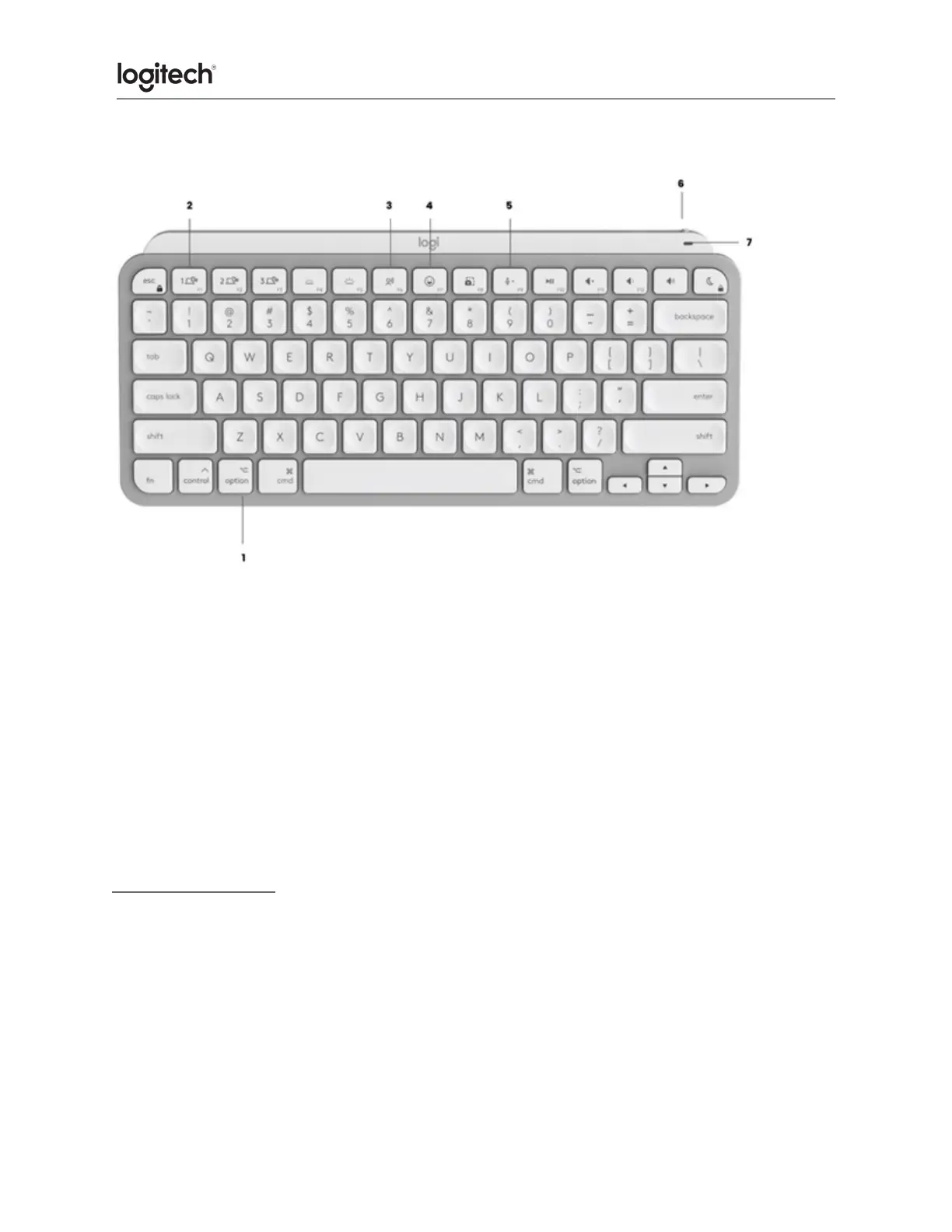
Product Overview
1. Mac layout
2. Easy-Switch keys
3. Dictation key
4. Emoji key
5. Mute/unmute microphone
6. ON/OFF switch
7. Battery status LED and ambient light sensor
Your keyboard is compatible with macOS 10.15 or later, iOS 13.4, and iPadOS 14 or later.
Battery Notification
Your keyboard has an LED near the On/Off switch to let you know the battery status. The LED
will be green from 100% to 11% and turn red from 10% and below. Turn off the backlighting to
continue typing for more than 500 hours when the battery is low.





 To Next Page