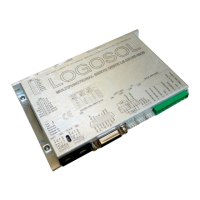
Logosol Multifunctional Servo Drive LS-231SE
Doc # 712231004 / Rev. A, 05/05/2011
Logosol, Inc. • 1155 Tasman Drive • Sunnyvale, CA 94089 Tel: (408) 744-0974 • www.logosolinc.com
41
Stop Motor
Command value: 0x7
Number of data bytes: 1 or 5
Command byte: 0x17 or 0x57
Data bytes:
1. Stop control byte
Bit 0: Pic_ae (Power Driver enable)
1: Turn motor off
2: Stop abruptly
3: Stop smoothly
4: Stop here
5: Not used. Clear to 0
6: Not used. Clear to 0
7: Not used. Clear to 0
2-5. Stopping position (only required if bit 4 above is set)
Description:
Stops the motor in the specified manner. If bit 0 of the Stop Control Byte is set, Power Driver will be
enabled. If bit 0 is cleared Power Driver will be disabled, regardless of the state of the other bits. Pic_ae
also controls the meaning of bit 3 (Power_on), bit 5 (Limit1 (Reverse)), and bit 6 (Limit 2 (Forward)) of
status byte (refer to Status Bits and Safety Features section in this document). If bit 1 is set, the position
servo will be disabled, the PWM output value will be set to 0, and bits 2, 3 and 4 are ignored. If bit 2 is set,
the current command velocity and the goal velocity will be set to 0, the position servo will be enabled, and
velocity mode will be entered. If the velocity servo was previously disabled, the motor will simply start
servoing to its current position. If the motor was previously moving in one of the profiling modes, it will stop
moving abruptly and servo to its current position. This stopping mode should only be used as an
emergency stop where the motor position needs to be maintained. Setting bit 3 enters a more graceful
stop mode - this sets the goal velocity to 0 and enters velocity mode, causing the motor to decelerate to a
stop at the current acceleration rate. If bit 4 is set, the motor will move to the specified stopping position
abruptly with no profiling. This mode can be used to cause the motor to track a continuous string of
command positions. Note that if the stopping position is too far from the current position, a position error
will be generated. Only one of the bits 1, 2, 3 or 4 should be set at the same time. The Stop Motor
command must be issued initially to set Pic_ae before other motion commands are issued.
I/O Control
Command value: 0x8
Number of data bytes: n
Command byte: 0x18
Data bytes:
Control byte
Bit 0: “Brake out” mode.
If this bit is set to 0 the “Brake out” is controlled according the “Status bits and LEDs” section of this
document. If this bit is set to 1 the “Brake out” is controlled by BIT1.
1: Brake out control.
If BIT0 is set to 0 - not used.
If BIT0 is set to 1: BIT1=0 - Brake out=off;
BIT1=1 - Brake out =on.
2: Not used. Must be set to 0.
3: Not used. Must be set to 0.
4: Not used. Must be set to 0.
5: Not used. Must be set to 0.
6: If this bit is set, the Path Points Buffer counter will be set to the value of the next 2 data
bytes (requires 2 data bytes, range 0000h – 7FFFh)
7: Not used. Set to 0.
Description:


 To Next Page
 Loading...