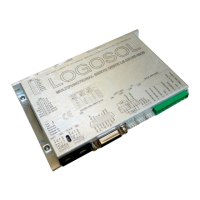
Logosol Multifunctional Servo Drive LS-231SE
Doc # 712231004 / Rev. A, 05/05/2011
Logosol, Inc. • 1155 Tasman Drive • Sunnyvale, CA 94089 Tel: (408) 744-0974 • www.logosolinc.com
47
INITIALIZING PROCEDURE AND PROGRAMMING EXAMPLES FOR SERVO DRIVES
To ensure a proper operation of all Servo drives connected to the network, the following initializing
steps should be executed:
1. Reset all modules with Hard Reset command.
2. Set the addresses for all connected drives.
3. Set the individual gains (KP, KD, KI, IL, OL, CL, EL, SR and DB). Minimal requirements are:
KP <> 0, EL <> 0 and SR <> 0.
4. Use Load trajectory command to set the target position, velocity acceleration with start motion
now in trapezoidal mode. Minimal requirements are acceleration <> 0 and target position = 0.
This command does not start any motion. It is necessary to initialize internal registers of the
module.
5. Close the servo loop by using Stop Motor command (Pic_ae=1 and Stop abruptly=1).
Understanding the Serial Communication with Servo drives
The Serial Communication with Servo drives is strictly master-slave and matches repeatedly two
elements:
- Sending a command to the specified drive’s address;
- Receiving answer to the sent command – Status Byte(s).
Note: During the communication all bytes are sent with LSB first.
Commands
There are 16 commands managing Servo drives (refer to Command Description). Each command
as shown in the following two tables includes header, address, command, data bytes and one
checksum byte. Checksum does not include header byte.
Structure of Read Status command
Byte 1 Byte 2 Byte 3 Byte 4 Byte 5
Command Code Header Address
(Individual or
Group)
High 4 bits
No. of data bytes
Low 4 bits
command code
Data Byte
CheckSum =
Byte 2 + Byte 3 +
Data Byte
AA 01 1 3 01 15
Examples
Cmd. Bytes Byte 1 Byte 2 Byte 3 Byte 4 – N Byte N+1
Command Header Address Cmd. Code Data Byte(s) Checksum
Reset position AA 01 0 0 01
Define status AA 05 1 2 05 1C
Set address AA 01 2 1 07 FF 21
Load trajectory AA 01 5 4 91 00 28 00 00 0E
Set gain AA 01 E 6 64 00 00 04 00 00 00 00 FF
00 00 08 01 00
57
Status Data
The structure of the returned status information depends on Define Status or Read Status
commands (refer to Command Description). By default only the Status byte and Checksum are
returned to the host.
Examples
Byte 1 Optional Bytes 0-16 CheckSum
Status Byte Additional Status Bytes as position, velocity, home
position, A/D auxiliary byte, version and position error.
CheckSum = Byte 1+ Optional Bytes
09 no additional status bytes requested 09
09 00 28 00 00 – four additional status bytes 31


 To Next Page
 Loading...