www.longer3d.com info@longer3d.com
Lightburn
Step1. Software installation steps
1. Please download the trial version of Lightburn from the following website:
https://lightburnsoftware.com/pages/trial-version-try-before-you-buy
2. Install the software on your computer and run it.
3. Start the application from your computer (Windows, MAC, Linux).
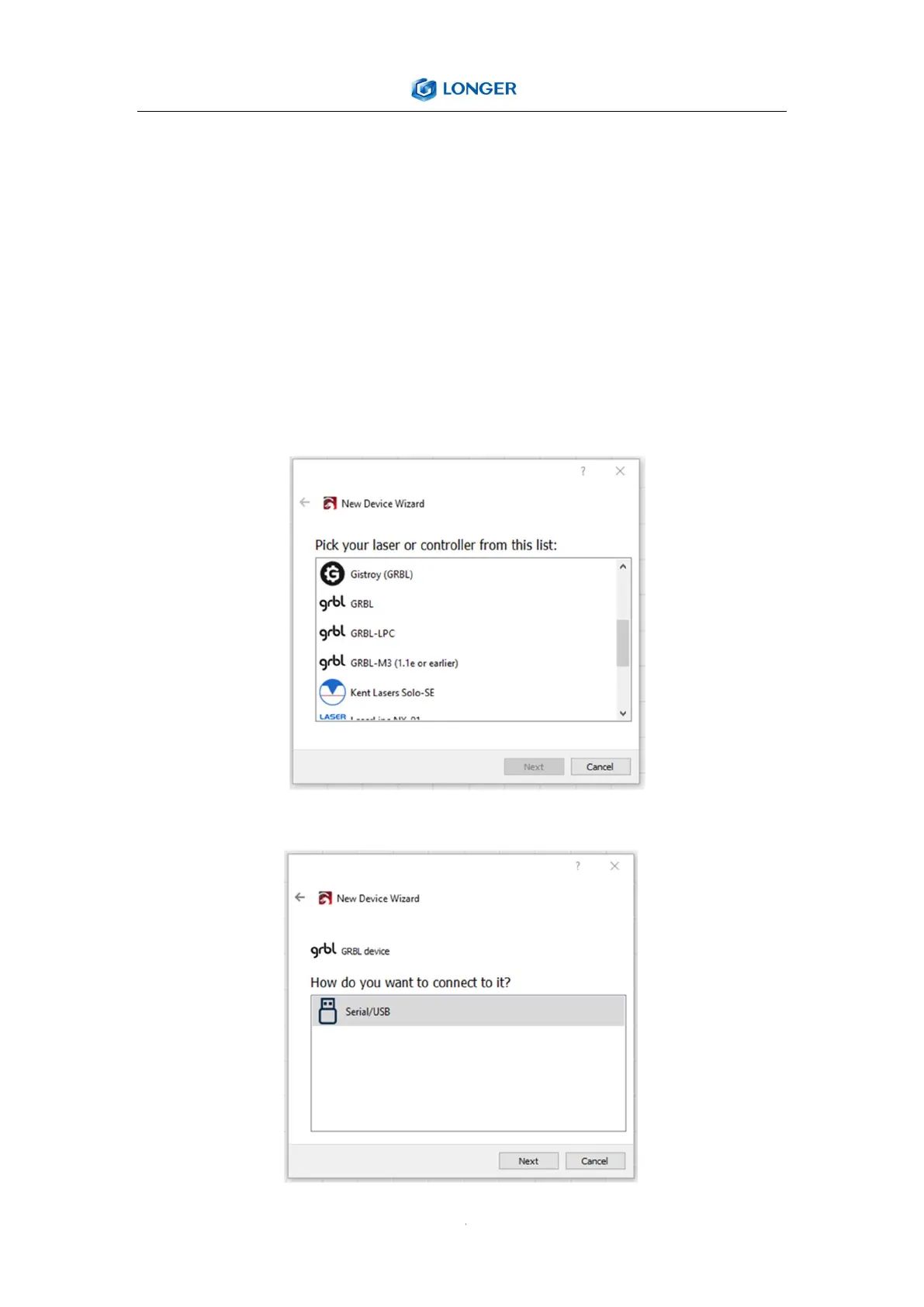
4. If this is the first time you have started LightBurn, you will be prompted to enter the new
device wizard.
5. Select GRBL and press the Next button.
6. Select Serial/USB, and then press Next.



 To Next Page