6
5
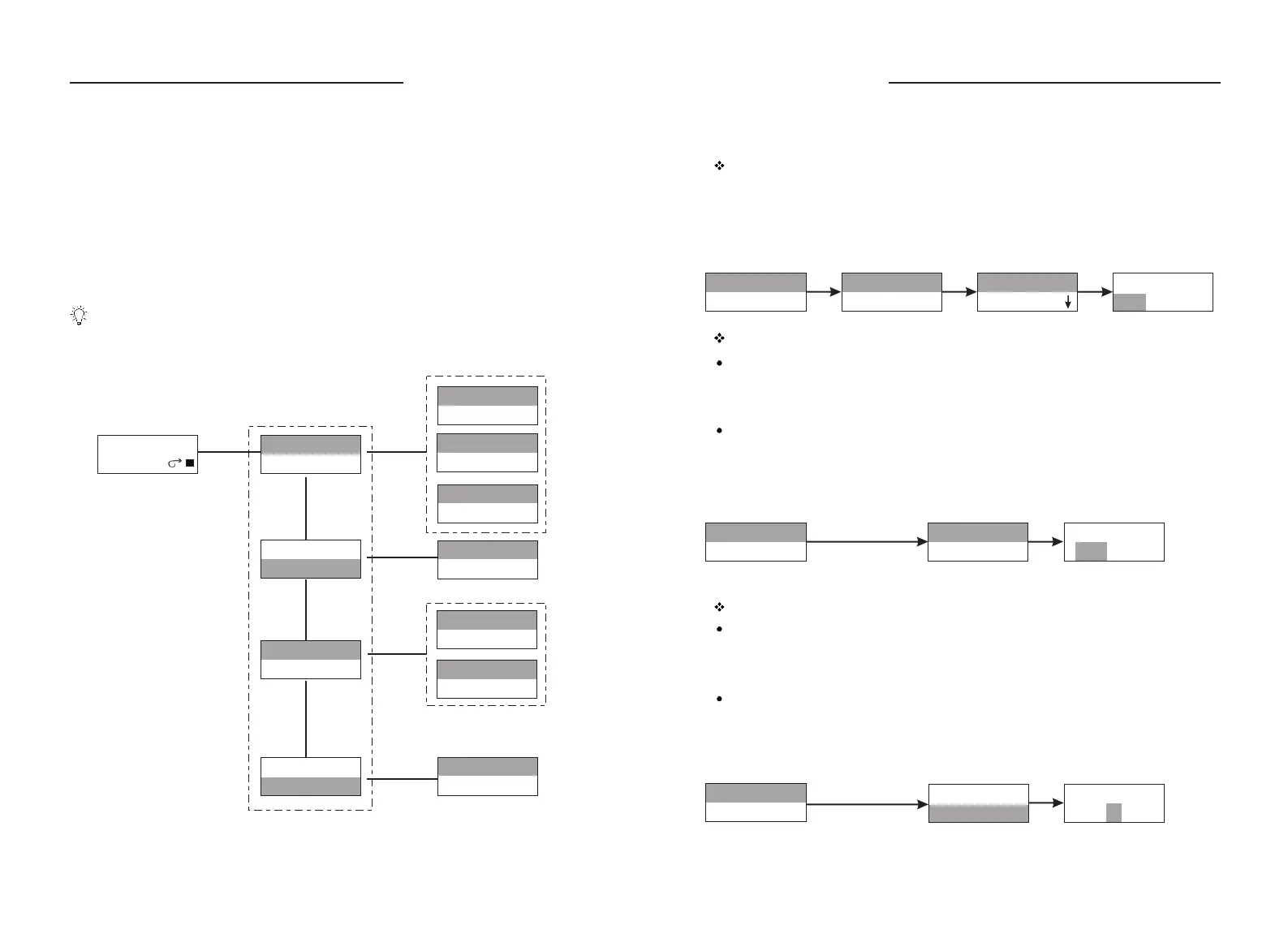
Menu Diagram
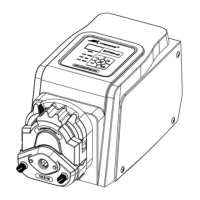
Changing the Pump Head
The pump head is mounted on drive before the pump leaves the factory. Follow
below procedure for changing another pump head.
Loose the two M4 screws which connect the pump head and the drive.
Dismantle the pump head slightly.
Inser t the flat end of the pump head's shaft to the slot of drive's coupling.
Make the location hole of the pump head match the location pin of the drive.
Inser t the two mounting screws into the mounting holes of the pump head.
Then tighten the mounting screws to connecting hole of drive. (For more
information, please refer to pump head's operation manual)
Turn off the power supply before changing the pump head.
1.
2.
3.
VOL: 0.25mL
Copy: 991
Running Interface
1.System Setting
2.Control Mode
3.Disp Setting
4.Calibration
1. Pump head& Tube
YZ1515 ID 0.80
2.Ext Cont. :ON
3.Address : 1
4.Footswitch :G
5.Back rpm :1. 2"
Flowrate
Dispensing
Disp Vol: 2.02mL
Copy No. :10
Flow: 2.043mL/min
Pause rpm :1.0 "
Flowrate
Dispensing
1.System Setting
2.Control Mode
3.Disp Setting
4.Calibration
YZ1515 ID 0.80
YZ1515
YZ2515
Select Tubing ID
0.80 1.60 2.40
Ext Control :
ON OFF
Pump Address:
1
1.System Setting
2.Control Mode
1. Pump head& Tube
1.System Setting
2.Control Mode
2.Ext Cont. :ON
3.Address : 1
1.System Setting
2.Control Mode
2.Ext Cont. :ON
3.Address : 1
System Setting:
All the setting can not be done when pump is running.
Pump head and tubing setting
Press the Knob to highlight Pump Head & Tube line, press Knob again to enter
pump head selection interface, turn Knob to select the pump head, press the
Knob for confirmation and enter tubing selection interface, turn Knob to select
the tubing, press Knob for confirmation and return to pump head selection
interface. Press Exit Key to return to previous menu.
External Control setting
Set the pump to enable the external control or not.
On: Enable external control (0 - 5 V, 0 - 10 V, 4 - 20 mA, 0 - 10 KHz)
Off: Disable external control
Set the external control
Press and turn Knob to highlight the external control line. Press Knob to enter
next interface, turn Knob to select On or Off, press Knob for confirmation. Press
Exit Key to return to previous menu.
Press and turn Knob
Press and turn Knob
Address setting:
When control computer controls many pumps through RS485 interface, it must
identify each pump's I.D. This pump I.D. should be unique. It's the identification
of this pump. Maximum 30 pieces WT600-1F can be controlled through RS485
at the same time.
Setting the address
Press and turn Knob to highlight the address line. Press Knob again to enter next
interface, turn Knob to select Pump I.D. number, press Knob for confirmation.
Press Exit Key to return to previous menu.
WT600-1F OPERATING MANUAL
WT600-1F OPERATING MANUAL



 To Next Page