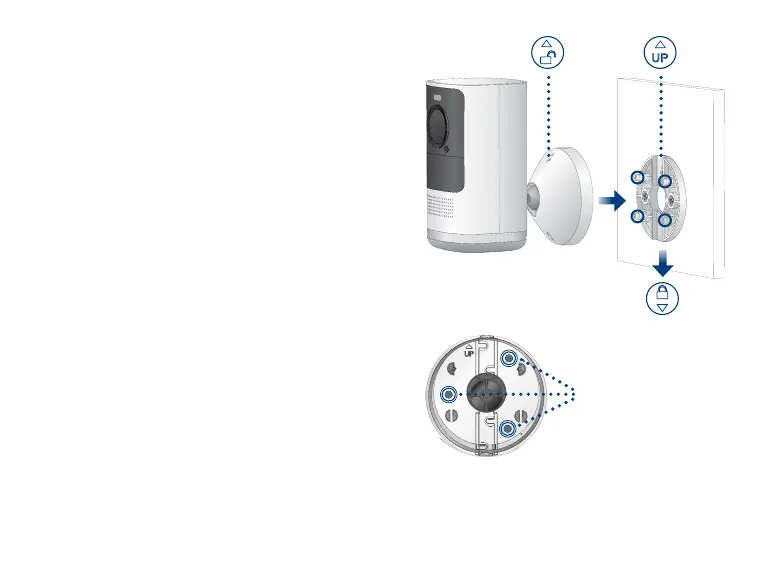
3. Align the arrows between the mounting
bracket and plate. Push the bracket in to
install, then slide down to lock in place.
You will hear a ‘click’ when the bracket is
installed.
4. Attach the camera to the mounting bracket
using the thread insert at the rear of the
camera. Rotate the camera clockwise until
attached, then tighten/fasten into place with
the adjustable nut.
5. Adjust the camera to the desired angle.
Note: If the camera is not holding in place or
difcult to adjust, slide the bracket up to detach
from the mounting plate. Tighten or loosen the
3 screws at the back of the mounting bracket to
adjust accordingly. Repeat steps 3-5 to re-install.
Back - Mounting bracket
Adjustable screws






 To Next Page