4.3 Sample preparation / brief summary
WARNING! Observe the SAFETY INSTRUCTIONS at the beginning of the manual!
• Estimate the measurement range of the sample to be tested and the sample volume as indicated
in section 6.1.
• If necessary, pre-treat the sample as indicated in 6.2 (e.g. adjust pH value, filtrate)
• Measure the sample volume precisely with the overflow volumetric flask and pour into the BOD
bottle (use a funnel, if necessary)
• If necessary, add the nitrification inhibitor as indicated in section 6.1
• Place the magnetic stir bar in the BOD bottle
• Fill the seal cup with 3 - 4 drops of KOH solution and place the seal cup in the test bottle
• Screw the BOD sensors on the test bottles
• Hang the sample in the bottle rack
• Start the test (see section 5)
• Incubate the sample according to specifications (e.g. BOD
5
at 20 °C).
5 Operation
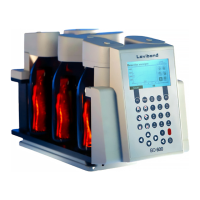
5.1 Keys
1
Arrow keys
They are provided mainly for navigation through the menus.
2
Head keys
Individual measurement points and/or heads can be selected in the submenus with the head keys.
3
Function keys
The function keys have a different meaning in each menu. Info text above the keys indicates their
meaning. If no text is shown above the key, it has no function.
4
Quick selection keys
The quick selection keys take you directly to the corresponding menu each submenu:
Quick selection key 1 ‚Start‘ --> ‚Start measurement series‘
Quick selection key 2 ‚List‘ --> ‚Display current values‘
Quick selection key 3 ‚Graph‘ --> ‚Display measurement series‘
5
Number keys
The number keys are used for entering the date, time, and file and head names.
6
ON/OFF key
This key is used for switching the device on and off.
7
Backspace
Characters which have been entered can be deleted with the backspace key.


 To Next Page