Lovibond
®
PFXi Series Operator’s Instruction Manual V1.6
Page 40 of 53
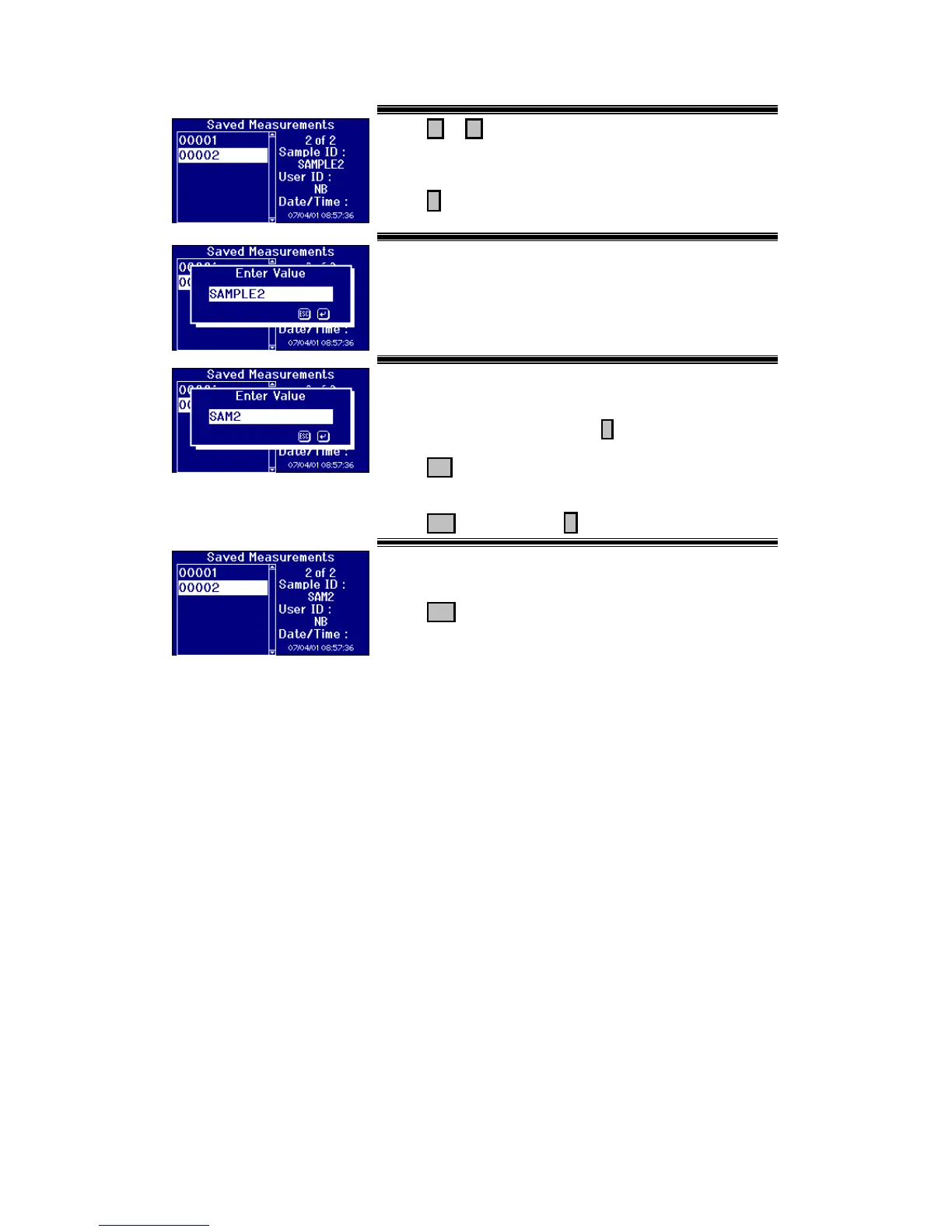
Press or to move the Highlight bar to select the
saved measurement. The details of the measurement are
shown on the right hand side of the display.
Press to select the highlighted measurement.
The Sample ID for the measurement is shown in the edit
box.
Use the Alpha numeric keys to enter the value required.
To get to the letters you want you'll need to press the
keypad one, two or three times. For example, to get the
letter "C" you'll need to press the 2 three times.
Press Del to delete the last character entered if a mistake
is made.
Press Esc to exit or press to accept the value.
The new sample ID value for the measurement is shown
on the right hand side of the display.
Press Esc to exit.








 To Next Page