Lovibond
®
PFXi Series Operator’s Instruction Manual V1.6
Page 41 of 53
Remote Calibration
This allows the user to calibrate the instrument using a Calibration Pack they have purchased.
The Calibration Pack will have been measured using the ISO17025 calibration facility at The
Tintometer Limited. To use this feature the user needs to be able to connect to the Tintometer
Limited Calibration Server, and to have previously registered their instrument. The Calibration
Packs should always be used within 1 month of receipt.
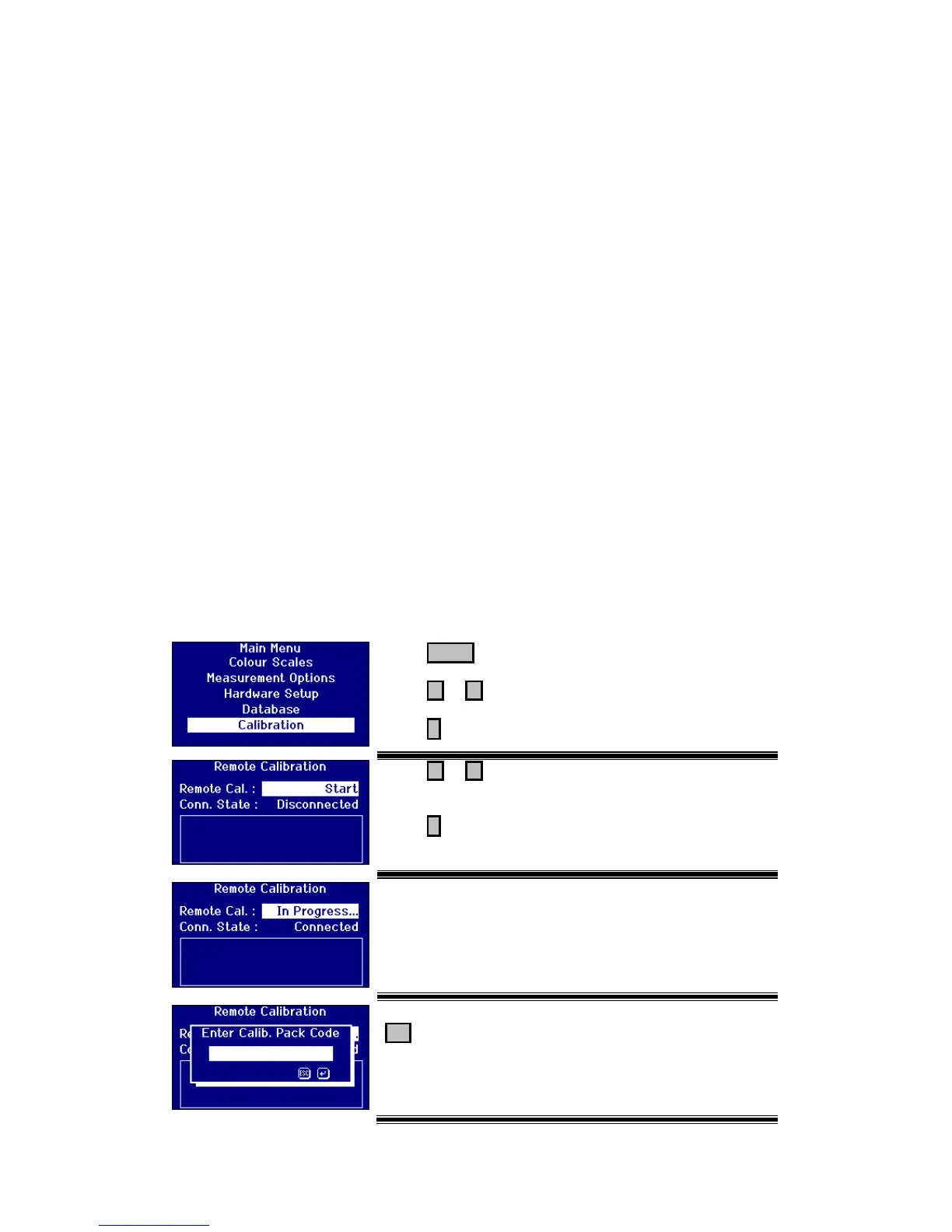
When Remote Calibration is selected the instrument will open a communication channel with
the Calibration Server located at The Tintometer Ltd. Once the channel has been opened, the
Calibration Server will request the Calibration Pack code. The user enters the Calibration
Pack code. This code is then sent to the Calibration Server. The Calibration Server validates
that the pack has not been used before and that it is within its shelf life. Once confirmed, the
Calibration Server sends back the Solution ID’s for all the solutions within the Calibration
Pack. The user is requested to place the Calibration Pack solutions into the sample chamber
and press ‘Read’. Once all the solutions have been measured, the Data is sent back to the
Calibration Server. The Data is compared to the ISO 17025 calibration data for the solutions.
If the data passes within tolerance, a certificate of calibration is emailed to the user. If the
error was small the Calibration Server will calculate and send back correction factors to the
instrument. The user is then asked if they would like to apply the correction factors. If the
correction factors are applied, the measurements of the solutions are repeated to confirm the
instrument is operating correctly..
If, at any point in the calibration process, a major error is found, the user is informed and the
process stops. The user should then contact their local Service Centre.
Calibration Procedure
If you have not already registered the instrument with The Tintometer Ltd, please go to
Appendix 1, “Registering your Instrument”








 To Next Page