EasyManua.ls Logo

Lowara e-HM series - User Manual

Lowara e-HM series
44 pages
Print Icon
To Next Page IconTo Next Page
Loading...
Installation, Operation and
Maintenance Manual
e-HM Series
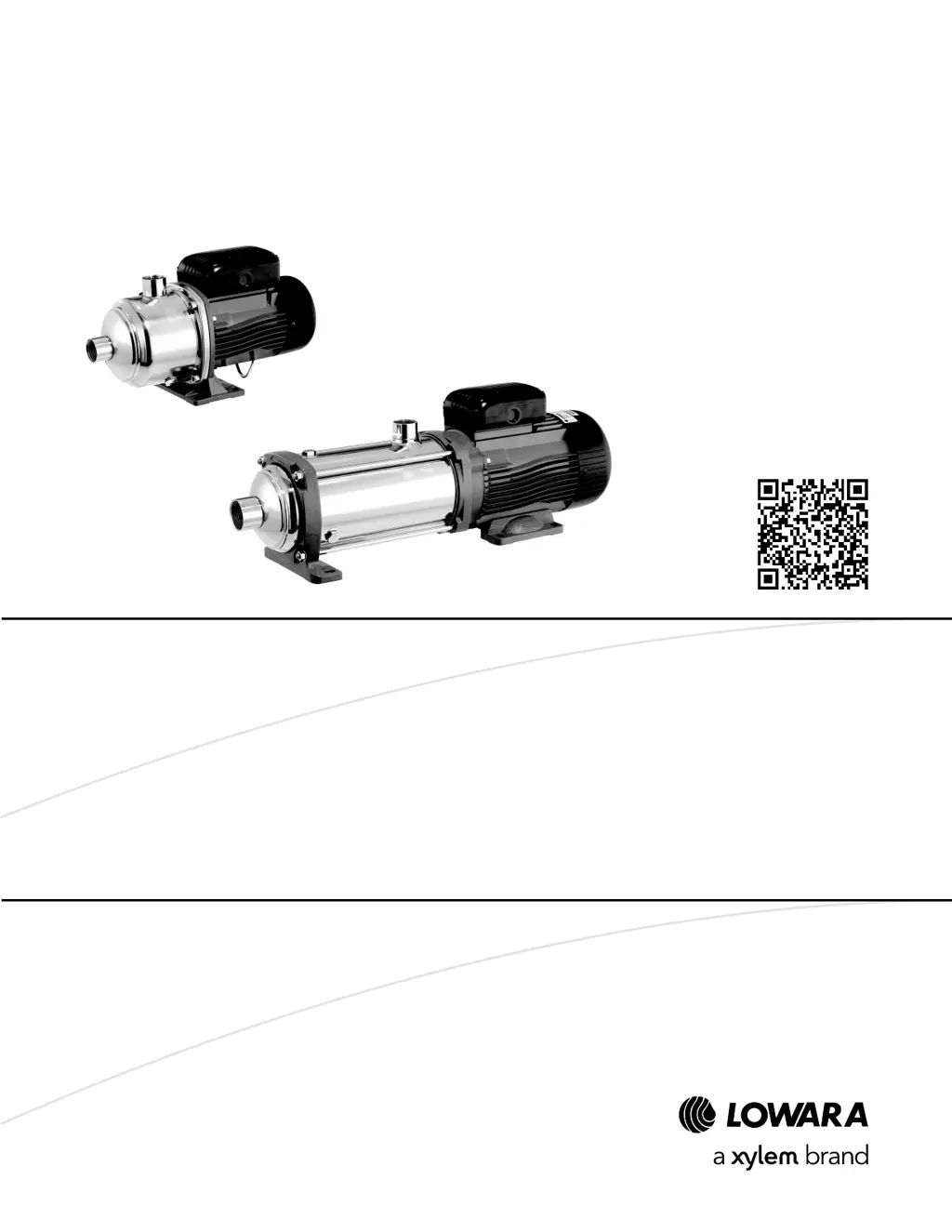
Multistage Horizontal Pump Unit

Table of Contents

Questions and Answers

  • J
    Jody HessAug 14, 2025
    How to troubleshoot a Lowara Water Pump that does not start?
    • J
      John WatsonSep 12, 2025
      If your Lowara Water Pump doesn't start, it could be due to several reasons: * A power supply cut off: Restore the power supply. * The thermal overload protection of the motor has been triggered: Reset the thermal overload protection on the control panel or the unit. * The device that detects the absence of liquid or minimum pressure has been triggered: Top up the liquid or restore minimum pressure. * A damaged power supply cable: Replace the power supply cable. * A faulty capacitor: Replace the capacitor. * A faulty control panel: Check and repair or replace the control panel. * A faulty motor (coil): Check and repair or replace the motor.
  • J
    Jacob PorterAug 17, 2025
    Why does the thermal motor protection trip in my Lowara Water Pump?
    • O
      ortegajenniferAug 17, 2025
      If the thermal motor protection trips in your Lowara Water Pump, consider the following possible causes: * The protection is calibrated too low: Recalibrate it. * Input voltage is outside the rated limits: Ensure voltage values are correct. * Input voltage is unbalanced: Ensure the voltage of the three phases is balanced. * Incorrect working curve: Reduce the required flow rate. * Liquid too dense or presence of solid substances: Reduce the density, remove solid substances, or increase the motor size. * High room temperature or sunlight exposure: Lower the temperature or protect against direct sunlight. * Faulty unit: Send the unit to an authorized workshop for testing.
  • N
    Nicholas HollandAug 20, 2025
    What to do if the motor thermal overload protection triggers when starting a Lowara Water Pump?
    • T
      Tony MillerAug 20, 2025
      If the motor thermal overload protection or fuses trigger when your Lowara Water Pump starts, here's what might be happening: * The protection is calibrated too low: Recalibrate it. * A power supply phase is missing: Check the power supply and restore the phase. * Connections of the thermal overload protection are loose or faulty: Tighten or replace the clamps and terminals. * Connections in the terminal board of the motor are loose, incorrect, or faulty: Tighten or replace the clamps and terminals. * The motor (coil) is faulty: Check and repair or replace the motor.
  • K
    Kevin OrtizAug 25, 2025
    Why does my Lowara Water Pump never stop running (automatic start/stop)?
    • L
      Lisa StephensAug 25, 2025
      If your Lowara Water Pump never stops in automatic start/stop mode, it could be due to: * The required flow rate exceeding expectations: Reduce the required flow rate. * Leaks in the discharge pipe: Eliminate the leaks. * The motor turning in the wrong direction: Check and correct the rotation direction. * Pipes or filters clogged with impurities: Remove the impurities. * Starting device issues: Adjust or replace the starter.
  • J
    Joseph AllenAug 27, 2025
    What causes a Lowara Water Pump to run with little or no flow rate?
    • G
      garcianicholasAug 27, 2025
      If your Lowara Water Pump runs but has little to no flow rate, consider these possibilities: * The motor is turning in the wrong direction: Check and change the direction if needed. * Incorrect priming: Repeat the priming procedure. * Cavitation: Increase the NPSH available in the system. * The check valve is locked: Replace the check valve. * The foot check valve is locked: Replace the foot check valve. * The discharge pipe is throttled: Remove the throttling. * The piping or unit is clogged: Remove the clogging.
  • R
    Ryan WoodAug 30, 2025
    Why is the RCD activated on my Lowara Water Pump?
    • C
      Christopher JenkinsAug 30, 2025
      If the differential protection device (RCD) is activated in your Lowara Water Pump, it may be due to: * A motor leak: Check, repair, or replace the motor. * An unsuitable type of differential: Check the type of differential.
  • J
    Jason Kaufman IVSep 3, 2025
    What causes a Lowara Water Pump to start and stop too frequently?
    • T
      Tony HillSep 3, 2025
      If your Lowara Water Pump starts up too frequently in automatic start/stop mode, it could be due to: * Incorrect priming: Repeat the priming procedure. * A locked check valve: Replace the check valve. * A locked foot check valve: Replace the foot check valve. * Incorrectly set or faulty starting device: Adjust or replace the starter. * Expansion vessel issues: Pre-charge, replace, or install an expansion vessel. * Oversized unit: Contact Xylem or the Authorised Distributor.
  • J
    jessicajimenezSep 6, 2025
    Why is my Lowara Water Pump making excessive noise and/or vibrations?
    • N
      novakangelaSep 6, 2025
      If your Lowara Water Pump produces excessive noise and/or vibrations, it may be due to: * Cavitation: Increase the NPSH available in the system.
  • S
    Samuel MorrisonSep 9, 2025
    Why does my Lowara Water Pump turn in the opposite direction when turned off?
    • J
      John PerrySep 9, 2025
      If your Lowara Water Pump turns in the opposite direction when turned off, it's likely due to: * A faulty check valve: Replace the check valve. * A faulty foot check valve: Replace the foot check valve.

Summary

Introduction and Safety

Purpose of the manual

This manual provides information on correct installation, operation, and maintenance.

Supplementary instructions

Manual instructions apply to standard units; special versions may have supplementary manuals.

Danger levels and safety symbols

Explains hazard levels and symbols (DANGER, WARNING, CAUTION, NOTICE) for avoiding risks.

User safety guidelines

Emphasizes qualified users, safety regulations, and guidelines for inexperienced users.

Environmental protection

Covers disposal of packaging and product, and measures to prevent fluid leaks.

Sites exposed to ionizing radiations

Provides safety measures for units exposed to ionizing radiations during dispatch.

Transport and Storage

Handling the packed unit

Safety warnings for handling heavy units, using PPE, and preventing contamination.

Unit inspection upon delivery

Instructions for inspecting packages and units for damage or missing components.

Unit handling procedures

Guidelines for harnessing and lifting the unit safely, using appropriate equipment.

Storage of the packed unit

Conditions for storing the unit: covered, dry, away from heat, protected from dirt and vibrations.

Long-term storage of the unit

Instructions for long-term storage, including emptying the unit to prevent freezing.

Product Description

Product designation

Describes the unit as a multistage horizontal centrifugal pump with threaded ports.

Data plate information

Explains the data plate and lists its main details and identification code.

Marks of safety approval

Refers to electric safety approval marks like IMQ, TUV, IRAM on the pump unit.

Main components

Identifies and labels the main components of the pump unit with a diagram.

Intended use

Lists applications like pressure boosting, water supply, and liquid circulation.

Pumped liquids

Specifies liquids that can be pumped: hot water, cold water, clean liquids, compatible fluids.

Improper use warnings

Details prohibited uses, like pumping flammable liquids or in explosive atmospheres.

Examples of improper use

Lists specific examples of improper use, such as incompatible liquids or abrasive substances.

Examples of improper installation

Lists improper installation environments like explosive or high-temperature areas.

Use in human consumption water networks

Specific warning against pumping drinking water after use with other fluids.

Installation

Installation precautions

General safety and procedural precautions before starting installation.

Installation area requirements

Guidelines for selecting the installation area, including ventilation and clearances.

Permitted installation positions

Illustrates permitted and prohibited installation orientations for the unit.

Fastening the unit

Instructions for securely fastening the unit to the mounting surface.

Reducing vibrations

Guidance on minimizing vibrations transmitted between the unit and the piping.

Hydraulic connection

Safety warnings and guidelines for connecting the unit to the hydraulic system.

Hydraulic system guidelines

Provides representative hydraulic diagrams for suction head and suction lift installations.

Electrical connection

Safety warnings and general guidelines for electrical connections.

Grounding procedures

Emphasizes proper grounding of the unit and electrical accessories.

Electrical connection guidelines

Check leads for protection and ensure the power supply line has protection devices.

Electric panel guidelines

Notes that the electric panel must match unit data plate ratings to avoid damage.

Motor guidelines

Instructions for wiring, protection, and safety for the motor.

Operation with frequency converter

Details on connecting and operating the motor with a frequency converter for speed control.

Operation

Operation precautions

Safety warnings before operating the unit, including coupling guards and dry running.

Filling and priming

Step-by-step instructions for filling and priming the pump for operation.

Positive suction head priming

Procedure for priming the pump when the suction head is positive.

Suction lift priming

Procedure for priming the pump when operating under suction lift conditions.

Checking motor rotation direction

Instructions for verifying and correcting the motor's rotation direction for three-phase motors.

Correcting wrong rotation direction

Steps to invert two wires to correct the motor rotation direction.

Unit start-up procedure

Detailed steps for starting the pump unit after priming and checks.

Settling the mechanical seal

Procedure to help the mechanical seal settle and reduce initial leakage.

Stopping the unit

Procedure for safely shutting down the pump unit.

Maintenance

Maintenance precautions

Safety warnings and requirements for performing maintenance tasks.

Scheduled maintenance (4000 hours;annual)

Details the checks and tasks required for periodic maintenance.

Handling long periods of inactivity

Instructions for preparing the unit for extended periods without operation.

Ordering spare parts

Information on how to identify and order spare parts from the manufacturer's website.

Troubleshooting

Troubleshooting precautions

Safety warnings and advice for troubleshooting issues with the unit.

Troubleshooting: Unit does not start

Lists causes and remedies for the unit failing to start.

Troubleshooting: RCD activated

Identifies causes and remedies when the RCD is triggered.

Troubleshooting: Overload protection;fuses trigger

Addresses issues where thermal overload protection or fuses activate upon startup.

Troubleshooting: Thermal motor protection trips

Covers scenarios where the thermal motor protection trips intermittently or after short operation.

Troubleshooting: Low or no flow rate

Diagnoses causes and solutions for the unit operating with minimal or no flow.

Troubleshooting: Opposite direction when stopped

Identifies causes and remedies for the unit turning in reverse after shutdown.

Troubleshooting: Noise and vibrations

Addresses causes of excessive noise or vibrations from the unit.

Troubleshooting: Frequent startups

Diagnoses reasons for frequent automatic starting and stopping of the unit.

Troubleshooting: Unit never stops

Addresses causes for the unit continuously running without stopping.

Troubleshooting: Unit is leaking

Lists causes and remedies for leaks from the unit, often related to seals.

Troubleshooting: Motor overheating

Identifies causes for the motor becoming excessively hot and their remedies.

Troubleshooting: Frequency converter issues

Guides on resolving issues related to frequency converter errors or shutdown.

Technical references

Operating environment specifications

Details environmental conditions like temperature, humidity, and elevation.

Temperature limits

Specifies minimum and maximum ambient and liquid temperatures for operation.

Relative air humidity limits

Specifies the acceptable range for relative air humidity during operation.

Elevation limits

Defines the maximum operating elevation and power reduction coefficients.

Pumped liquid temperature limits

Refers to pressure-temperature diagrams for operating limits of pumped liquid.

Operating pressure specifications

Defines maximum input, generated, and operating pressures (P1max, Pmax, PN).

Maximum hourly start-ups

Specifies the maximum number of start-ups per hour based on unit rated power.

Protection class (IP)

States the protection class rating of the unit, e.g., IP 55.

Electrical specifications

Refers the user to the motor data plate for electrical specifications.

Supply voltage tolerances

Details permitted voltage tolerances for different frequencies and phases.

Noise level specifications

States the free field sound pressure level measurement for the unit.

Materials in contact with liquid

Table showing materials used for pump body, impellers, and diffusers based on model code.

Disposal

Disposal precautions

Warnings regarding proper disposal of the unit and its fluids through approved companies.

Declarations

EC Declaration of Conformity

Declares conformity with relevant European Directives and technical standards.

EU Conformity Declaration (EMCD08)

Declares conformity with EU harmonization legislation on electromagnetic compatibility.

Warranty

Warranty information

Refers the user to the sale contract documentation for warranty details.

Lowara e-HM series Specifications

General IconGeneral
BrandLowara
Modele-HM series
CategoryWater Pump
LanguageEnglish

Related product manuals