64
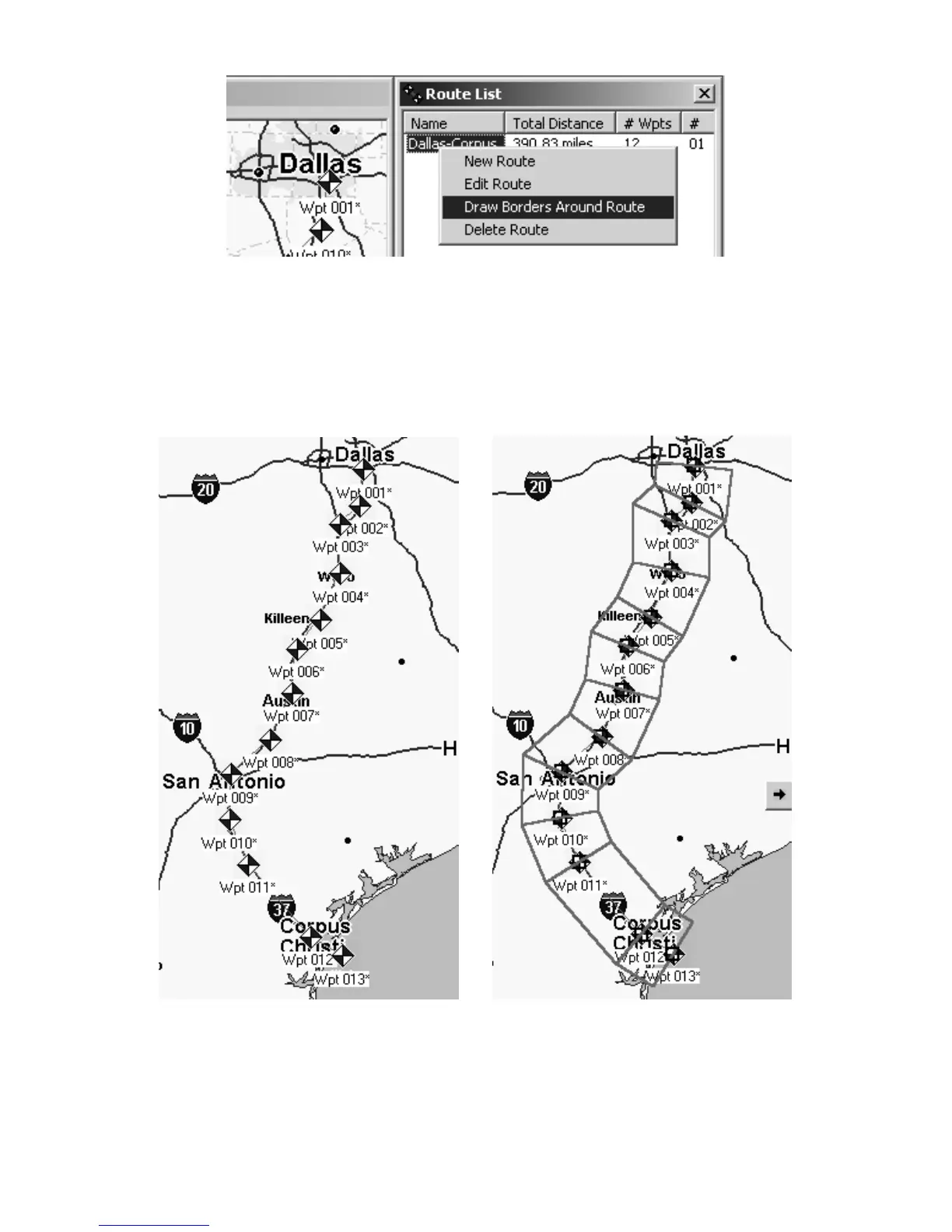
When you right-click a route name in the Route List Window, a pop-up
menu appears. Click on Draw Borders Around Route to generate the
border. In this example, we are creating a corridor map border for a
route from Dallas to Corpus Christi, Texas.
MapCreate draws a corridor map border following the route. See the
illustrations below, showing the route before and after the command is
performed.
Route from Dallas to Corpus Christi, Texas (left) and the corridor map
created automatically from the route (right).
You can save this as a Map Border File and then create a Map File, or
create a Map File without saving the border. (Click the
SAVE MAP BORDER
button, on the FILE toolbar, and then click the CREATE MAP button.)



 To Next Page