82
IMS Fishing Hot Spots Maps
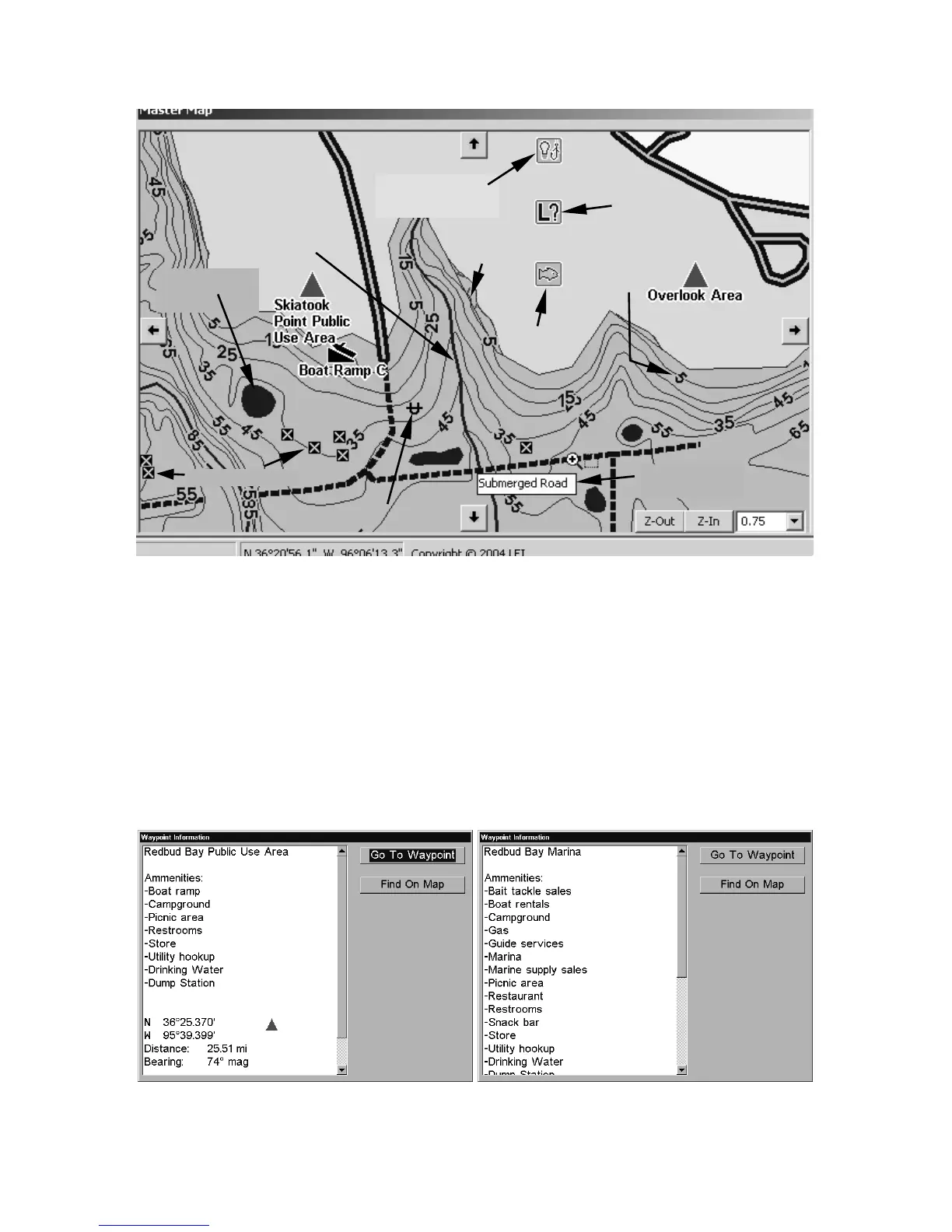
Master Map window showing detail from an IMS Fishing Hot Spots
map of Lake Skiatook. Place the Center Map or Zoom Area pointer
over an item and a pop-up information box appears.
Move your mouse pointer over an item and a pop-up tool-tip box ap-
pears, identifying the item. In a Lowrance or Eagle GPS unit, the cur-
sor also identifies map symbols with a pop-up box, but additional in-
formation is available from certain symbols.
For example, use the cursor to select a red triangle public use area or
facility point symbol, then press the
Wpt key (or the Find key in the
iFINDER
hand-held units). A Waypoint Information screen appears.
IMS Fishing Hot Spots Waypoint Information screen from a GPS unit,
showing amenities available at a public use area and a marina.
Fishery
Submerged
pond
Submerged
stream
Underwater
contours &
depths
Pop-up box
Park areas
appear in
green.
Brush shelter



 To Next Page