LS Industrial Systems SV-iC5
Easy Start Guide
6. How to set a Parameter value
Page 6
This guide has been produced by The Inverter Drive Supermarket Ltd.
All content, including but not limited to graphics, text and procedures copyright The Inverter
Drive Supermarket and must not be reproduced or altered without prior written permission.
©
6.1 Use the left and right arrows on the navigation pad
to move between parameter groups.
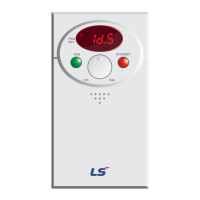
From the initial screen (shown opposite), press the right
arrow on the navigation pad to move between each of the
four parameter groups. Select “H0".
6.2 Use the up and down arrows on the navigation pad
to move between parameters within the selected
parameter group.
6.3 Press the navigation pad to edit a parameter.
Once the desired parameter is shown on the display, in this
case H33, press the navigation pad to select it.
In some cases, it is possible to accidentally press an arrow
key instead of the navigation pad. In this case, ensure you
re-select parameter H33 before attempting to press the
navigation pad again.
NPN
PNP
RUN STOP/RST
FWD
REV
min max
NPN
PNP
RUN STOP/RST
FWD
REV
min max
NPN
PNP
RUN STOP/RST
FWD
REV
min max
Drive
Group
Function
Group 1 “F”
Function
Group 2 “H”
I/O
Group
In this example, we will set
Parameter H33 (Function Group 2
“H”, Parameter number 33) which is
motor rated current.
Presstheuparrowonthe
navigation pad repeatedly to move
from H0 to H1, H2, H3 etc. until you
reach H33.


 To Next Page
 Loading...