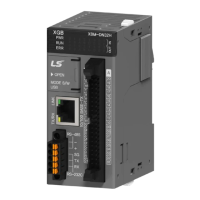
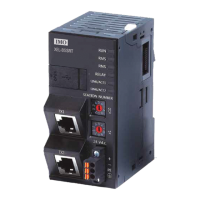
Programmable Logic Controller Installation Guide
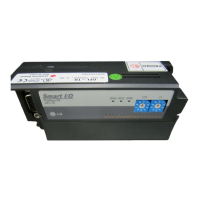
Smart I/O XEL-BSSRT/F/H
This installation guide provides simple function information or PLC control. Please read
carefully this data sheet and manuals before using products. Especially read precautions then
handle the products properly.
■ Meaning of warning and caution label
WARNING indicates a potentially hazardous situation which,
if not avoided, could result in death or serious injury
CAUTION indicates a potentially hazardous situation which,
if not avoided, may result in minor or moderate injury.
It may also be used to alert against unsafe practices
① Do not contact the terminals while the power is applied.
② Be sure there are no foreign metallic matters.
③ Do not manipulate the battery(charge, disassemble, hitting, short, soldering).
① Be sure to check the rated voltage and terminal arrangement before wiring
② When wiring, tighten the screw of terminal block with the specified torque range
③ Do not install the flammable things on surroundings
④ Do not use the PLC in the environment of direct vibration
⑤ Except expert service staff, Do not disassemble or fix or modify the product
⑥
Use the PLC in an environment that meets the general specifications contained in
this installation guide.
⑦ Be sure that external load does not exceed the rating of output module.
⑧ When disposing of PLC and battery, treat it as industrial waste.
⑨ I/O signal or communication line shall be wired at least 100mm away from a high-
voltage cable or power line.
■ To install, observe the below conditions.
℃
℃
5 ~ 95%RH, non-condensing
5 ~ 95%RH, non-condensing
5
Vibration
Resistance
IEC 61131-2
each
direction
for
X, Y, Z
■ For system configuration, the following version is necessary.
1) XG5000 Software : V4.30 or above
■ For more information, please refer to user manual.
RAPIEnet, EtherNet/IP, Modbus-TCP, BOOTP, DHCP
Communication cable
Electric: S-FTP over CAT5e
Optical: Multi-mode/Single-mode fiber optic cable(MMF/SMF)
Internal current consumption
㎃
㎃
㎃
*1) Be careful that the sum of the current consumption does not exceed the output current.
■ This is front part of the product. Refer to each name when operating the system. For more
information, refer to user’s manual.
\
■
Parts name and function
No. Name Description
① Status LED
RAPIEnet/IP Adapter operation status LED,
Network communication status LED
② Rotary Switch Node Address switch
DC24V power input connector
④ Media connector Media connector (electric, optical)
USB connector to connect with XG5000
⑥ USB protection cover Protection cover for USB connector
Protection cover for expansion connector
■ LED details
RUN
RMS
Devices setting is not complete
Non-restorable error occurs
Red Blink
Invalid setting, Restorable error occurs,
Parameter errors, Initialization errors,
Different speeds or duplexes between ports
RNS
Duplicated IP address/station number is detected
Red Blink
Time-out occurs with one or more devices
Frame error or heartbeat error occurs
RELAY
LINK/ACT1
LINK/ACT2
1G Link=Yes, Activity=Yes
10/100M Link=Yes, Activity=No
10/100M Link=Yes, Activity=Yes
■ Here describes the method to attach each module to the base or remove it.
1) Attachment of product
① When extension input/output
module is installed, pull two levers
of adapter module up.
② Push the product and connect
it agreement with hook for fixation of
four edges and hook for connection
③ After connection, get down the hook
For fixation and fix it completely
2) Detachment of product
① Push up the hook for disconnection.
② Detach the product with two hands. (Don’t force it.)
■ Installation of cable
1) 100/10000BASE-TX’s max.extended length between nodes is 100m.
2) This module provides Auto Cross Over function so the user can use both cross and
straight cable.
Pin No. Sign
■ Warranty period
18 months after the production date.
■ Scope of Warranty
18-month warranty is available except:
1) The troubles caused by improper condition, environment or treatment except the
instructions of LS ELECTRIC.
2) The troubles caused by external devices
3) The troubles caused by remodeling or repairing based on the user’s own discretion.
4) The troubles caused by improper usage of the product
5) The troubles caused by the reason which exceeded the expectation from science
and technology level when LS ELECTRIC manufactured the product
6) The troubles caused by natural disaster
■ Change in specifications
Product specifications are subject to change without notice due to continuous product
development and improvement.
LS ELECTRIC Co., Ltd www.lselectric.co.kr 10310001663 V1.2 (2020.4)
• E-mail: automation@lselectric.co.kr
• Headquarter/Seoul Office
Tel: 82-2-2034-4033,4888,4703
•
LS ELECTRIC Shanghai Office (China)
• LS ELECTRIC (Wuxi) Co., Ltd. (Wuxi, China)
• LS-ELECTRIC Vietnam Co., Ltd. (Hanoi, Vietnam)
•
LS ELECTRIC Middle East FZE (Dubai, U.A.E.)
• LS ELECTRIC Europe B.V. (Hoofddorf, Netherlands)
• LS ELECTRIC Japan Co., Ltd. (Tokyo, Japan)
•
LS ELECTRIC America Inc. (Chicago, USA)
• Factory: 56, Samseong 4-gil, Mokcheon-eup, Dongnam-gu, Cheonan-si, Chungcheongnam-
do, 31226, Korea
Performance Specifications
Parts name and Dimension (mm)
1663


 To Previous Page
 Loading...