Programmable Logic Controller Installation Guide
XGF-HO2A, XGF-HD2A, XGF-HO8A
This installation guide provides simple function information of PLC control. Please read carefully
this data sheet and manuals before using products. Especially read safety precautions and
handle the products properly.
■ Meaning of warning and caution inscription
WARNING indicates a potentially hazardous situation which,
if not avoided, could result in death or serious injury
CAUTION indicates a potentially hazardous situation which,
if not avoided, may result in minor or moderate injury.
It may also be used to alert against unsafe practices,
① Do not contact the terminals while the power is applied.
② Protect the product from being gone into by foreign metallic matter.
③ Do not manipulate the battery(charge, disassemble, hitting, short, soldering).
① Be sure to check the rated voltage and terminal arrangement before wiring.
② When wiring, tighten the screw of terminal block with the specified torque rage.
③ Do not install the flammable things on surroundings.
④ Do not use the PLC in the environment of direct vibration.
⑤ Except expert service staff, do not disassemble or fix or modify the product.
⑥ Use the PLC in an environment that meets the general specifications contained
in this datasheet.
⑦ Be sure that external load does not exceed the rating of output module.
⑧ When disposing of PLC and battery, treat it as industrial waste.
■ To install, observe the below conditions.
℃
℃
5 ~ 95%RH, non-condensing
5 ~ 95%RH, non-condensing
5
Vibration
Resistance
IEC 61131-2
each
direction
for
X, Y, Z
■ For system configuration, the following version is necessary.
1) XGI CPU : V2.1 or above
2) XGK CPU : V2.0 or above
3) XGR CPU : V1.1 or above
4) XG5000 Software : V2.4 or above
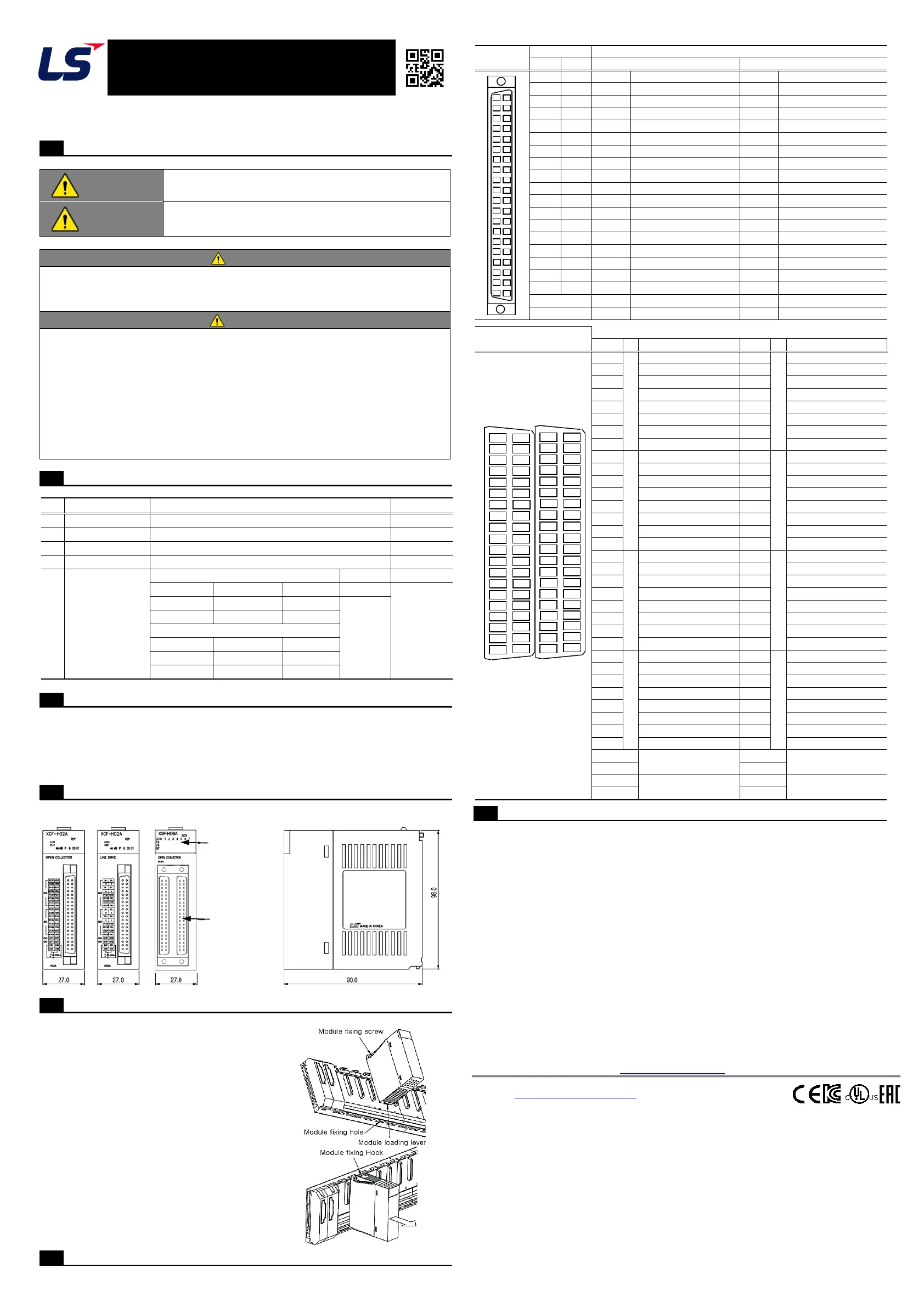
■ This is front part of the CPU. Refer to each name when driving the system. For more
information, refer to user manual.
Display LED
Terminal Block
■ Here describes the method to attach each product to the base or remove it.
1) Installing module
① Slide the upper part of module to fix
to the base, and then fit it to the base
by using the module fixed screw.
② Pull the upper part of module to check
if it is installed to the base completely.
2) Removing module
① Loosen the fixed screws of the upper
part of module from the base.
② Hold the module by both hands and press
the fixed hook of module thoroughly.
③ By pressing the hook, pull the upper
part of module from the axis of the lower
part of module.
④ By lifting the module upward, remove
the fixed projection of module from the fixing hole.
Figure
Figure
0
4
1
5
2
6
3
7
24V
24V
24V COM
24V COM
■ The warranty period is 36 months from the date of manufacture.
■ The initial diagnosis of faults should be conducted by the user. However, upon request, LS
ELECTRIC or its representative(s) can undertake this task for a fee. If the cause of the fault
is found to be the responsibility of LS ELECTRIC, this service will be free of charge.
■ Exclusions from warranty
1) Replacement of consumable and life-limited parts (e.g. relays, fuses, capacitors, batteries,
LCDs, etc.)
2) Failures or damages caused by improper conditions or handling outside those specified in
the user manual
3) Failures caused by external factors unrelated to the product
4) Failures caused by modifications without LS ELECTRIC’s consent
5) Use of the product in unintended ways
6) Failures that cannot be predicted/solved by current scientific technology at the time of
manufacture
7) Failures due to external factors such as fire, abnormal voltage, or natural disasters
8) Other cases for which LS ELECTRIC is not responsible
■ For detailed warranty information, please refer to the user’s manual.
■ The content of the installation guide is subject to change without notice for product
performance improvement.
LS ELECTRIC Co., Ltd. www.ls-electric.com 10310001484 V4.6 (2024.06)
• E-mail: automation@ls-electric.com
• Headquarter/Seoul Office
Tel: 82-2-2034-4033,4888,4703
• LS ELECTRIC Shanghai Office (China)
• LS ELECTRIC (Wuxi) Co., Ltd. (Wuxi, China)
• LS ELECTRIC Vietnam Co., Ltd. (Hanoi, Vietnam)
• LS ELECTRIC Middle East FZE (Dubai, U.A.E.)
• LS ELECTRIC Europe B.V. (Hoofddorf, Netherlands)
• LS ELECTRIC Japan Co., Ltd. (Tokyo, Japan)
• LS ELECTRIC America Inc. (Chicago, USA)
• Factory: 56, Samseong 4-gil, Mokcheon-eup, Dongnam-gu, Cheonan-si, Chungcheongnam-
do, 31226, Korea
Applicable Support Software
Parts Name and Dimension (mm)
Installing / Removing Modules
18D
18C
18B
13B
11B
18A
10A
1484


 To Previous Page
 Loading...