Page 71
The TCP or UDP message that is sent from the controlling device can be any combination of
text or numbers. This can be any descriptive text that you like. The message does not define
any parameters of the action such as Memory Number, Cue Number, Level or Fade time.
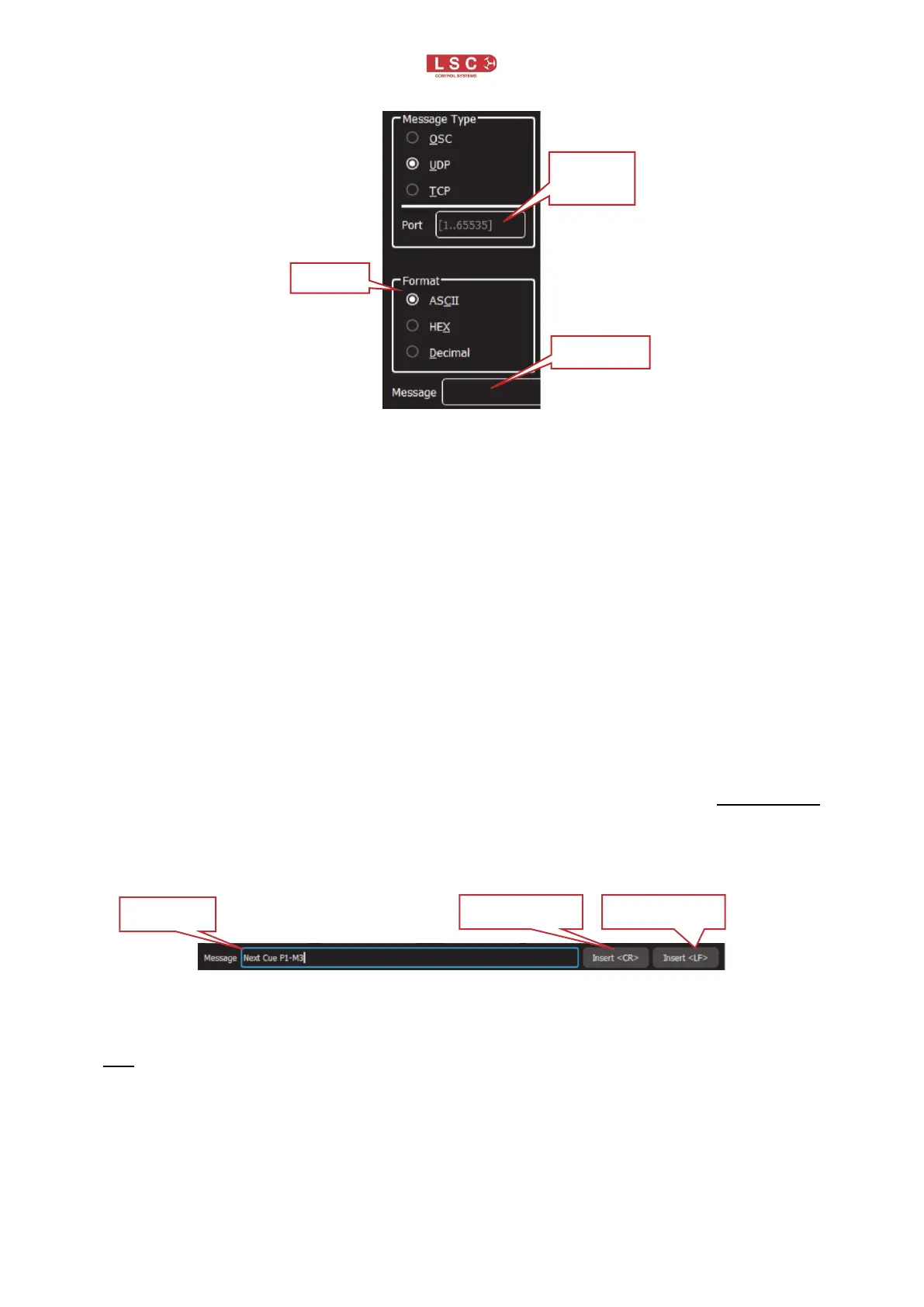
In the “Message” pane, enter the exact message that will be sent by the controlling device. When
the received message exactly matches the message in the message pane, the action and
parameters as set in the “remote trigger editor” screen will be triggered.
The actions that can be triggered are either “Play Memory”, advance to “Next Cue” or
enable/disable “Override”. These actions are all described in their own sections.
• See section 16.3.3 for more information on Play memory
• See section 16.3.5 for more information on Next Cue
• See section 4.12.4 for more information on Override
For example, the message might be “House Lights On” and when received, it will trigger an
action to “Play Memory, P1-M12, Cue 1 at 100% Level with a Fade Time of 10000.
Some sending devices will automatically include a <CR> (Carriage Return) or <LF> (Line Feed)
at the end of each message. If the sending device ends the message with a CR or LF, you must
also include these in the message pane because the message that you enter must exactly match
the message that is sent by the transmitting device.
A <CR> or <LF> cannot be typed directly into the message pane. To insert a Carriage Return
or Line Feed into the message pane, touch either Insert <CR> or Insert <LF>.
A CR or LF are also used to separate consecutive messages. This allows the Mantra Lite to
recognise each separate message and it can then use them in separate triggers.
Hint: Adding a <CR> or <LF> to end of each message is not mandatory but it is good practise.
They allow the Mantra Lite to always knows that the message has ended.
16.3.3 Play Memory.
“Play Memory” is an “Action” that can be triggered by any of the 4 “Message Types” (Contact,
OSC, UDP, TCP). The 4 message types are described above. When the “Play Memory” action
is triggered it will play the selected cue.


 To Next Page