13
1
11
1.
. .
. MMI
MMIMMI
MMI
You can see the main menu by pressing the ESC or ENTER key on the primary display.
This main menu displays menu list for movement to child menu.
User can move the curser by pressing the Up, Down directional key and enter the child
menu by pressing ENTER key.
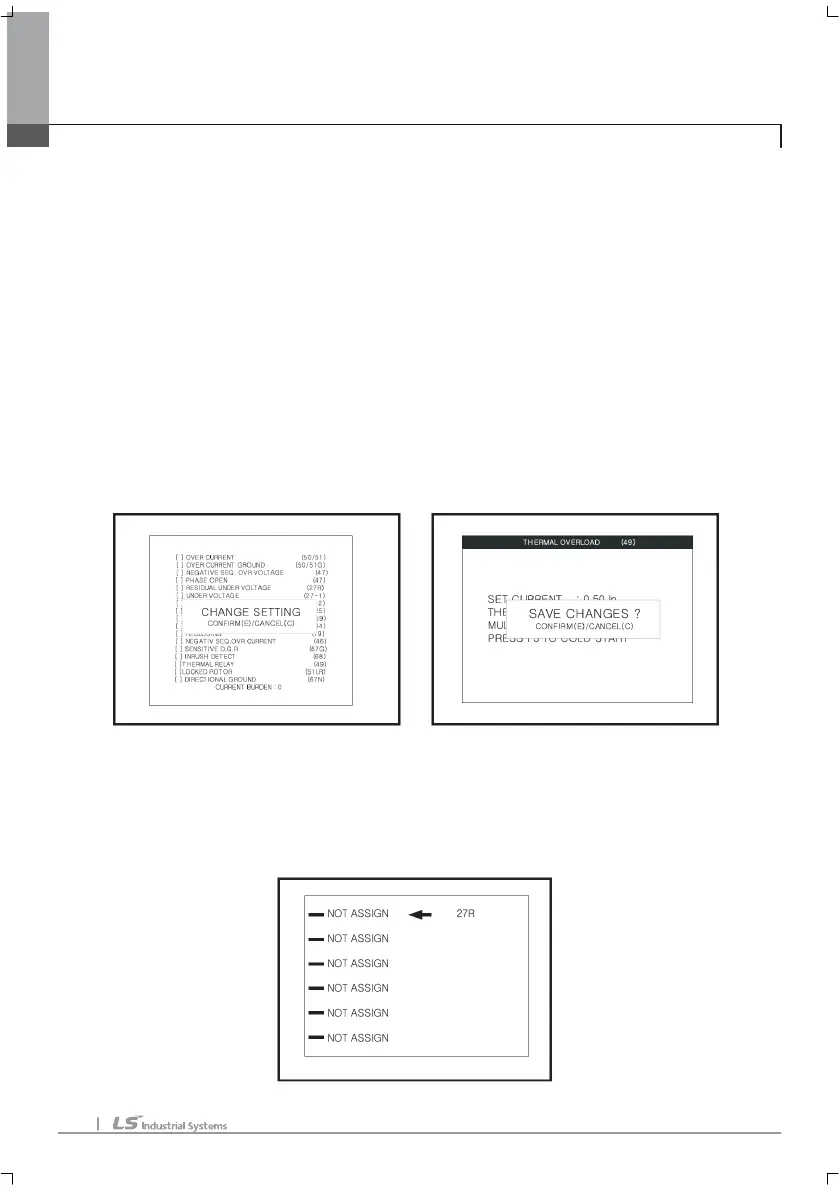
If you want to select/cancel the each relay element. Move curser to target relay element
with Up/Down key and click the Light/Left key. And it will display confirmation question to
user. ENTER is confirmation of selection or changing and ESC is cancellation of selection
or changing. This menu is used to set up the relay element.
If user wants to set up the relay elements. Move curser to target with Up/Down key and
click ENTER key. And user can see the set up, changing point menu.
If user change the values, user can save that with F2 key. And it will display
confirming question.
If user wants to set the trip assign LED. Put the F4 key on that relay setting menu and
it will display as follows.



 To Next Page